Mastering 2FA: Your Ultimate Guide to Digital Security in 2026
Mastering 2FA: Your Ultimate Guide to Digital Security in 2026
In an increasingly digital world, where our lives are inextricably linked to online platforms, the importance of robust cybersecurity cannot be overstated. From banking and social media to email and healthcare portals, every online account holds sensitive information that, if compromised, could lead to devastating consequences. This is where Two-Factor Authentication (2FA) steps in as a critical line of defense. As we navigate the complexities of 2026, understanding and implementing 2FA is no longer optional; it’s an essential practice for anyone looking to safeguard their digital footprint.
This comprehensive Two-Factor Authentication Guide aims to demystify 2FA, providing you with the knowledge and tools to implement it effectively across all your accounts. We will delve into what 2FA is, why it’s so important, the various types available, and how to integrate it seamlessly into your digital life. Our goal is to empower you to take control of your online security, ensuring your personal data remains protected against the ever-evolving landscape of cyber threats.
What is Two-Factor Authentication (2FA)?
At its core, Two-Factor Authentication (2FA) is a security process that requires two different forms of identification before granting access to an account. Instead of relying solely on a password (something you know), 2FA adds an extra layer of verification, typically something you have or something you are. This multi-layered approach significantly reduces the risk of unauthorized access, even if your password falls into the wrong hands.
Think of it like this: your password is the key to your house. Without 2FA, if a burglar gets your key, they’re in. With 2FA, even if they have your key, they still need to get past a second security measure, like a specific alarm code or a fingerprint scan. This makes it exponentially harder for malicious actors to breach your accounts.
The concept of 2FA isn’t new, but its widespread adoption and technological advancements have made it a cornerstone of modern cybersecurity. As cybercriminals become more sophisticated, so too must our defenses. 2FA provides that crucial second barrier, transforming a single point of failure (your password) into a much more resilient security system.
Why is 2FA So Important in 2026?
The digital landscape of 2026 presents unique challenges that underscore the critical need for 2FA:
- Increased Data Breaches: High-profile data breaches continue to expose millions of passwords annually. Even strong, unique passwords can be compromised. 2FA mitigates the impact of such breaches.
- Phishing and Social Engineering: Cybercriminals are adept at tricking users into revealing their credentials through sophisticated phishing attacks. While 2FA can’t prevent you from giving away your password, it can prevent that stolen password from being used for unauthorized access.
- Credential Stuffing Attacks: Attackers often use lists of stolen usernames and passwords from one breach to try and gain access to accounts on other platforms. This is known as credential stuffing. 2FA is highly effective against this tactic.
- Remote Work and Hybrid Environments: With more people working remotely, accessing sensitive data from various locations and devices, the attack surface expands. 2FA ensures that even if a work device is compromised, account access remains secure.
- Regulatory Compliance: Many industries and regions are implementing stricter data protection regulations, often recommending or mandating the use of multi-factor authentication to protect personal and sensitive data.
By understanding these evolving threats, it becomes clear that 2FA is not just a recommendation; it’s a fundamental requirement for anyone serious about protecting their digital life.
The Three Factors of Authentication
To fully grasp 2FA, it’s helpful to understand the three distinct categories of authentication factors. 2FA requires at least two of these:
- Something You Know (Knowledge Factor): This is the most common factor and includes things like passwords, PINs, security questions, or passphrases. It’s information only you are supposed to know.
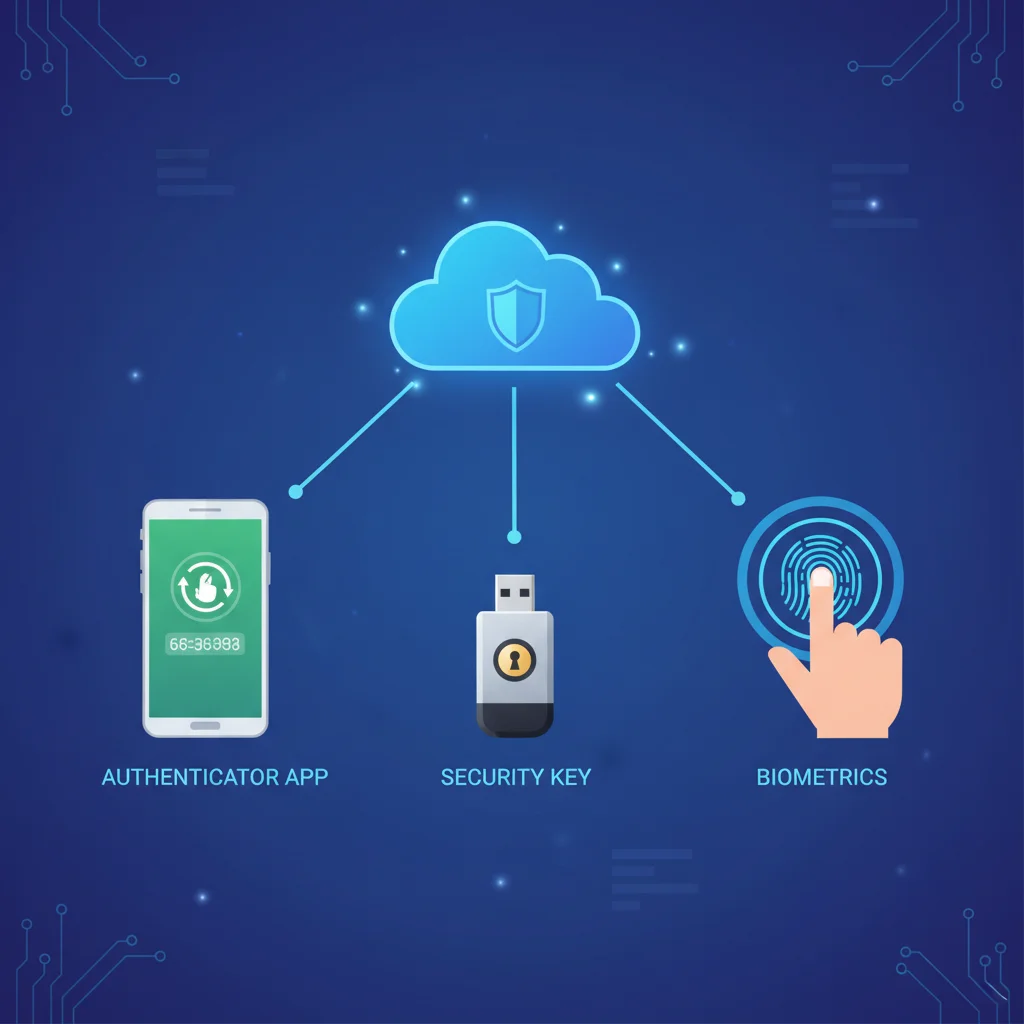
- Something You Have (Possession Factor): This refers to a physical item in your possession. Examples include a smartphone (to receive an SMS code or use an authenticator app), a hardware security key (like a YubiKey), or a smart card.
- Something You Are (Inherence Factor): This category involves unique biological characteristics inherent to you. Biometric authentication falls under this, such as fingerprint scans, facial recognition, iris scans, or voice recognition.
A robust 2FA system will combine elements from at least two of these categories, making it significantly harder for an unauthorized individual to gain access, even if they manage to compromise one factor.
Common Types of Two-Factor Authentication (2FA) Methods
The beauty of 2FA lies in its variety. Different methods offer varying levels of security, convenience, and compatibility. Here’s a breakdown of the most common types you’ll encounter and how they contribute to a strong Two-Factor Authentication Guide:
1. SMS-Based 2FA (TOTP via SMS)
This is one of the most widely adopted forms of 2FA. When you attempt to log in, a unique, time-sensitive code is sent to your registered mobile phone via SMS. You then enter this code into the login screen to gain access.
- Pros: Extremely convenient, almost universally available, and easy to set up for most users.
- Cons: Vulnerable to ‘SIM swap’ attacks, where attackers trick carriers into transferring your phone number to their SIM card. Also susceptible to interception by sophisticated malware or social engineering. Less secure than other methods.
2. Authenticator Apps (TOTP – Time-based One-Time Password)
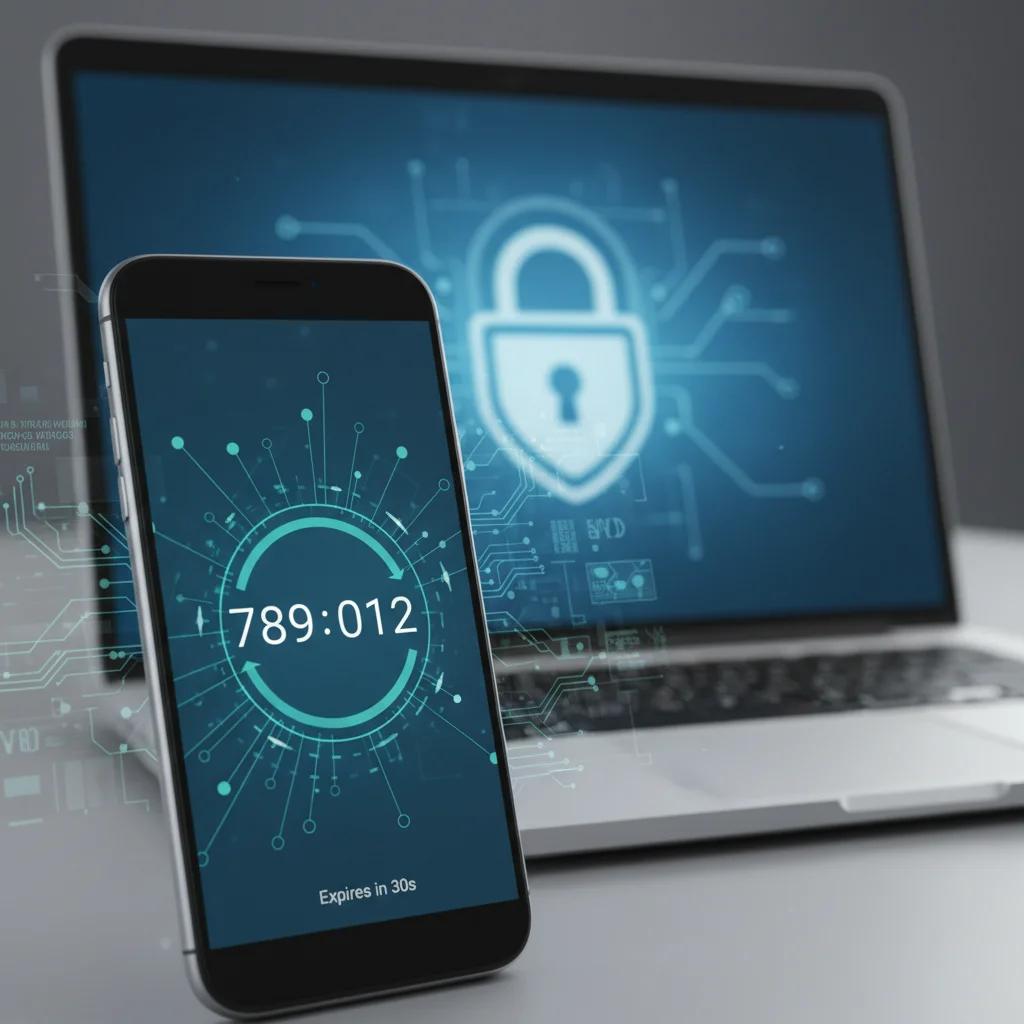
Authenticator apps like Google Authenticator, Microsoft Authenticator, Authy, or Duo Mobile generate time-sensitive, rotating codes directly on your smartphone. These codes refresh every 30-60 seconds.
- Pros: More secure than SMS-based 2FA as codes are generated offline on your device, making them immune to SIM swap attacks. Works without a network connection.
- Cons: If you lose your phone and haven’t backed up your authenticator app, regaining access can be challenging. Requires careful setup and backup.
3. Hardware Security Keys (U2F/FIDO2)
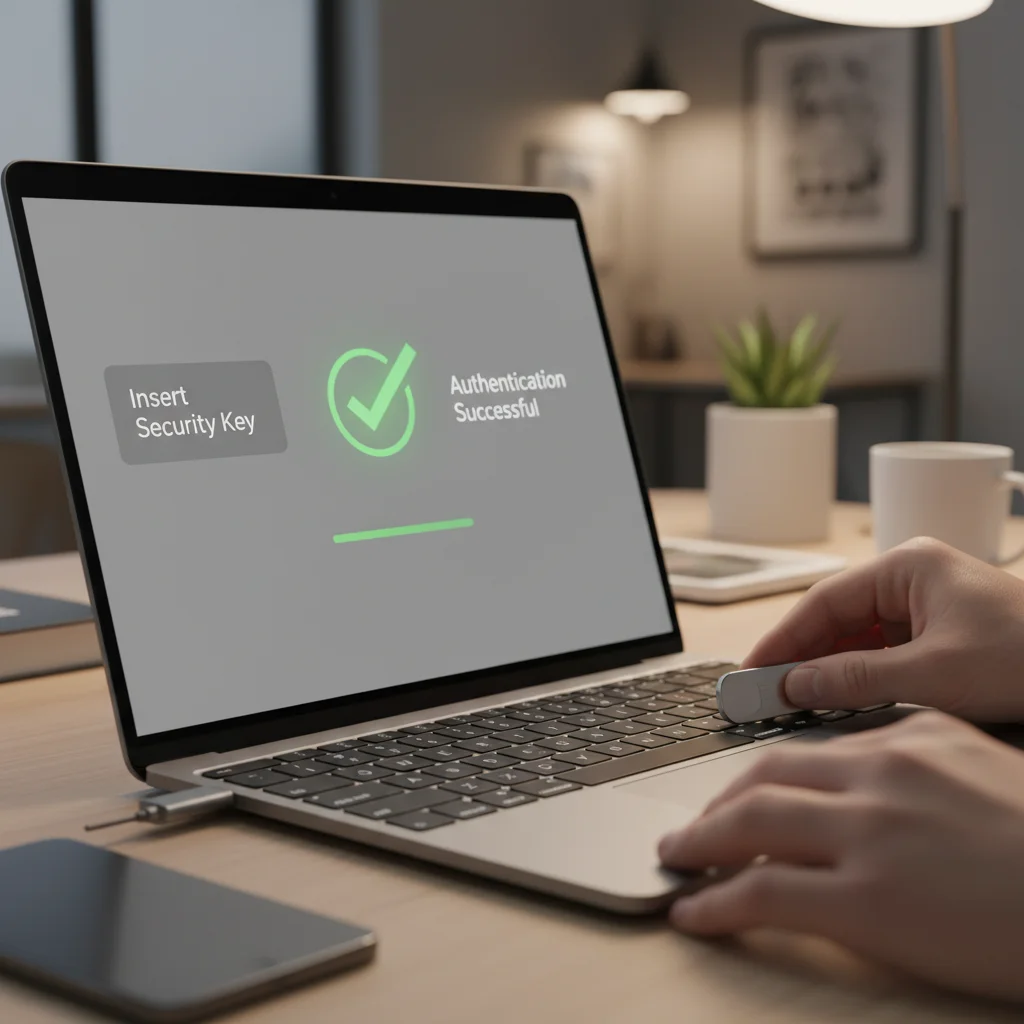
Physical security keys, such as YubiKey or Google Titan Security Key, are small USB devices that you plug into your computer or connect wirelessly (NFC/Bluetooth). They provide cryptographic authentication, which is considered one of the strongest forms of 2FA.
- Pros: Extremely resistant to phishing, malware, and man-in-the-middle attacks. Highly secure and easy to use once set up.
- Cons: Requires a physical device, which can be lost or misplaced. Not all services support hardware keys, though adoption is growing rapidly.
4. Biometric Authentication
Leveraging ‘something you are,’ biometric 2FA uses unique biological traits for verification. This includes fingerprint scanners, facial recognition (like Face ID), and iris scanners.
- Pros: Highly convenient and fast. Often integrated directly into smartphones and laptops.
- Cons: Can be less reliable in certain conditions (e.g., smudged fingerprint, poor lighting for facial recognition). Privacy concerns regarding biometric data storage.
5. Push Notifications
Some services send a push notification to your smartphone, asking you to approve or deny a login attempt. You simply tap ‘approve’ or ‘deny’ within the app.
- Pros: Very convenient and user-friendly. Provides context about the login attempt (location, device).
- Cons: Can be susceptible to ‘MFA fatigue’ or ‘push bombing’ attacks, where attackers repeatedly send notifications hoping the user accidentally approves.
Implementing Two-Factor Authentication (2FA) Across All Your Accounts: A Step-by-Step Guide for 2026
Now that you understand the importance and types of 2FA, let’s walk through the practical steps to implement it across your digital life. This Two-Factor Authentication Guide is designed to be actionable and comprehensive.
Step 1: Inventory Your Accounts
The first step is to identify all your critical online accounts. Make a list that includes (but is not limited to):
- Email accounts (primary and secondary)
- Social media platforms (Facebook, Instagram, Twitter, LinkedIn, etc.)
- Banking and financial services
- E-commerce sites (Amazon, eBay, etc.)
- Cloud storage (Google Drive, Dropbox, iCloud)
- Work-related accounts and VPNs
- Password managers
- Cryptocurrency exchanges
Prioritize accounts that hold the most sensitive information or could lead to significant financial loss if compromised.
Step 2: Choose Your Preferred 2FA Methods
Based on the types discussed earlier, decide which 2FA methods you’re comfortable using. For critical accounts, a combination of methods (e.g., authenticator app + hardware key as backup) is ideal. For less critical accounts, an authenticator app is generally a good balance of security and convenience. Avoid relying solely on SMS-based 2FA for your most important accounts.
Step 3: Enable 2FA on Each Account
This is the core of your Two-Factor Authentication Guide implementation. The process varies slightly by service, but generally follows these steps:
- Log in to the Account: Use your existing username and password.
- Navigate to Security Settings: Look for sections like ‘Security,’ ‘Privacy,’ ‘Account Settings,’ or ‘Login & Security.’
- Find Two-Factor Authentication (or Multi-Factor Authentication): It might be labeled as ‘2FA,’ ‘MFA,’ ‘Login Verification,’ or ‘Two-Step Verification.’
- Follow the Prompts: The service will guide you through the setup process for your chosen method.
- For Authenticator Apps: You’ll typically scan a QR code with your authenticator app, which then generates the codes.
- For Hardware Keys: You’ll usually be prompted to insert your key and touch it to register.
- For SMS/Email: You’ll verify your phone number or email address by entering a code sent to it.
- Save Backup Codes: Most services provide a set of one-time backup codes. These are crucial for regaining access if you lose your phone or hardware key. Store them in a secure, offline location (e.g., encrypted drive, safe deposit box, or a printed copy in a secure physical location). Do NOT store them on your computer or cloud storage without strong encryption.
- Test 2FA: After setup, log out and then attempt to log back in to ensure 2FA is working correctly.
Step 4: Secure Your Backup Codes and Recovery Options
This cannot be stressed enough. Your backup codes are your lifeline if something goes wrong with your primary 2FA method. Treat them like cash. Also, ensure your account recovery options (e.g., recovery email, recovery phone number) are up-to-date and secure themselves, ideally with 2FA enabled on those too.
Step 5: Regularly Review and Update Your 2FA Settings
Cybersecurity is an ongoing process. Periodically review your 2FA settings for all accounts. If you get a new phone, remember to transfer your authenticator app configurations. If a service introduces a more secure 2FA option (e.g., moving from SMS to hardware key), consider upgrading.
Best Practices for Using Two-Factor Authentication (2FA)
Maximizing the effectiveness of your 2FA implementation goes beyond just enabling it. Here are some best practices to integrate into your digital security routine:
- Enable 2FA Everywhere Possible: Make it a habit. If a service offers 2FA, turn it on. The more layers of security you have, the better.
- Prioritize Stronger 2FA Methods: For your most critical accounts (email, banking, password manager), opt for authenticator apps or hardware security keys over SMS.
- Use a Dedicated Authenticator App: Rely on reputable authenticator apps like Google Authenticator, Authy, or Microsoft Authenticator. Avoid using built-in SMS for critical accounts.
- Backup Your Authenticator App: If your authenticator app offers cloud backup (like Authy), use it. Otherwise, manually record the secret keys or QR codes (securely!) during setup.
- Protect Your Hardware Keys: Treat your physical security key like a house key. Keep it safe and consider having a backup key for critical accounts.
- Never Share 2FA Codes: No legitimate service will ever ask you for your 2FA code via email, phone, or chat. Any such request is a scam.
- Beware of Phishing: Even with 2FA, phishing attempts can trick you into entering your credentials on fake sites. Always double-check the URL before entering any information. Hardware keys are particularly effective against phishing.
- Secure Your Recovery Options: Ensure the email and phone numbers set as recovery options for your accounts are also secured with 2FA.
- Use a Password Manager: A strong password manager (itself secured with 2FA) will help you create and store unique, complex passwords for all your accounts, further bolstering your security posture.
- Stay Informed: Keep up-to-date with the latest cybersecurity threats and 2FA best practices.
Overcoming Common 2FA Hurdles
While 2FA is invaluable, some users encounter challenges. This Two-Factor Authentication Guide addresses common concerns:
What if I Lose My Phone?
This is where backup codes are your savior. If you’ve saved them securely, you can use them to log in and then set up 2FA on a new device. Many authenticator apps also offer cloud backup features to simplify this process.
What if My Hardware Key is Lost or Stolen?
Similar to losing your phone, backup codes are essential. For critical accounts, consider having a secondary hardware key registered as a backup. This allows you to regain access without resorting to potentially less secure recovery methods.
What if I Don’t Have My Phone/Key with Me?
Some services allow you to designate trusted devices or locations where 2FA might be temporarily bypassed after initial verification. However, this reduces security, so use it sparingly and with caution. Always prioritize having your 2FA method available when logging in.
Is 2FA Really Necessary for Every Account?
While enabling 2FA everywhere is ideal, prioritize accounts based on their sensitivity. Your primary email, banking, and social media accounts are non-negotiable. For less critical accounts, even a weaker form of 2FA is better than none at all.
The Future of Two-Factor Authentication: What to Expect in 2026 and Beyond
The field of cybersecurity is constantly evolving, and 2FA is no exception. As we move further into 2026, we can anticipate several trends:
- Wider Adoption of FIDO2/Passkeys: Passwordless authentication using FIDO2 standards (which hardware keys leverage) is gaining significant traction. Passkeys, built on FIDO2, offer a seamless and highly secure login experience, effectively replacing passwords with cryptographic keys stored on your devices. This will likely become the dominant form of authentication for many services.
- Enhanced Biometric Security: Improvements in biometric technology will make fingerprint and facial recognition even more secure and difficult to spoof, leading to their increased use as a secondary factor.
- AI-Powered Risk-Based Authentication: Systems will increasingly use AI to analyze login attempts in real-time, considering factors like location, device, and typical behavior. If an attempt seems suspicious, it might automatically trigger a 2FA challenge, even if not usually required.
- User Experience Improvements: The industry is focused on making 2FA more user-friendly without compromising security. Expect simpler setup processes, better recovery options, and more intuitive interfaces.
Conclusion: Your Imperative for Digital Security in 2026
In conclusion, Two-Factor Authentication (2FA) is an indispensable tool in your digital security arsenal for 2026 and beyond. It provides a crucial layer of defense that can protect your accounts from a vast array of cyber threats, from simple password theft to sophisticated phishing attacks. By understanding what 2FA is, familiarizing yourself with the various methods, and diligently implementing it across all your online services, you are taking a proactive and powerful step toward safeguarding your personal information and financial well-being.
Don’t wait for a data breach or an unauthorized login attempt to realize the value of this essential security measure. Use this Two-Factor Authentication Guide as your roadmap to a more secure digital life. Embrace 2FA, prioritize stronger methods where possible, and always keep your recovery options secure. Your peace of mind in the digital realm depends on it.
Stay vigilant, stay informed, and most importantly, stay secure with 2FA.