Master Your Smartphone Battery: 30% Life Boost with Advanced Settings in 2026
In the rapidly evolving digital landscape of 2026, our smartphones are more than just communication devices; they are our personal assistants, entertainment hubs, navigation systems, and even our mobile offices. With such heavy reliance, the Achilles’ heel for many users remains the same: battery life. We’ve all experienced the anxiety of seeing that red battery icon, knowing our day is about to be cut short. But what if there was a way to significantly boost your smartphone’s endurance, extending its life by a remarkable 30% or more, simply by leveraging advanced settings and understanding a few key principles? This comprehensive guide will delve into the cutting-edge strategies and often-overlooked features that can transform your smartphone battery optimization, ensuring your device keeps pace with your demanding lifestyle in 2026.
The quest for longer battery life isn’t new, but the solutions are constantly evolving. As smartphone technology advances, so too do the methods for managing their power consumption. Forget the old advice of simply turning off Wi-Fi or Bluetooth; today’s smartphones offer a sophisticated suite of tools that, when properly utilized, can unlock unprecedented levels of efficiency. This article focuses on actionable advice, advanced settings, and a forward-looking perspective to help you achieve superior smartphone battery optimization.
Understanding Your Battery: More Than Just a Percentage
Before we dive into optimization techniques, it’s crucial to understand what impacts your smartphone’s battery. Modern smartphone batteries are predominantly Lithium-ion (Li-ion) or Lithium-polymer (Li-Po). While robust, their capacity degrades over time, affected by charge cycles, temperature, and usage patterns. In 2026, advancements in battery chemistry continue, but fundamental principles remain. Your phone’s operating system (OS) plays a critical role in managing power, constantly balancing performance with energy conservation. Understanding this interplay is the first step towards effective smartphone battery optimization.
The Impact of Software on Battery Life
Software is often the biggest culprit behind rapid battery drain. Background app activity, excessive notifications, location services, and unoptimized applications can silently consume a significant portion of your daily charge. The OS itself, whether Android or iOS, has built-in mechanisms to mitigate this, but user intervention through advanced settings is key to maximizing their effectiveness. Regular software updates often include battery performance improvements, so keeping your device up-to-date is a passive yet crucial form of smartphone battery optimization.
Advanced Settings for a 30% Battery Boost: The Core Strategies
Achieving a 30% increase in battery life isn’t about one magic trick; it’s a combination of strategic adjustments across various settings. These aren’t just basic toggles; they require a deeper dive into your phone’s capabilities.
1. Intelligent Background Activity Management
One of the most significant drains on your battery comes from apps running in the background. While essential for instant notifications and seamless multitasking, many apps don’t need constant background access. Both Android and iOS have become increasingly sophisticated in managing this, but you can fine-tune it further.
Android Specifics (2026 UI):
- Adaptive Battery/App Standby: Navigate to
Settings > Battery > Adaptive Battery(or similar, depending on your device manufacturer’s overlay). Ensure this feature is enabled. It uses AI to learn your app usage patterns and restricts background activity for rarely used apps. - Deep Sleep for Apps: For specific problematic apps, go to
Settings > Apps > See all apps > [Select App] > Battery. Here, you can often choose options like ‘Restricted’ or ‘Optimized’ for background usage. ‘Restricted’ will prevent the app from running in the background entirely, potentially delaying notifications but saving significant power. - Disable Background Data for Non-Essential Apps: In
Settings > Network & internet > Mobile network > App data usage, you can see which apps consume data in the background and disable it for those that don’t need real-time updates.
iOS Specifics (2026 UI):
- Background App Refresh: This is a powerful setting. Go to
Settings > General > Background App Refresh. Instead of turning it off completely (which might affect app functionality), consider setting it to ‘Wi-Fi’ or selectively disabling it for apps that don’t require constant updates (e.g., games, photo editors). - App-Specific Location Services: Many apps request ‘Always’ access to your location. Go to
Settings > Privacy & Security > Location Services. Review each app and change permissions to ‘While Using the App’ or ‘Never’ unless absolutely necessary. - Push vs. Fetch Mail: For email accounts, ‘Push’ retrieves new mail instantly, using more battery. ‘Fetch’ checks periodically. Adjust this in
Settings > Mail > Accounts > Fetch New Data. Consider ‘Fetch’ every 15-30 minutes or ‘Manually’ for less critical accounts.
2. Optimizing Display Settings: The Visual Power Hog
Your screen is often the single largest consumer of battery power. Modern OLED displays are more efficient than LCDs, especially with dark themes, but proper management is still crucial for effective smartphone battery optimization.
Universal Display Tips:
- Adaptive Brightness: Always enable this (
Settings > Display > Adaptive Brightnesson Android,Settings > Accessibility > Display & Text Size > Auto-Brightnesson iOS). Your phone’s ambient light sensor will adjust brightness automatically, preventing unnecessary power drain. - Shorter Screen Timeout: Set your screen to turn off after 15 to 30 seconds of inactivity (
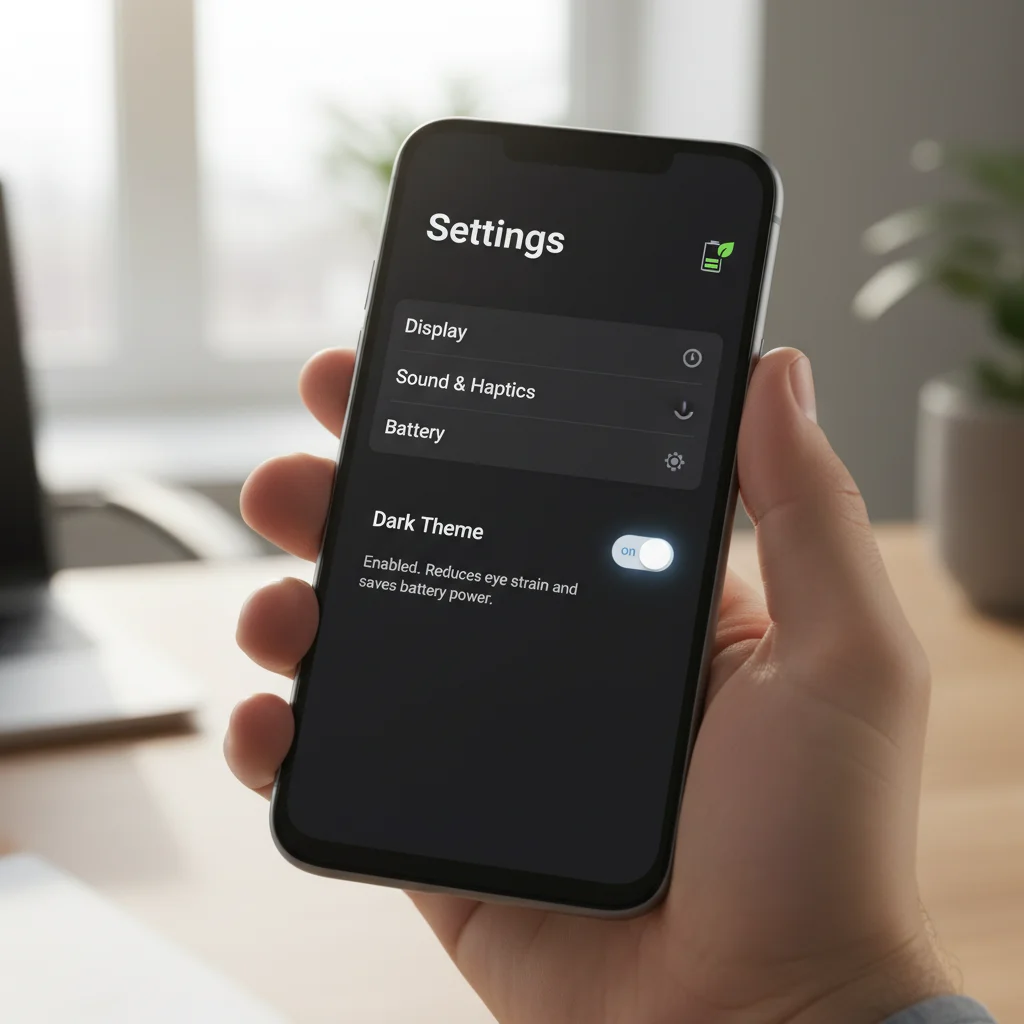
Settings > Display > Screen timeout). Every second counts. - Dark Mode/Theme: For devices with OLED screens, dark mode (
Settings > Display > Dark theme) can save substantial battery as black pixels are essentially turned off, consuming no power. Make this your default. - Lower Resolution (If Available): Some high-end Android phones allow you to reduce the screen resolution (e.g., from QHD+ to FHD+). While less noticeable for most users, this can significantly reduce GPU power consumption (
Settings > Display > Screen resolution). - Lower Refresh Rate (If Available): Many 2026 flagship phones boast 120Hz or even 144Hz refresh rates. While smooth, this consumes more power. If your phone supports it, consider a dynamic refresh rate (e.g., ‘Adaptive’ or ‘Smart Switch’) or manually setting it to 60Hz when battery is critical (
Settings > Display > Motion smoothnessor similar).
3. Connectivity Control: Smart Network Usage
Constant searching for Wi-Fi, Bluetooth, or cellular signals can be a silent battery killer. Smart management of your connections is a vital aspect of smartphone battery optimization.
- Wi-Fi Scanning Throttling: On Android, go to
Settings > Location > Wi-Fi scanning & Bluetooth scanningand turn both off if not needed. Your phone won’t constantly search for available networks in the background. - Disable Unused Connectivity: Turn off Bluetooth, Wi-Fi, and NFC when not in use. While modern implementations are more efficient, completely disabling them ensures zero power draw.
- Optimize Cellular Data: In areas with poor cellular reception, your phone expends significant energy trying to maintain a signal. If you’re struggling with reception, switch to ‘Airplane Mode’ or ‘Wi-Fi Only’ mode until you’re in a better coverage area. Consider disabling 5G and using 4G/LTE if 5G coverage is spotty in your area (
Settings > Network & internet > Mobile network > Preferred network type).
4. Location Services: Precision vs. Power
GPS and location services are incredibly useful but also incredibly power-hungry. Fine-tuning these settings is crucial for smartphone battery optimization.
- App-Specific Location Permissions: As mentioned earlier, review every app’s location access. Grant ‘While Using’ or ‘Ask Next Time’ instead of ‘Always’ whenever possible.
- Precise Location (iOS) / Google Location Accuracy (Android): Turn off ‘Precise Location’ for apps that don’t need exact coordinates (e.g., weather apps don’t need street-level precision). On Android, disable ‘Google Location Accuracy’ (
Settings > Location > Location Services) if you prioritize battery over pinpoint accuracy.
5. Notifications and Haptics: Less Buzz, More Juice
Every vibration, every notification light, every sound consumes a small amount of power. Collectively, they can add up.
- Manage Notifications: Go through your apps and disable notifications for those that aren’t critical (
Settings > Notifications). Fewer interruptions also mean less screen-on time. - Disable Haptic Feedback: While satisfying, keyboard haptics and touch vibrations consume power. Turn them off or reduce intensity in
Settings > Sound & vibration > Haptic intensity(Android) orSettings > Sounds & Haptics > Keyboard Feedback(iOS).
AI and Machine Learning: The Future of Smartphone Battery Optimization in 2026
Beyond manual adjustments, 2026 smartphones are increasingly leveraging Artificial Intelligence (AI) and Machine Learning (ML) to predict and optimize battery usage. These intelligent systems learn your habits and proactively manage resources.
Adaptive Battery and Performance Modes
Most modern operating systems include advanced adaptive battery features. These aren’t just simple toggles; they are sophisticated algorithms that analyze:
- Your app usage patterns (which apps you use, when, and for how long).
- Your charging habits (when you typically charge, and for how long).
- Your device’s temperature and performance demands.
Based on this data, the AI can then:
- Predictive App Standby: More intelligently put unused apps into a ‘deep sleep’ state.
- Optimized Charging: Learn your bedtime and wake-up routine to slow down charging past 80% until just before you need the phone, reducing battery degradation.
- Thermal Throttling: Reduce performance to prevent overheating, which is detrimental to battery health.
- Performance Profiles: Automatically switch between ‘performance’ and ‘power-saving’ modes based on detected activity (e.g., gaming vs. reading an e-book).
Ensure these AI-driven features are enabled in your battery settings. They are designed to provide significant smartphone battery optimization with minimal user effort.
Third-Party AI Battery Savers: Use with Caution
While the OS-level AI is generally reliable, the market is flooded with third-party ‘battery saver’ apps. Many of these are ineffective, run ads, or even consume more battery themselves. Stick to the built-in features for optimal and secure smartphone battery optimization.
Hardware Considerations and Charging Habits
While software optimization is paramount, your charging habits and hardware choices also play a role in the long-term health and daily performance of your battery.
Optimal Charging Practices:
- Avoid Extreme Charges: Modern Li-ion batteries are happiest between 20% and 80% charge. Regularly draining to 0% and charging to 100% can accelerate degradation over time. Aim for ‘top-ups’ throughout the day.
- Slow Charging When Possible: Fast charging is convenient, but it generates more heat, which is bad for battery longevity. Use standard chargers overnight or when you’re not in a hurry.
- Avoid Overheating: High temperatures are the enemy of Li-ion batteries. Don’t leave your phone in direct sunlight, in a hot car, or under a pillow while charging. Remove your phone case if it traps heat during charging or heavy use.
- Use Quality Chargers: Always use chargers and cables from reputable brands or those certified by your phone manufacturer. Cheap, uncertified accessories can damage your battery.
Hardware Features That Aid Battery Life:
- Efficient Processors: Chipsets in 2026 are incredibly power-efficient, often featuring multiple core clusters (performance, efficiency, ultra-efficiency) that dynamically switch based on workload.
- Larger Batteries: Manufacturers are increasingly fitting larger battery capacities into devices, providing a baseline for longer endurance.
- Software-Hardware Integration: Tightly integrated ecosystems (like Apple’s iOS and A-series chips) often achieve better power management than more fragmented ecosystems.
Advanced Scenarios and Troubleshooting
Even with all settings optimized, sometimes unexpected battery drain can occur. Here’s how to diagnose and address more complex issues for continued smartphone battery optimization.
Identifying Battery Hogs:
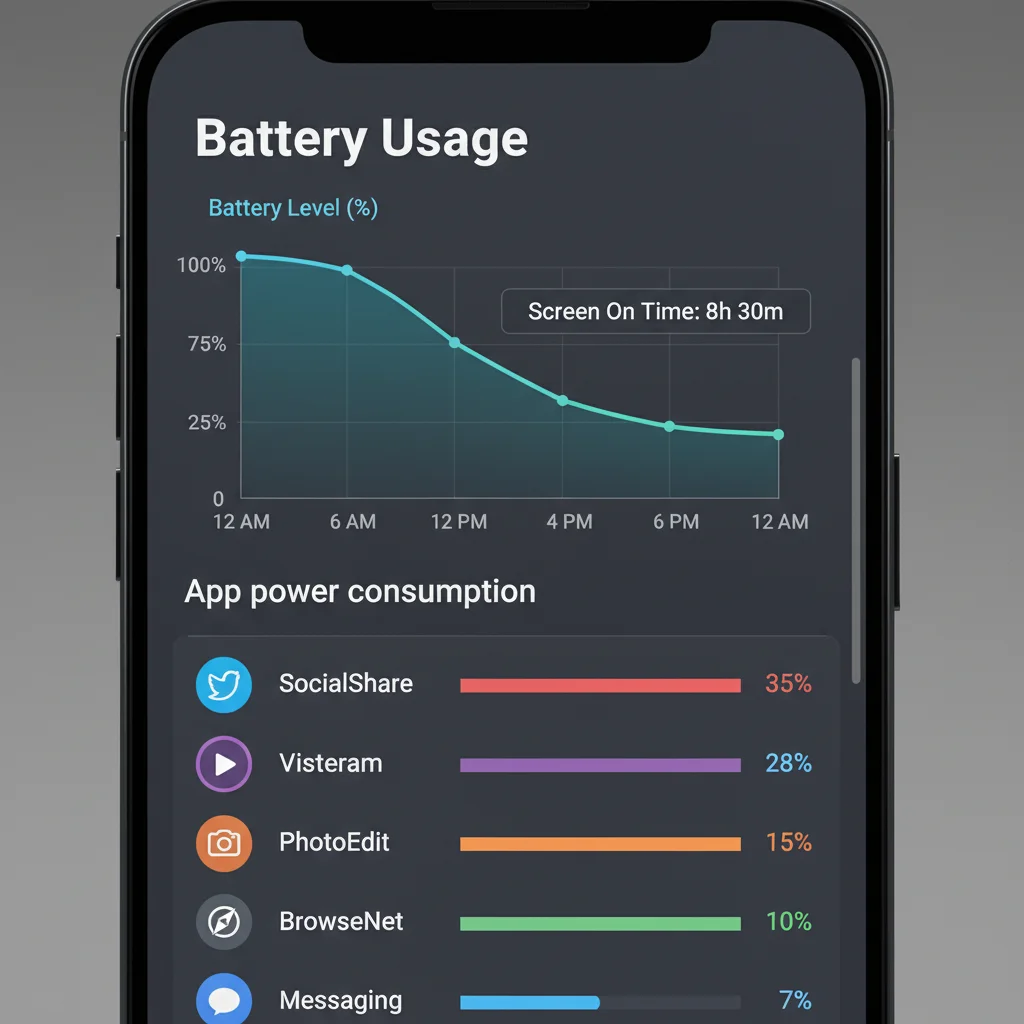
Both Android and iOS provide detailed battery usage statistics. Regularly check these to identify rogue apps or processes.
- Android:
Settings > Battery > Battery usage. This shows a breakdown of app and system usage. Look for apps with unusually high ‘Background usage’. - iOS:
Settings > Battery. Scroll down to see ‘Battery Usage by App’. Pay attention to ‘Background Activity’ indicators.
If you find an app consuming excessive background power, consider restricting its background activity, uninstalling it, or finding an alternative.
The Impact of Widgets and Live Wallpapers:
While aesthetically pleasing, numerous widgets constantly updating data and live wallpapers with animations can consume noticeable power. Minimize their use, especially for those that fetch data frequently.
Factory Reset as a Last Resort:
If battery drain persists despite all optimization efforts, and you suspect a software glitch or corrupt app data, a factory reset can sometimes resolve the issue. Remember to back up all your data before proceeding (Settings > System > Reset options > Erase all data (factory reset) on Android; Settings > General > Transfer or Reset iPhone > Erase All Content and Settings on iOS).
Future-Proofing Your Battery Life: Beyond 2026
As we look beyond 2026, the landscape of smartphone battery technology and optimization will continue to evolve. Here’s what to expect:
- Solid-State Batteries: Research into solid-state batteries promises higher energy density, faster charging, and improved safety compared to current Li-ion technology. While still in early stages for consumer electronics, they could revolutionize smartphone endurance.
- More Advanced AI: AI will become even more integrated, predicting user needs with greater accuracy and dynamically allocating resources on a micro-level, making manual optimization less necessary.
- Energy Harvesting: While niche, technologies that harvest ambient energy (e.g., solar, kinetic, RF) could provide trickle charging, extending standby times significantly.
- Modular and Replaceable Batteries: There’s a growing movement towards more repairable electronics. While not universal, some manufacturers might reintroduce user-replaceable batteries, extending the lifespan of devices and reducing e-waste.
Conclusion: Empowering Your Smartphone Experience
Achieving a 30% or more increase in your smartphone’s battery life in 2026 is not a pipe dream; it’s an achievable goal through a combination of diligent setting adjustments, smart usage habits, and leveraging the advanced AI capabilities built into your device. By understanding the core principles of power consumption and applying the strategies outlined in this guide, you can significantly enhance your daily smartphone experience, reduce battery anxiety, and ensure your device is always ready when you need it.
Remember, smartphone battery optimization is an ongoing process. Regularly review your app usage, keep your software updated, and adapt your settings as your needs and app ecosystem evolve. With these insights, you’re not just saving battery; you’re taking control of your mobile freedom.
Recap of Key Optimization Areas:
- Background Activity: Aggressively manage app background refresh and data usage.
- Display Settings: Embrace adaptive brightness, dark mode (for OLED), and shorter screen timeouts.
- Connectivity: Disable unused radios (Wi-Fi, Bluetooth, NFC), and manage cellular data strategically.
- Location Services: Restrict app access to ‘While Using’ or ‘Never’.
- Notifications & Haptics: Minimize non-essential alerts and vibrations.
- Leverage AI: Ensure adaptive battery and performance optimization features are enabled.
- Smart Charging: Avoid extreme charges, use quality chargers, and prevent overheating.
By implementing these advanced tips, you’ll not only extend your smartphone’s daily endurance but also contribute to its long-term health, making your device a more reliable companion in the connected world of 2026.