Mastering AI Photo Editing: A Beginner’s 2026 Guide
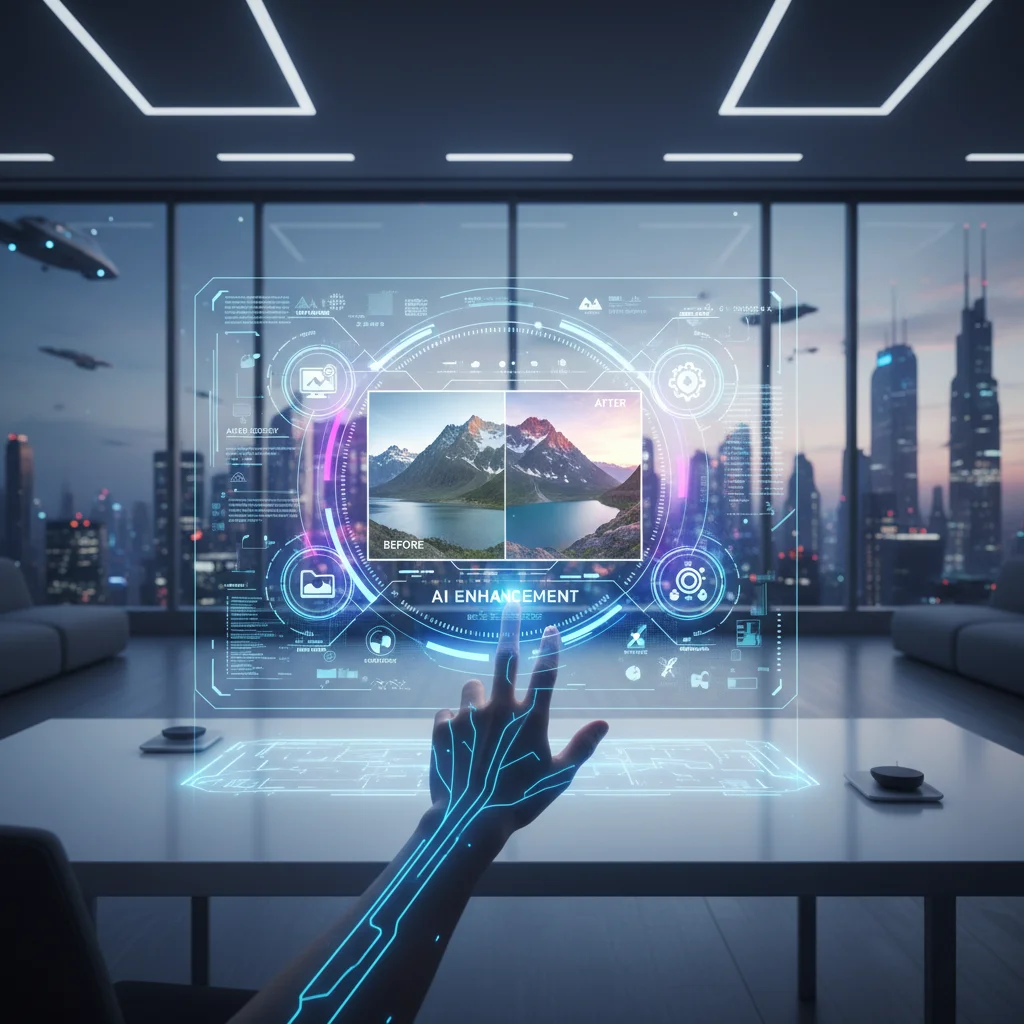
Mastering AI Photo Editing: A Step-by-Step Tutorial for Newcomers in 2026
Welcome to the future of image enhancement! In 2026, AI Photo Editing has transcended novelty, becoming an indispensable tool for photographers, content creators, and casual users alike. Gone are the days of painstakingly manual adjustments; artificial intelligence now empowers us to achieve stunning, professional-grade results with unprecedented ease and speed. If you’re a newcomer eager to harness this revolutionary technology, you’ve landed in the perfect place. This comprehensive guide will walk you through the essentials of AI Photo Editing, from understanding its core principles to mastering advanced techniques, ensuring you can transform your images like never before.
The landscape of photography has been irrevocably altered by AI. What once required hours of dedicated practice and an in-depth understanding of complex software can now be accomplished in mere minutes, often with a single click. This isn’t about replacing human creativity but augmenting it, freeing up valuable time to focus on the artistic vision rather than the technical minutiae. Whether you’re looking to correct lighting, enhance colors, remove unwanted objects, or even generate entirely new elements, AI Photo Editing offers a solution. This tutorial is designed specifically for those taking their first steps into this exciting domain, providing clear, actionable insights to get you started on your journey to becoming an AI photo editing maestro.
Understanding the Fundamentals of AI Photo Editing
Before diving into the practical applications, it’s crucial to grasp what AI Photo Editing actually entails. At its core, AI (Artificial Intelligence) in photo editing leverages machine learning algorithms to analyze, understand, and manipulate images in intelligent ways. Unlike traditional editing, which relies on predefined rules and manual input, AI can learn from vast datasets of images, recognizing patterns, objects, and even aesthetic qualities. This allows it to make context-aware adjustments that mimic the decisions of an experienced human editor, but at a speed and scale impossible for humans.
The magic of AI Photo Editing lies in its ability to automate complex tasks. Think of it as having a highly skilled assistant who understands your intent and executes intricate edits with precision. This can range from simple tasks like automatic exposure correction and white balance adjustments to more sophisticated operations such as intelligent object removal, realistic sky replacement, or even generating artistic styles. The algorithms are constantly evolving, becoming more sophisticated with every iteration, leading to increasingly natural and impressive results.
Key concepts in AI Photo Editing include:
- Machine Learning (ML): The foundation of AI, allowing systems to learn from data without explicit programming.
- Neural Networks: Inspired by the human brain, these networks are particularly adept at pattern recognition, crucial for identifying elements within an image.
- Generative Adversarial Networks (GANs): A powerful type of neural network used for generating realistic new content, such as filling in missing parts of an image or creating entirely new backgrounds.
- Computer Vision: The field that enables computers to "see" and interpret visual information, allowing AI to understand the content of a photograph.
By understanding these fundamentals, you’ll be better equipped to appreciate the capabilities of the tools you’ll be using and make informed decisions about how to apply them to your own work. The goal isn’t just to use the tools, but to understand the intelligence behind them, enabling you to push the boundaries of your creativity with AI Photo Editing.
Choosing Your First AI Photo Editing Software (2026 Edition)
The market for AI Photo Editing software has exploded, offering a plethora of options for every skill level and budget. For newcomers in 2026, the sheer volume can be overwhelming. The key is to choose a program that balances powerful AI capabilities with an intuitive user interface. Here are some top contenders and what makes them suitable for beginners:
Adobe Lightroom Classic/CC (AI Features)
Adobe, a long-standing leader in creative software, has deeply integrated AI into its Lightroom ecosystem. Features like "Enhance Details" for raw files, AI-powered masking tools (e.g., "Select Subject," "Select Sky"), and intelligent noise reduction make it a robust choice. While it has a learning curve, its widespread adoption means ample tutorials are available. The cloud-based CC version offers seamless syncing across devices, while Classic is preferred by many professionals for its desktop-centric workflow.
Luminar Neo
Luminar Neo is often lauded for its user-friendly interface and impressive AI tools. It’s designed to make complex edits accessible with single-slider adjustments for sky replacement, portrait enhancement (Skin AI, Face AI), and structure improvement (Accent AI). It can function as a standalone editor or as a plugin for other software like Lightroom. Its focus on AI-driven creativity makes it a fantastic starting point for beginners who want immediate, impactful results.
Topaz Labs (Gigapixel AI, Denoise AI, Sharpen AI)
Topaz Labs specializes in specific AI-powered enhancements. Gigapixel AI is unmatched for upscaling images without losing quality, Denoise AI effectively removes image noise while preserving detail, and Sharpen AI brings out incredible clarity. While not a full-suite editor, these tools are invaluable for specific tasks and can integrate into your existing workflow. They are incredibly powerful but might be considered specialized tools after you’ve mastered the basics of a more general editor.
Other Notable Mentions:
- Skylum Aurora HDR: For stunning HDR images with AI assistance.
- ON1 Photo RAW: A comprehensive editor with AI-powered features for noise reduction, sharpening, and stylization.
- Affinity Photo: While less AI-centric than others, it offers powerful traditional editing tools at a one-time purchase price.
When selecting your software, consider:
- Your specific needs: Are you mostly editing portraits, landscapes, or general photos?
- Budget: Subscription models vs. one-time purchases.
- Ease of use: How quickly can you get started and achieve desired results?
- Community and resources: Is there a strong community and plenty of tutorials available?
For a true beginner focused on AI Photo Editing, Luminar Neo often strikes the best balance of power and simplicity. However, exploring free trials of different software is always recommended to find the best fit for your personal workflow.
Step-by-Step: Your First AI Photo Editing Session
Let’s get practical! This section will guide you through a typical AI Photo Editing workflow using a hypothetical, but common, scenario: enhancing an outdoor portrait. While specific button names may vary slightly between software, the underlying AI principles and steps remain consistent.
Step 1: Importing Your Image
First, open your chosen AI Photo Editing software and import the image you wish to edit. Most software offers a simple ‘Import’ or ‘Open’ option. For best results, always start with the highest quality image available, preferably a RAW file if you have one, as it contains more data for the AI to work with.
Step 2: Initial AI Enhancements (One-Click Wonders)
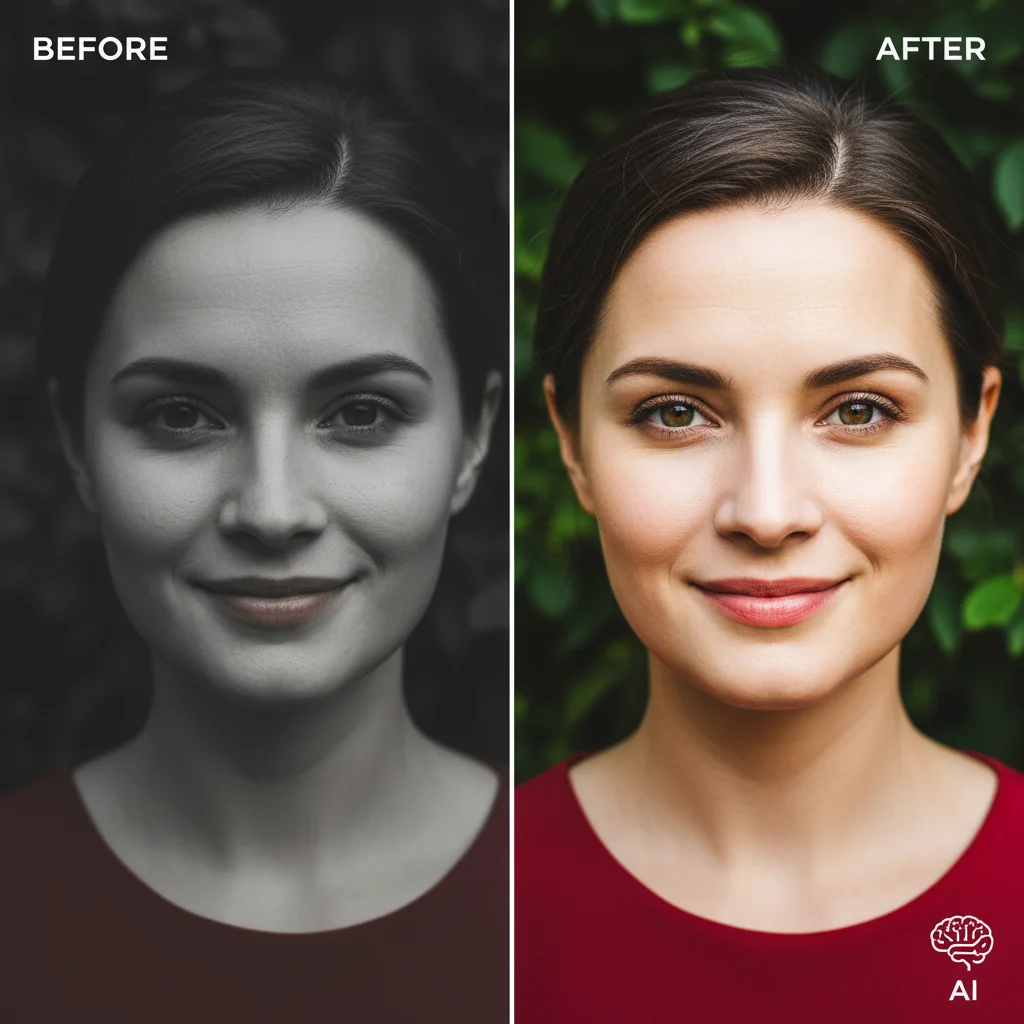
Many AI editors offer ‘one-click’ or ‘auto-enhance’ features. These are excellent starting points. Look for options like "Accent AI" (Luminar Neo), "Auto Tone" (Lightroom), or similar. These algorithms will analyze your image and apply general improvements to exposure, contrast, and color balance. It’s a quick way to get a solid foundation before fine-tuning.
For example, if your portrait is slightly underexposed, the AI will intelligently brighten it without blowing out highlights, and simultaneously boost colors to make them more vibrant. This often saves significant time compared to manually adjusting multiple sliders.
Step 3: Portrait-Specific AI Adjustments
This is where AI truly shines for portraits. Most modern AI Photo Editing software includes dedicated portrait tools:
- Skin AI/Face AI: These tools automatically detect faces and skin tones. You can then use sliders to smooth skin texture, remove blemishes, brighten eyes, and even sculpt facial features subtly without making the image look artificial. The AI ensures that only the relevant areas are affected, preserving natural details like hair and clothing.
- Eye Enhancement: Look for options to brighten pupils, sharpen irises, and remove red-eye.
- Teeth Whitening: A subtle AI-powered tool to gently whiten teeth.
Experiment with these sliders, but always aim for a natural look. The goal is to enhance, not to drastically alter. AI is incredibly powerful, but it’s still your artistic eye that guides the process.
Step 4: Background and Environmental AI Adjustments
The background can significantly impact a portrait. AI Photo Editing offers revolutionary ways to manage it:
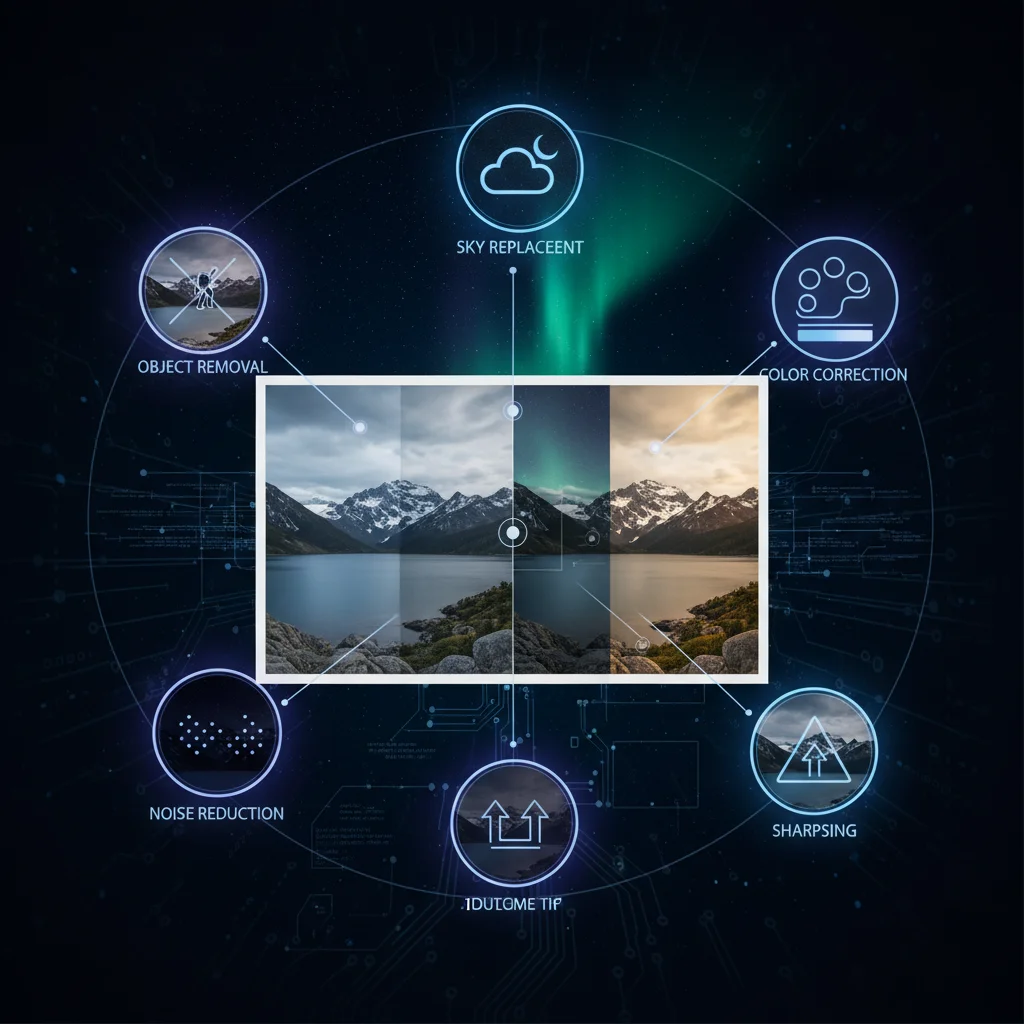
- Sky Replacement AI: If your outdoor portrait has a dull sky, AI can detect and replace it with a more dramatic one, seamlessly blending it with the foreground’s lighting and reflections.
- Background Blur (Bokeh AI): Some AI tools can intelligently identify the subject and blur the background, creating a professional-looking bokeh effect, even if your original lens didn’t achieve it.
- Object Removal AI: Accidentally captured an unwanted object in the background (e.g., a trash can, a distracting person)? AI can intelligently remove it, filling in the space with content that matches the surrounding environment.
These features demonstrate the contextual understanding of AI, allowing it to perform complex selections and content-aware fills that would be extremely time-consuming manually.
Step 5: Color Grading and Stylization
Once the technical corrections are made, you can move to the creative aspect: color grading. Many AI Photo Editing tools offer AI-powered stylistic presets or "Looks" that can instantly transform the mood of your image. These presets are often intelligently applied, adjusting their intensity based on the image content.
You can also use AI-assisted color tools to fine-tune specific colors (e.g., making greens more vibrant, blues deeper) or apply cinematic color grades. The AI helps maintain a natural appearance even with significant color shifts.
Step 6: Sharpening and Noise Reduction
Finally, apply any necessary sharpening or noise reduction. AI-powered sharpening (like Topaz Sharpen AI) can dramatically improve image clarity without introducing artifacts, while AI noise reduction (like Topaz Denoise AI or Lightroom’s AI Denoise) can clean up grainy images beautifully, especially those shot in low light. These tools are far more effective than their traditional counterparts, as they intelligently distinguish between noise and actual image detail.
Step 7: Exporting Your Masterpiece
Once you’re satisfied with your edits, export your image. Choose the appropriate file format (JPEG for web, TIFF for print) and resolution. Your AI Photo Editing journey for this image is complete!
Remember, practice is key. The more you experiment with different AI tools and features, the more intuitive the process will become, and the better you’ll be at leveraging the power of AI Photo Editing to bring your creative vision to life.
Advanced AI Photo Editing Techniques for the Aspiring Pro
Once you’ve mastered the basics, it’s time to explore some of the more advanced capabilities of AI Photo Editing. These techniques can elevate your images from great to truly exceptional, allowing for creative manipulations that were once the exclusive domain of highly skilled traditional editors.
Intelligent Object Removal and Content-Aware Fill
Beyond simply removing small distractions, advanced AI tools can perform complex object removal, even in intricate backgrounds. Imagine removing an entire person from a busy street scene or a large power line from a landscape. The AI analyzes the surrounding pixels and intelligently generates plausible content to fill the void, often with astonishing realism. Tools like Adobe’s Content-Aware Fill (now heavily AI-driven) and similar features in Luminar Neo use sophisticated algorithms to predict and synthesize textures, patterns, and lighting, making the removed object vanish as if it were never there. This is a game-changer for photographers dealing with cluttered environments.
AI-Powered Masking and Selection
Manual selections in image editing have always been tedious. AI has revolutionized this with intelligent masking. Tools like Lightroom’s ‘Select Subject,’ ‘Select Sky,’ and ‘Select Objects’ can instantly create highly accurate masks around complex elements. But it goes further: some AI Photo Editing software can now create masks based on specific attributes like ‘Select People,’ ‘Select Clothing,’ or even ‘Select Foliage.’ This precision allows for localized adjustments – for instance, subtly changing the color of a subject’s shirt without affecting anything else, or enhancing only the green tones in a forest without touching the sky or skin tones. The ability to refine these AI-generated masks with brushes provides ultimate control.
Generative AI for Image Expansion and Creation
One of the most mind-bending advancements in AI Photo Editing is generative AI. This technology, often powered by GANs, can do more than just edit existing pixels; it can create new ones. This means you can:
- Expand a canvas: If you crop a photo too tightly, generative AI can intelligently extend the background, creating new, plausible content that seamlessly blends with the original image.
- Generate missing elements: Imagine restoring a damaged portion of an old photograph where data is completely missing – AI can often infer and generate what should be there.
- Style Transfer: Apply the artistic style of one image (e.g., a famous painting) to your photograph, creating a unique, stylized rendition.
While still evolving, generative AI is pushing the boundaries of what’s possible in image manipulation, opening up entirely new creative avenues. It allows for unprecedented levels of customization and artistic expression, making AI Photo Editing a truly transformative process.
Batch Processing with AI Presets
For photographers who deal with large volumes of images (e.g., event photographers, wedding photographers), batch processing is invaluable. AI Photo Editing tools can apply intelligent presets across an entire gallery. Instead of simply applying the same fixed adjustments to every photo, AI-powered batch processing can analyze each image individually and apply adjustments that are optimized for that specific shot, ensuring consistency while still accounting for variations in lighting and composition. This saves countless hours and ensures a cohesive look across a series of photographs.
AI for Image Upscaling and Resolution Enhancement
Need to print a small photo at a large size without pixelation? AI upscaling tools (like Topaz Gigapixel AI) use deep learning to intelligently add pixels and reconstruct detail, significantly increasing image resolution and quality. Unlike traditional upscaling methods that simply interpolate pixels, AI can "imagine" missing details, resulting in remarkably sharp and clear enlargements. This is particularly useful for older photos, archival work, or preparing images for large-format printing.
These advanced techniques highlight the continuous evolution of AI Photo Editing. As you become more comfortable with the basic tools, exploring these sophisticated features will unlock new dimensions of creativity and efficiency in your workflow. The future of image editing is here, and it’s powered by intelligent algorithms that are constantly learning and improving.
Best Practices and Tips for Effective AI Photo Editing
While AI Photo Editing offers incredible power and convenience, it’s not a magic wand. To achieve the best results and maintain artistic integrity, it’s essential to follow some best practices. Even with the most advanced AI, your creative vision remains paramount.
1. Start with a Good Foundation
Garbage in, garbage out, as the saying goes. AI can enhance a poor photo, but it can’t create a masterpiece from a completely flawed one. Always aim to capture the best possible image in-camera. Proper exposure, focus, and composition will give the AI more data to work with and lead to superior results. AI excels at refining, not rescuing, inherently bad photographs.
2. Understand Your AI Tools, Don’t Blindly Apply
While one-click solutions are tempting, take the time to understand what each AI tool does. Don’t just slide everything to 100%. Observe the changes, understand their impact, and learn when a specific tool is appropriate. Over-editing with AI can lead to an artificial, "plastic" look. Subtlety is often key, especially with portrait enhancements and stylistic filters.
3. Use AI as an Assistant, Not a Replacement
AI is a powerful assistant that automates tedious tasks and provides intelligent suggestions. However, it should complement your artistic vision, not dictate it. You are still the artist. Use AI to get 80% of the way there quickly, then use your human eye and finely tuned adjustments to achieve the perfect look. Don’t be afraid to dial back AI suggestions or combine AI tools with traditional manual edits.
4. Always Work on Non-Destructive Edits
Most modern AI Photo Editing software works non-destructively, meaning your original image file is never altered. Edits are stored as instructions. This is crucial as it allows you to go back and adjust or remove any edit at any point. Always save your work in a format that preserves these non-destructive edits (e.g., Lightroom catalogs, Luminar Neo files) before exporting a final JPEG or TIFF.
5. Calibrate Your Monitor
What you see on your screen is what you get… only if your screen is calibrated! An uncalibrated monitor can display colors and brightness inaccurately, leading you to make incorrect editing decisions. Invest in a monitor calibrator to ensure your edits translate accurately across different screens and in print.
6. Learn from Others and Experiment
The AI Photo Editing community is vast and growing. Watch tutorials, read blogs, and observe how other photographers use AI. Then, experiment with your own images. Don’t be afraid to try new techniques or push the boundaries. The best way to learn is by doing and seeing what works (and what doesn’t) for your specific style and photographs.
7. Stay Updated
AI technology evolves at a rapid pace. Software updates frequently introduce new AI features, improved algorithms, and enhanced performance. Make sure your software is always up-to-date to take advantage of the latest advancements in AI Photo Editing. Following software developers’ blogs and release notes can keep you informed.
8. Consider the ‘Why’ Behind Your Edits
Before applying any AI enhancement, ask yourself: "Why am I doing this? What message or emotion am I trying to convey?" Every edit, whether AI-powered or manual, should serve a purpose and contribute to your overall artistic vision. Avoid editing just for the sake of it.
By adhering to these best practices, you’ll not only harness the full potential of AI Photo Editing but also develop a refined workflow that produces consistently stunning and authentic results. The goal is to make your photos look their best, and AI is here to help you achieve that with remarkable efficiency and creativity.
The Future of AI Photo Editing: What to Expect Beyond 2026
As we navigate 2026, the capabilities of AI Photo Editing are already astounding, but this is just the beginning. The pace of innovation in artificial intelligence suggests an even more transformative future for image manipulation. What can we expect beyond the current horizons?
Hyper-Personalized Editing Styles
Imagine AI that learns your personal editing style. Instead of generic presets, future AI could analyze a portfolio of your past work and automatically apply adjustments that align with your unique aesthetic. This hyper-personalization would go beyond simple color grading, understanding your preferences for contrast, sharpness, and even the subtle nuances of mood you typically imbue in your images. It would act as a true creative partner, anticipating your needs and streamlining your workflow to an unprecedented degree.
Real-Time, On-Device AI Processing
Currently, many advanced AI Photo Editing features require significant processing power, often relying on cloud-based servers. As AI models become more efficient and device hardware more powerful, we can anticipate a shift towards more real-time, on-device AI processing. This would mean instantaneous application of complex edits directly on your camera, smartphone, or tablet, without the need for an internet connection. Imagine shooting a photo and seeing the AI-enhanced version appear in your viewfinder almost instantly, allowing for immediate creative feedback.
Seamless Integration with 3D and Video
The lines between different media types are already blurring. Future AI Photo Editing will likely integrate seamlessly with 3D modeling and video editing. This could mean generating 3D models from 2D images with AI, or applying complex photo-editing techniques to individual frames of a video with automatic consistency. Generative AI could even create entire short video clips from a single still image, complete with simulated motion and environmental effects, opening up new frontiers for visual storytelling.
AI for Ethical and Responsible Editing
As AI’s capabilities grow, so does the discussion around ethical implications. Future AI Photo Editing tools will likely incorporate features that promote responsible editing. This could include AI that flags potentially misleading alterations, helps maintain diversity in generated content, or even provides tools to authenticate the originality of an image. The focus will shift not just to what AI can do, but what it should do, fostering trust and transparency in digital media.
Voice and Gesture Control for Editing
The interface for AI Photo Editing will become increasingly intuitive. We can expect more sophisticated voice commands and gesture controls, allowing users to articulate their creative intent naturally. "AI, make the sunset more vibrant but keep the shadows deep," or "Remove that bird from the sky with a swipe of my hand" could become common interactions, further democratizing access to powerful editing tools.
Predictive Editing and Creative Suggestion
Beyond simply executing commands, AI could become proactive. Predictive editing might suggest creative directions based on the image content and your past preferences, offering subtle enhancements or even entirely new artistic interpretations you hadn’t considered. This could spark new ideas and push creative boundaries for photographers of all levels.
The future of AI Photo Editing promises a world where the technical barriers to creative expression are virtually eliminated. It will empower artists to focus purely on their vision, with AI handling the intricate details, leading to an explosion of innovative and visually stunning imagery. For newcomers today, understanding the fundamentals is the first step into this exciting, ever-evolving landscape.
Conclusion: Embrace the AI Revolution in Photography
The journey into AI Photo Editing in 2026 is an exhilarating one, filled with possibilities that were once confined to science fiction. From the moment you import your first image to the final export of a beautifully enhanced masterpiece, artificial intelligence stands ready to assist, automate, and inspire. We’ve explored the foundational concepts, navigated the myriad software options, walked through a practical editing session, delved into advanced techniques, and outlined essential best practices to ensure your success.
Remember, AI Photo Editing is a tool, a powerful extension of your creative self. It’s designed to streamline your workflow, unlock new artistic avenues, and make the complex simple. It frees you from the mundane and allows you to concentrate on the narrative, the emotion, and the unique perspective you bring to every photograph. For newcomers, the learning curve is gentler than ever before, thanks to intuitive interfaces and intelligent automation.
As the technology continues its rapid evolution, staying curious and experimental will be your greatest assets. The future promises even more incredible advancements, further integrating AI into every facet of image creation and manipulation. By mastering the principles and tools of AI Photo Editing today, you are not just learning a skill; you are positioning yourself at the forefront of a photographic revolution.
So, take your camera, capture your moments, and let the intelligence of AI transform them into something truly extraordinary. The power to create stunning visuals is now more accessible than ever before. Dive in, experiment, and enjoy the incredible journey of AI Photo Editing!