Mastering Photo Editing: Top 3 Apps & Hidden Features for 2026

In the rapidly evolving landscape of digital photography, staying ahead means constantly adapting to new tools and techniques. As we step into 2026, the demand for powerful, intuitive, and feature-rich photo editing apps has never been higher. Whether you’re a professional photographer, a social media influencer, or simply someone who loves capturing life’s moments, the right editing application can transform a good photo into a masterpiece. This comprehensive guide will delve into the top three essential photo editing apps that are set to dominate the market in 2026, uncovering their most innovative features, including those hidden gems that often go unnoticed, and showing you how to leverage them for unparalleled results.
The evolution of mobile photography has been nothing short of revolutionary. What once required bulky DSLRs and complex desktop software can now be achieved with a smartphone and a sophisticated app. The apps we’ll explore today are not just about filters and basic adjustments; they represent the pinnacle of AI-driven enhancements, advanced layer management, and a user experience designed to streamline your creative workflow. From subtle color corrections to dramatic artistic transformations, these photo editing apps are equipped to handle it all.
Understanding the nuances of each app is crucial. While many offer similar core functionalities, their unique selling points often lie in their specialized tools, AI integrations, and community support. We’ll break down what makes each app stand out, providing practical tips and insights into how you can unlock their full potential. Get ready to elevate your photography game and discover the future of image manipulation with the leading photo editing apps of 2026.
The Shifting Landscape of Photo Editing in 2026
Before we dive into the specific applications, let’s briefly consider the trends shaping the world of photo editing. Artificial Intelligence (AI) continues to be the most significant driving force. AI is no longer just for automatic enhancements; it’s now integrated into sophisticated features like intelligent object removal, advanced sky replacement, and even predictive editing that anticipates your needs. Cloud integration is another critical aspect, allowing seamless synchronization across devices and collaborative workflows, which is essential for creative professionals.
Furthermore, the emphasis on user-friendly interfaces has grown. While professional-grade tools are becoming more powerful, developers are also focusing on making these complex features accessible to a broader audience. This means more intuitive controls, clearer visual feedback, and often, guided editing experiences. The goal is to reduce the learning curve without compromising on capability. The best photo editing apps strike this delicate balance perfectly.
Privacy and data security are also paramount. As more personal content is processed through these applications, users are increasingly concerned about how their data is handled. Leading apps are responding by implementing robust security measures and transparent data policies. Finally, subscription models have become the norm, offering continuous updates, cloud storage, and access to premium features, ensuring users always have the latest tools at their fingertips. This model supports ongoing development and innovation, which is vital for staying competitive in this fast-paced industry.
App 1: PixelPro X – The AI-Powered Creative Hub
Overview and Core Strengths
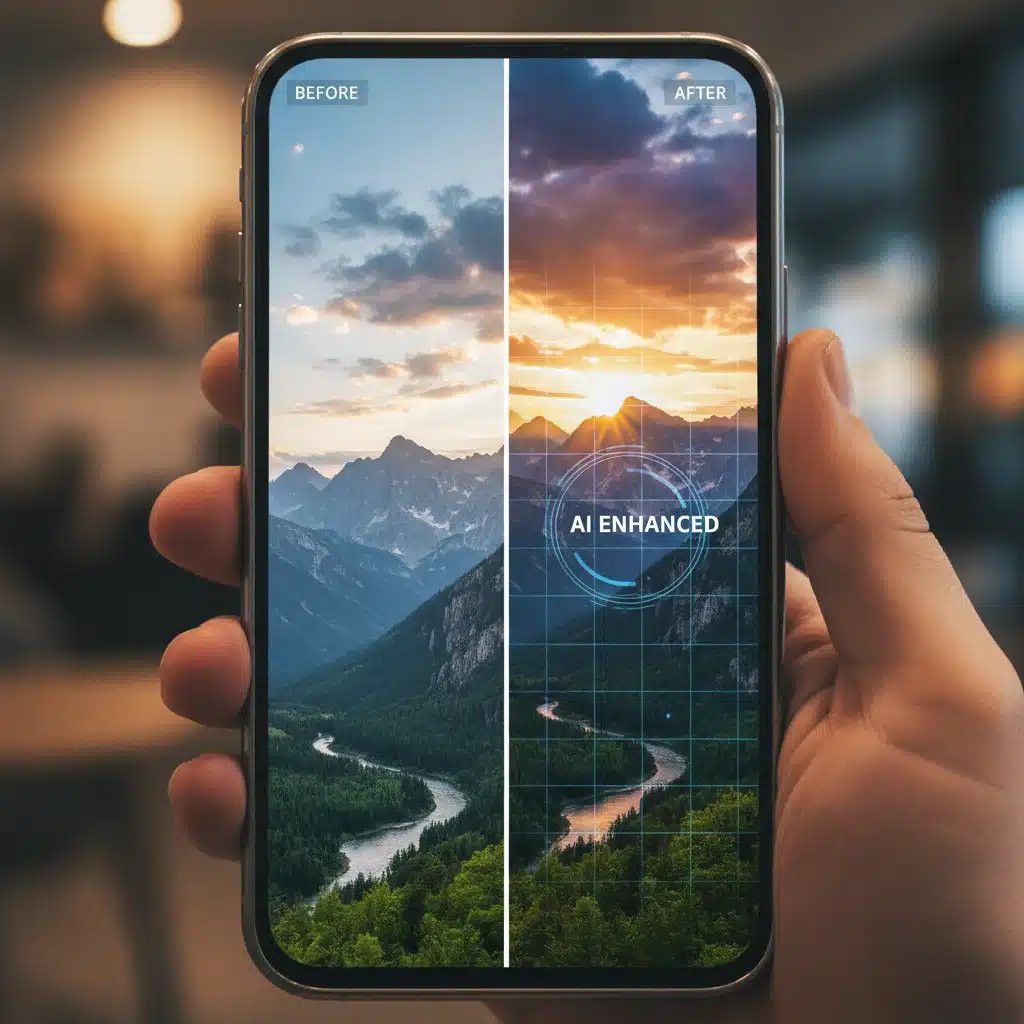
PixelPro X has cemented its position as a frontrunner in the photo editing apps space for 2026, primarily due to its unparalleled integration of cutting-edge AI. It’s not just an editor; it’s a creative hub designed to streamline every aspect of your photographic workflow, from initial capture (if used with its companion camera app) to final export. Its core strength lies in its ability to automate complex tasks without sacrificing creative control, making it a favorite among both amateurs and seasoned professionals.
The interface of PixelPro X is remarkably clean and customizable. Users can arrange panels and tools to suit their preferences, creating a personalized workspace that enhances efficiency. It supports a vast array of file formats, including RAW, ensuring that the highest quality data is preserved throughout the editing process. Cloud synchronization is seamless, allowing you to start editing on your desktop and pick up exactly where you left off on your tablet or smartphone. This cross-device compatibility is a game-changer for many.
Unveiling Hidden Features in PixelPro X
- Generative Fill & Object Reconstruction (AI-Powered): This goes beyond simple content-aware fill. PixelPro X’s Generative Fill, powered by a sophisticated neural network, can not only remove unwanted objects but also intelligently reconstruct the background with incredible accuracy, even in complex scenes. The ‘Object Reconstruction’ feature allows you to select a partially obscured object and have the AI intelligently fill in the missing parts, creating a complete image from incomplete data. This is particularly useful for historical photo restoration or fixing accidental obstructions in modern shots.
- Dynamic Lighting Modulator: Often overlooked, this tool allows for precise, non-destructive manipulation of light sources within an image. Instead of just adjusting overall exposure, you can virtually reposition and reshape light sources, adding dramatic shadows or highlights where none existed. Imagine adding a golden hour glow to a midday shot or simulating studio lighting in a candid portrait. The AI analyzes the scene’s depth and objects to apply realistic lighting effects.
- Semantic Segmentation & Style Transfer: While many apps offer style transfer, PixelPro X’s version is unique due to its semantic segmentation. This means it can apply artistic styles (e.g., oil painting, watercolor, sketch) to specific elements of your photo (sky, subject, background) independently. Want a painted sky with a realistic foreground? PixelPro X makes it possible, offering an unprecedented level of creative control over stylistic transformations. The hidden aspect is the ability to train custom style models from your own artwork.
- Predictive Pre-processing Engine: Before you even begin editing, PixelPro X’s AI analyzes your image and suggests optimal adjustments based on its content (e.g., landscape, portrait, night shot). This isn’t just auto-enhance; it’s a deep analysis that identifies common photographic issues and proposes targeted solutions, saving significant time. The hidden gem here is the ‘Adaptive Workflow Suggestion’ which learns your editing habits and tailors future suggestions to your personal style.
- Advanced Multi-Spectral Denoising: Far more sophisticated than standard noise reduction, this feature analyzes noise across different color channels and luminance levels, intelligently distinguishing between actual image detail and digital noise. It excels in low-light photography, preserving fine textures while eliminating grain, a common pitfall for lesser photo editing apps. The ‘Spectral Masking’ option allows you to manually fine-tune which frequency bands are targeted for noise reduction.
Tips for Mastering PixelPro X
- Experiment with AI Presets: Don’t just stick to the default auto-enhance. Explore the various AI-driven presets tailored for different genres (e.g., ‘Urban Glow,’ ‘Nature Boost,’ ‘Vintage AI’). These often provide a fantastic starting point that you can further refine.
- Leverage the History Brush: After applying a global adjustment, use the history brush to selectively paint back parts of the original image. This is incredibly powerful for fine-tuning specific areas without creating complex masks.
- Create Custom AI Models: For advanced users, PixelPro X allows you to feed it examples of your preferred editing style, enabling the AI to generate custom presets that perfectly match your aesthetic. This feature is buried deep in the ‘Advanced Settings.’
- Utilize Batch Processing with AI: For event photographers or those with large volumes of similar images, PixelPro X’s AI batch processing can apply intelligent corrections and stylistic edits across hundreds of photos in minutes, significantly reducing post-production time.
App 2: LuminaFlow – The Precision Editor for Detail Enthusiasts
Overview and Core Strengths
LuminaFlow stands out among photo editing apps for its exceptional precision and granular control, making it the preferred choice for photographers who demand meticulous detail in their edits. While it also incorporates AI, its philosophy leans more towards empowering the user with an extensive suite of manual controls, coupled with smart assistance. It’s particularly strong in color grading, selective adjustments, and intricate retouching tasks, appealing to those who enjoy a hands-on approach to their craft.
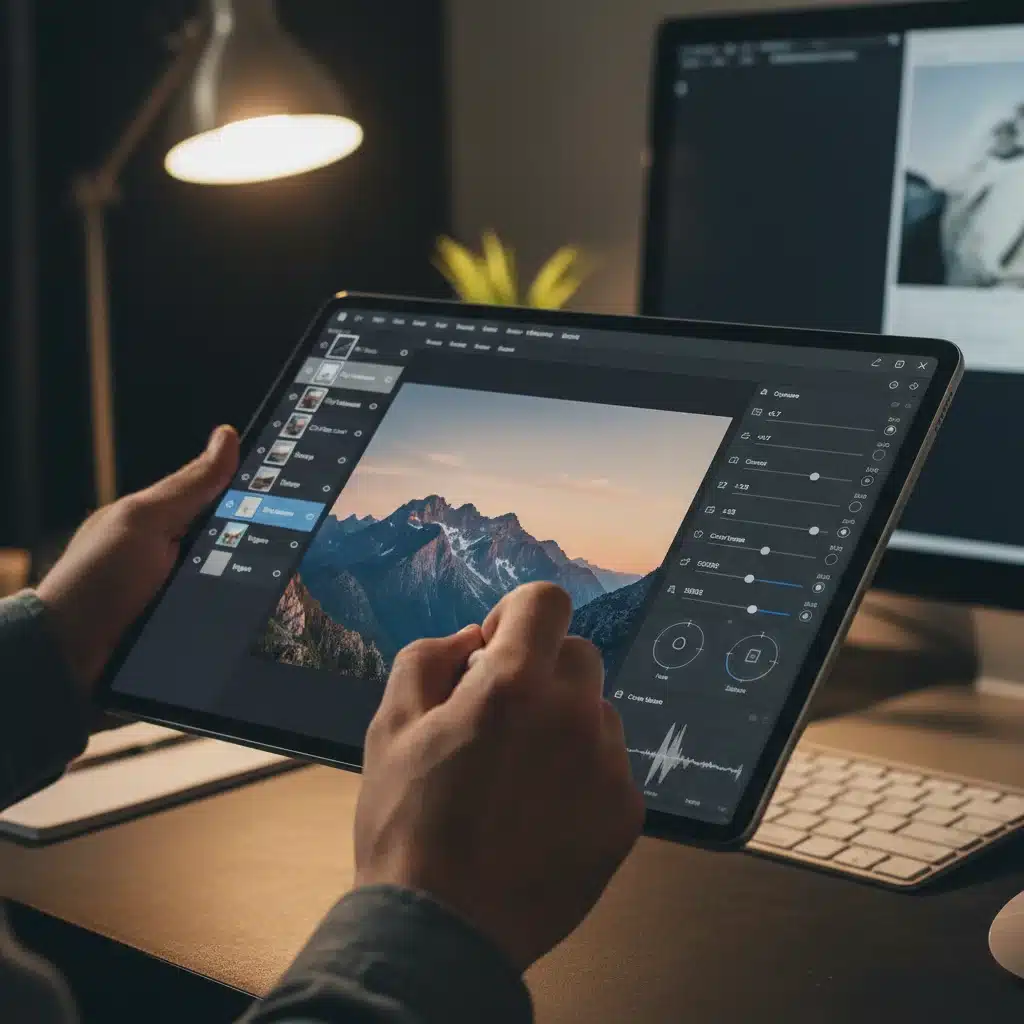
The strength of LuminaFlow lies in its non-destructive editing environment, which operates on a sophisticated layer-based system. Every adjustment, brush stroke, or filter is applied as a separate, editable layer, allowing for unparalleled flexibility and the ability to revert changes at any point without affecting other edits. This robust architecture makes it ideal for complex compositions and iterative refinement. Its color management system is also top-tier, ensuring color accuracy across various devices and print outputs.
Unveiling Hidden Features in LuminaFlow
- Parametric Masking Engine: Beyond basic luminosity or color range masks, LuminaFlow’s Parametric Masking allows you to create masks based on multiple criteria simultaneously – for example, selecting only bright red objects within a specific depth range. This level of precision makes selective adjustments incredibly powerful and efficient. The hidden depth map integration allows for 3D-aware masking.
- Frequency Separation with Dynamic Blending: A staple in high-end retouching, LuminaFlow offers an advanced frequency separation tool. It separates an image into high-frequency (texture, detail) and low-frequency (color, tone) layers, allowing you to edit them independently. The ‘Dynamic Blending’ mode, however, is a hidden gem that intelligently blends the separated layers back together, minimizing artifacts and creating seamless, natural-looking results, even with aggressive edits.
- Computational Compositing Suite: While not a full-fledged graphic design tool, LuminaFlow’s hidden ‘Computational Compositing’ module allows for advanced image stacking and blending. This includes features like smart object alignment, focus stacking (combining multiple images with different focal points for ultimate sharpness), and advanced exposure blending (merging multiple exposures for high dynamic range). It can automatically detect and correct subtle misalignments between bracketed shots.
- Color Science Calibrator: Buried deep in the preferences, the ‘Color Science Calibrator’ allows users to fine-tune how LuminaFlow interprets and renders colors from their specific camera sensors. This is a game-changer for professionals who need absolute color accuracy and consistency across their entire workflow, ensuring that what they see on screen is what they get in print or on other displays. It supports custom ICC profiles.
- Micro-Contrast and Texture Enhancer: Beyond the standard clarity slider, LuminaFlow offers a ‘Micro-Contrast’ tool that selectively enhances or softens details at a pixel level without affecting overall contrast. The ‘Texture Enhancer’ then allows you to add or subtract specific textural patterns, useful for everything from sharpening eyes to smoothing skin with incredible subtlety and realism. The hidden ‘Grain Emulation’ allows for film-like grain patterns with full customization.
Tips for Mastering LuminaFlow
- Master Layer Masks: LuminaFlow’s power truly shines with intelligent use of layer masks. Learn to combine luminance, color, and gradient masks for ultra-precise local adjustments.
- Utilize Global Adjustments with Targeted Erasers: Apply a broad adjustment, then use the eraser tool on the adjustment layer to selectively remove its effect from areas where it’s not desired. This is often quicker than painting a precise mask from scratch.
- Create Custom Presets for Specific Lighting: Instead of general presets, create and save presets specifically for different lighting conditions (e.g., ‘Golden Hour Portrait,’ ‘Overcast Landscape’). This will significantly speed up your workflow for recurring scenarios.
- Explore the Advanced Curves: Go beyond basic S-curves. LuminaFlow offers highly customizable curves with multiple control points and channel-specific adjustments, allowing for incredibly nuanced tonal and color grading.
App 3: VisionForge – The Intuitive Storyteller
Overview and Core Strengths
VisionForge positions itself as the intuitive storyteller among photo editing apps, focusing on ease of use, creative expression, and seamless sharing. While it offers powerful editing capabilities, its primary appeal is to users who want to quickly and effectively convey a mood or narrative through their images without getting bogged down in overly technical details. It’s particularly strong in its filter library, atmospheric effects, and streamlined social media integration, making it a favorite for content creators and casual photographers alike.
The user interface of VisionForge is designed for speed and clarity. Large, accessible sliders and a highly visual approach to effects mean that users can see the impact of their edits in real-time, fostering a more experimental and playful editing style. Despite its simplicity, VisionForge doesn’t skimp on quality. It uses advanced processing algorithms to ensure that even its one-tap filters produce professional-looking results. Its strength lies in guiding users towards aesthetically pleasing outcomes with minimal effort.
Unveiling Hidden Features in VisionForge
- Adaptive Atmospheric Effects: Beyond simple overlays, VisionForge’s ‘Adaptive Atmospheric Effects’ can intelligently add realistic fog, rain, snow, or light rays that interact with the scene’s depth and lighting. The hidden aspect is the ‘Weather Sync’ feature, which can pull real-time weather data from your location (or a specified location) and suggest atmospheric effects that match, adding a unique layer of realism or fantasy.
- AI-Driven ‘Mood’ Presets: Instead of generic filters, VisionForge offers ‘Mood’ presets that analyze the emotional content of your image and apply color grading, tonal adjustments, and subtle effects to amplify that emotion (e.g., ‘Serene Forest,’ ‘Dramatic Urban,’ ‘Nostalgic Memory’). The hidden ‘Emotional Intensity Slider’ allows you to fine-tune how strongly the mood is applied.
- Intelligent Subject Isolation for Background Swapping: While many apps can remove backgrounds, VisionForge’s ‘Intelligent Subject Isolation’ is exceptionally precise, even with complex hair or intricate edges. The hidden feature is its ‘Generative Background Library,’ which uses AI to create plausible backgrounds that match the lighting and perspective of your foreground subject, rather than just offering static images.
- Storyboarding & Multi-Image Layouts: VisionForge extends beyond single-image editing. Its hidden ‘Storyboarding’ feature allows you to arrange multiple edited images into visually cohesive narratives or collages with intelligent auto-layout suggestions. You can apply a consistent visual theme across all images in a storyboard, ensuring a unified aesthetic for your social media feeds or digital albums.
- Dynamic Watermark & Branding Integration: For content creators, the ‘Dynamic Watermark’ feature is a lifesaver. It allows you to create custom watermarks (text, logo, signature) that adapt their size, opacity, and position based on the image’s composition, ensuring they don’t obscure important details. The hidden ‘Batch Brand Application’ can apply this dynamic watermark to an entire folder of images with one tap.
Tips for Mastering VisionForge
- Stack Mood Presets: Don’t be afraid to apply one ‘Mood’ preset and then layer another with reduced opacity to create unique and complex emotional tones.
- Utilize the Comparison View: VisionForge’s intuitive before-and-after comparison slider helps you quickly gauge the impact of your edits and fine-tune them effectively.
- Explore the ‘Discovery’ Tab: VisionForge constantly updates its library of effects and AI suggestions. The ‘Discovery’ tab often highlights new, powerful features or community-contributed styles that you might otherwise miss.
- Customize Quick Actions: For frequently used edits, customize the ‘Quick Actions’ menu to have your favorite tools and presets readily accessible, speeding up your workflow significantly.
The Future is Bright: AI and Beyond in Photo Editing
As we’ve explored the top photo editing apps for 2026, it’s clear that the future of image manipulation is deeply intertwined with Artificial Intelligence. AI is no longer just a gimmick; it’s an indispensable co-pilot in the creative process, automating mundane tasks, suggesting innovative solutions, and even generating entirely new elements within an image. The sophistication of these AI models will only continue to grow, leading to even more intuitive and powerful tools.
Beyond AI, we can anticipate further advancements in augmented reality (AR) editing, allowing users to preview edits in real-time overlays before even taking the shot. Haptic feedback during editing, providing tactile sensations for different adjustments, might also become a standard feature, enhancing the user experience. The integration of 3D modeling and photogrammetry directly within these apps could also open up new avenues for creative expression, allowing users to manipulate not just the 2D image, but the underlying 3D scene data. Imagine adjusting the angle of the sun in a photo based on a reconstructed 3D model of the landscape!
The community aspect will also grow stronger. Apps will likely integrate more robust platforms for sharing presets, custom AI models, and collaborative editing projects. This fosters a vibrant ecosystem where users can learn from each other and push the boundaries of what’s possible with mobile and desktop photo editing. The line between professional and amateur tools will continue to blur, making high-end capabilities accessible to everyone.
Choosing Your Ideal Photo Editing App
With such a rich array of features across these leading photo editing apps, how do you choose the right one for you? It ultimately boils down to your personal workflow, creative aspirations, and budget. If you’re an AI enthusiast who values automation and innovative solutions, PixelPro X might be your go-to. If precision, granular control, and a layer-based workflow are paramount, LuminaFlow will likely resonate more. And if you prioritize ease of use, storytelling, and quick sharing, VisionForge is an excellent choice.
Many photographers find value in using a combination of apps, leveraging the unique strengths of each for different stages of their editing process. Perhaps you start with PixelPro X for initial AI enhancements and object removal, then move to LuminaFlow for meticulous color grading and retouching, and finally use VisionForge for quick stylistic finishes and social media preparation. The modularity of modern digital workflows makes this a highly effective strategy.
Regardless of your choice, the key is to invest time in learning the app’s full capabilities, especially those hidden features we’ve highlighted. These often hold the secret to unlocking truly unique and professional-level results. Don’t be afraid to experiment, watch tutorials, and engage with the app’s community. The world of photo editing is dynamic and exciting, and with the right tools and knowledge, your creative potential is limitless.
Conclusion: Elevate Your Visual Storytelling with 2026’s Best
The year 2026 promises an incredible array of tools for photographers of all levels. PixelPro X, LuminaFlow, and VisionForge represent the pinnacle of innovation in photo editing apps, each offering a distinct approach to image enhancement and creative expression. From AI-driven automation to pixel-perfect precision and intuitive storytelling, these applications are designed to empower you to transform your vision into stunning visual realities.
By understanding their core strengths and delving into their powerful, often hidden, features, you can significantly elevate your photography. The continuous advancements in AI, cloud integration, and user experience mean that the barrier to creating professional-quality images is lower than ever before. Embrace these powerful photo editing apps, experiment with their capabilities, and embark on a journey of limitless creative exploration. Your photos are not just images; they are stories waiting to be told, and with these tools, you have everything you need to tell them beautifully.
Stay curious, keep learning, and most importantly, keep creating. The best photo is always the next one you edit with passion and precision.