Mastering Parental Controls: A 2026 Digital Safety Guide

Mastering Parental Controls: A 2026 Digital Safety Guide for Families
In an ever-evolving digital world, ensuring our children’s safety and well-being online is paramount. As technology advances at an unprecedented pace, so do the challenges and opportunities it presents. For parents in 2026, navigating this complex landscape requires more than just vigilance; it demands a proactive and informed approach to digital parenting. This comprehensive parental controls guide is designed to equip you with the knowledge, tools, and strategies necessary to create a safe, balanced, and enriching digital environment for your family. We will delve into the latest advancements in parental control technologies, best practices for setting boundaries, and how to foster open communication with your children about their online experiences.
The digital realm of 2026 is a vibrant space filled with educational resources, creative outlets, and social connections. However, it also harbors potential risks, including exposure to inappropriate content, cyberbullying, online predators, and excessive screen time. Effective parental controls guide parents through these complexities, offering a robust framework for managing digital device usage. This guide isn’t about restriction for restriction’s sake; it’s about empowerment – empowering parents to protect their children and empowering children to make responsible choices online.
Our journey through this parental controls guide will cover everything from understanding the various types of parental controls available across different platforms and devices to implementing them effectively. We’ll explore the nuances of setting age-appropriate limits, filtering content, monitoring activity, and fostering digital literacy. By the end of this guide, you will feel confident in your ability to establish and maintain a secure digital ecosystem for your children, ensuring they can explore, learn, and grow safely in the digital age.
Understanding the Digital Landscape of 2026: Why Parental Controls Are More Crucial Than Ever
The year 2026 presents a digital landscape that is more integrated and pervasive than ever before. From smart homes to augmented reality (AR) educational apps and increasingly sophisticated social platforms, children are growing up in a world where digital interaction is a fundamental part of daily life. This hyper-connectivity, while offering immense benefits, also amplifies the need for robust parental controls guide and strategies.
The Evolution of Digital Threats
- Sophisticated Content: AI-generated content, deepfakes, and personalized algorithms mean that inappropriate material can be more convincing and harder to detect.
- Gaming and Metaverse Experiences: Immersive online games and nascent metaverse platforms offer new avenues for social interaction, but also potential exposure to unregulated chat, gambling-like mechanics, and stranger danger.
- Pervasive Social Media: Platforms continue to evolve, with new features and trends emerging constantly, making it challenging for parents to keep up with the latest risks, such as cyberbullying, body image issues, and privacy concerns.
- Data Privacy Concerns: Children’s data is a valuable commodity. Understanding how apps and services collect and use this data is critical, and parental controls can help manage permissions.
- Screentime Addiction: The engaging nature of digital content can lead to excessive screen time, impacting physical health, academic performance, and social development.
Given these evolving challenges, a comprehensive parental controls guide is not merely a suggestion but a necessity. It’s about creating a safe digital sandbox where children can play, learn, and grow without stumbling upon harmful elements or developing unhealthy habits. The goal is not to isolate children from technology, but to teach them how to navigate it responsibly and safely.
Choosing the Right Parental Controls: A Multi-Layered Approach
Effective parental control isn’t a one-size-fits-all solution. It requires a multi-layered approach that combines various tools and strategies. This section of our parental controls guide will help you understand the different types of controls available and how to select the best combination for your family’s needs.
Device-Specific Parental Controls
Most modern operating systems and devices come with built-in parental control features. These are often the first line of defense and should be thoroughly explored.
- Smartphones & Tablets (iOS, Android): Both Apple and Android offer robust parental control settings.
- iOS (Screen Time): Allows you to set downtime, app limits, communication limits, content & privacy restrictions (including web content filters, app purchases, explicit content), and location sharing. It’s highly integrated and user-friendly.
- Android (Google Family Link): Enables parents to manage app downloads and purchases, hide specific apps, set screen time limits, lock devices, track location, and filter content on Google services like YouTube and Google Search.
- Computers (Windows, macOS):
- Windows (Microsoft Family Safety): Offers activity reports, screen time limits, content filters for websites and apps, and spending limits for Microsoft Store purchases.
- macOS (Screen Time): Similar to iOS, it provides comprehensive controls for app limits, downtime, communication limits, and content restrictions.
- Gaming Consoles (PlayStation, Xbox, Nintendo Switch): Each console has its own set of parental controls for managing game ratings (ESRB, PEGI), in-game purchases, communication with other players, and screen time. It’s crucial to set these up directly on the console.
- Smart TVs & Streaming Devices: Most smart TVs (Samsung, LG), streaming devices (Roku, Apple TV, Amazon Fire Stick), and streaming services (Netflix, Disney+, YouTube Kids) have built-in profiles and content restrictions based on age ratings.
Network-Level Parental Controls
These controls are implemented at your home network level, often through your router or a dedicated device, and can apply to all devices connected to your Wi-Fi.
- Router-Based Controls: Many modern routers offer basic parental control features like website blocking, scheduling internet access, and pausing internet for specific devices. Check your router’s administration panel (usually accessible via a web browser).
- Dedicated Parental Control Devices/Software: Solutions like Circle Home Plus or Net Nanny can provide more advanced network-wide filtering, detailed usage reports, and time limits across all devices, regardless of their operating system. These can be particularly useful for a comprehensive parental controls guide approach.
Application-Specific Parental Controls
Beyond device and network controls, many individual applications and services offer their own parental settings.
- YouTube Kids: A curated version of YouTube specifically for children, with age-appropriate content and parental controls for managing watch history and search.
- TikTok: Offers a ‘Family Pairing’ feature that allows parents to link their account to their child’s, enabling control over screen time, direct messages, and content restrictions.
- Roblox: Provides account restrictions, chat filtering, and spending limits within the game.
- App Stores (Google Play, Apple App Store): Allow you to restrict app purchases, enforce password requirements, and filter app content based on age ratings.
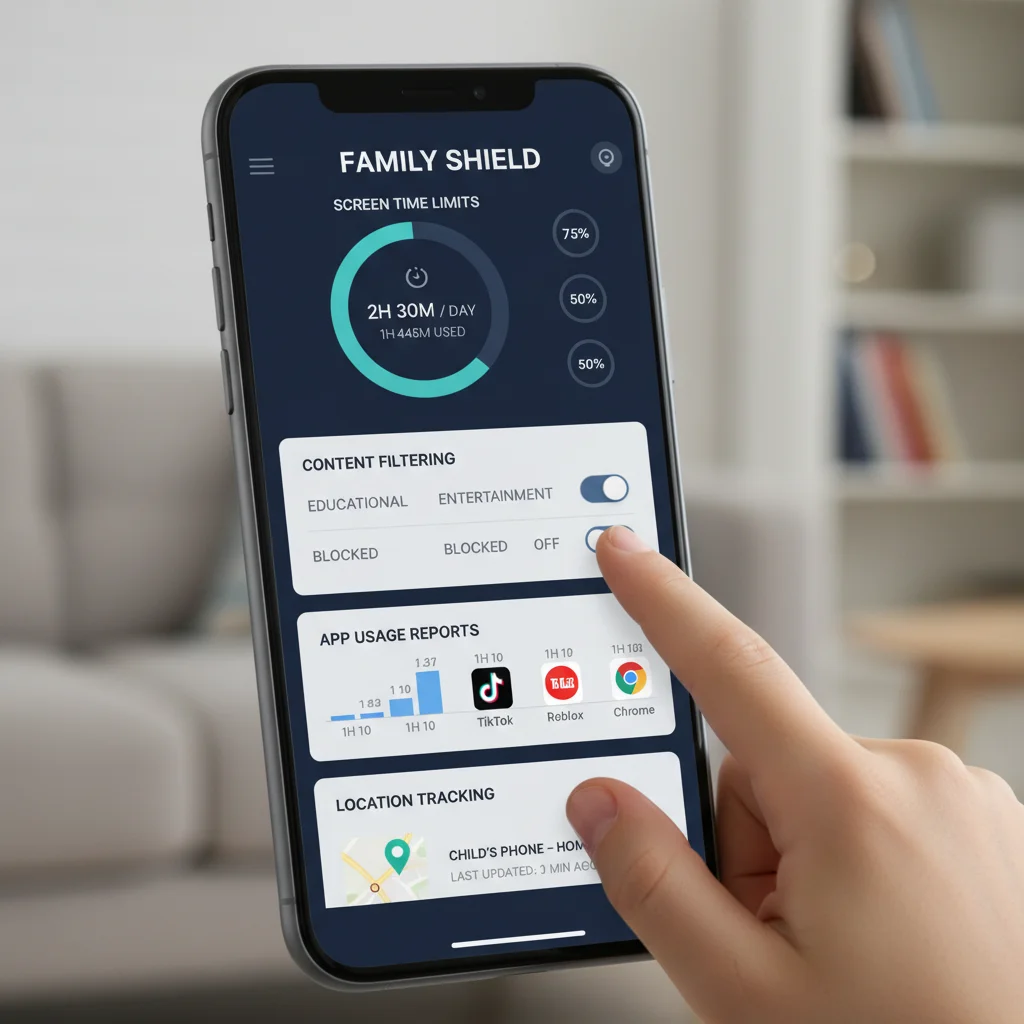
Implementing Your Parental Controls Guide: Step-by-Step Strategies
Once you understand the options, the next step is implementation. This part of our parental controls guide focuses on practical steps and best practices.
1. Assess Your Family’s Needs and Values
Before diving into settings, have an open discussion with your co-parent (if applicable) and consider:
- Child’s Age and Maturity: What’s appropriate for a 5-year-old is very different from a 15-year-old. Parental controls should evolve as your child grows.
- Family Rules: What are your family’s core values regarding screen time, content, and online interactions?
- Specific Concerns: Are you worried about gaming addiction, cyberbullying, or exposure to adult content? Tailor your controls to address these specific concerns.
2. Start Simple and Build Up
Don’t try to implement every possible control at once. Begin with the most critical ones and gradually add more as needed.
- Basic Screen Time Limits: This is often the easiest to implement and has a significant impact.
- Content Filtering: Start with broad categories and refine them.
- Privacy Settings: Ensure location services are managed and social media accounts are private.
3. Communicate Openly with Your Children
This is arguably the most crucial aspect of any parental controls guide. Controls are more effective when children understand why they are in place.
- Explain the ‘Why’: Instead of just imposing rules, explain the reasons behind them (e.g., ‘we limit screen time so you have time for homework and playing outside’).
- Involve Them in the Process: For older children, involve them in setting some rules. This fosters a sense of ownership and responsibility.
- Discuss Online Risks: Talk about cyberbullying, stranger danger, and inappropriate content in an age-appropriate manner.
- Establish a ‘Safe Space’: Let them know they can always come to you if they encounter something uncomfortable or concerning online.
4. Regularly Review and Adjust Settings
The digital world and your child’s needs are constantly changing. What worked last year might not work today.
- Scheduled Reviews: Set a reminder to review your parental control settings every few months or when your child reaches a new developmental stage.
- Adapt to New Technologies: Be aware of new apps, games, or platforms your child is using and adjust controls accordingly.
- Listen to Your Child: If your child expresses frustration with a particular restriction, listen to their perspective and consider if an adjustment is warranted.
Advanced Strategies for the 2026 Digital Parent
Beyond the basics, there are advanced strategies that can further enhance your family’s digital safety and well-being. This section of our parental controls guide explores these more nuanced approaches.
Fostering Media Literacy and Critical Thinking
The ultimate goal isn’t just to block bad content, but to teach children how to discern it themselves. This is central to a long-term parental controls guide strategy.
- Fact-Checking: Teach children how to question information they find online and verify sources.
- Understanding Algorithms: Explain how social media and streaming services recommend content, and how this can influence their views.
- Recognizing Manipulation: Help them identify clickbait, misleading ads, and emotionally manipulative content.
- Digital Footprint Awareness: Discuss the permanence of online actions and the importance of privacy.
Managing Digital Identity and Privacy
In 2026, managing one’s digital identity is more complex than ever. A good parental controls guide emphasizes this.
- Strong Passwords and Two-Factor Authentication (2FA): Teach children the importance of strong, unique passwords and enable 2FA wherever possible.
- Privacy Settings: Regularly review privacy settings on all apps and social media platforms to ensure they are as restrictive as appropriate.
- Location Services: Be mindful of apps that request location data and disable it unless absolutely necessary.
- Sharing Personal Information: Reinforce the rule of never sharing personal details (address, phone number, school) with strangers online.
Dealing with Cyberbullying and Online Harassment
Despite best efforts, cyberbullying can still occur. Your parental controls guide strategy should include a plan for this.
- Open Communication: Create an environment where your child feels comfortable reporting cyberbullying without fear of judgment or having their devices taken away.
- Document Everything: Advise your child to save screenshots or messages as evidence.
- Block and Report: Teach them how to block bullies and report inappropriate content or behavior to the platform administrators.
- Involve School Authorities: If cyberbullying involves classmates, inform the school.
- Seek Professional Help: If the impact is severe, consider consulting a child psychologist or therapist.
Balancing Screen Time with Other Activities
Parental controls are not just about what happens on the screen, but also about encouraging a balanced life off-screen.
- Designated Tech-Free Zones/Times: Implement rules like no phones at the dinner table or in bedrooms after a certain hour.
- Encourage Hobbies: Promote offline activities such as reading, sports, arts and crafts, and outdoor play.
- Lead by Example: Children learn by observing. Model healthy tech habits yourself.
- Family Digital Detox: Consider occasional periods where the whole family unplugs to reconnect and engage in other activities.

Common Pitfalls and How to Avoid Them
Even with the best intentions, parents can sometimes make mistakes when implementing parental controls. This section of our parental controls guide highlights common pitfalls and offers solutions.
Over-Restriction Leading to Rebellion
Pitfall: Imposing overly strict or arbitrary rules without explanation can lead to children finding ways around controls or becoming resentful.
Solution: Focus on transparency and education. Explain the ‘why’ behind each rule. For older children, negotiate limits and content filters to give them a sense of autonomy within safe boundaries. Remember, a rigid parental controls guide can sometimes backfire.
Ignoring the Evolving Digital Landscape
Pitfall: Setting controls once and never revisiting them, becoming unaware of new apps, games, or platforms your child is using.
Solution: Stay informed. Follow tech news, talk to other parents, and most importantly, talk to your children about what they are doing online. Regularly review and update your parental controls guide settings to match current trends and your child’s age.
Using Controls as a Punishment
Pitfall: Threatening to remove devices or disable internet access as the primary form of punishment for unrelated misbehavior.
Solution: While consequences are important, using digital access solely as punishment can make children view online safety measures negatively. Separate consequences for misbehavior from the fundamental goal of digital safety. The parental controls guide should be seen as a safety net, not a punitive tool.
Lack of Consistency Across Devices
Pitfall: Applying parental controls on one device (e.g., a tablet) but neglecting others (e.g., a gaming console or a friend’s device).
Solution: Adopt a holistic approach. Ensure that similar rules and protections apply across all devices your child uses, including those used at friends’ houses or school if possible. Network-level controls can be particularly useful here, as highlighted in this parental controls guide.
Not Leading by Example
Pitfall: Parents enforcing screen time limits for children while constantly glued to their own phones or tablets.
Solution: Be a digital role model. Demonstrate healthy screen habits, engage in tech-free activities, and show your children that you value real-world interactions. Your behavior is a powerful part of any parental controls guide.
The Future of Parental Controls: What to Expect Beyond 2026
As we look beyond 2026, the landscape of parental controls will continue to evolve. This parental controls guide wouldn’t be complete without a glimpse into the future.
- AI-Powered Adaptive Controls: Expect more sophisticated AI that can learn your child’s habits and adapt settings in real-time, offering personalized content suggestions and warnings.
- Integrated Digital Well-being Platforms: A move towards more unified platforms that manage all aspects of digital well-being across devices, content, and physical activity.
- Enhanced Biometric Monitoring: While raising privacy concerns, future parental controls might incorporate biometric data (e.g., eye-tracking for fatigue, emotional response analysis) to assess digital impact.
- Metaverse-Specific Controls: As the metaverse grows, expect specialized parental controls designed for immersive virtual environments, focusing on avatar interactions, virtual currency spending, and content within these spaces.
- Greater Emphasis on Digital Citizenship Education: Technology will increasingly focus on tools that help parents teach digital literacy and critical thinking directly, rather than just blocking content.
Conclusion: Empowering Your Family in the Digital Age with a Robust Parental Controls Guide
Navigating the digital world of 2026 with children requires a blend of technological solutions, open communication, and ongoing adaptability. This comprehensive parental controls guide has provided you with the foundational knowledge and practical strategies to protect your children, manage their screen time, and foster a healthy relationship with technology.
Remember, parental controls are not a set-it-and-forget-it solution. They are a dynamic framework that needs continuous review and adjustment as your children grow and as technology evolves. By embracing a proactive, informed, and communicative approach, you can empower your children to explore the vast opportunities of the digital age safely and responsibly.
The goal is to cultivate digital resilience, enabling children to make smart choices even when parental controls aren’t actively enforced. By setting clear boundaries, teaching critical thinking, and maintaining an open dialogue, you are not just controlling access; you are building a foundation for lifelong digital literacy and safety. Arm yourself with this parental controls guide and confidently lead your family through the exciting, yet challenging, digital future.