Crafting Strong, Unique Passwords: Your Essential 2026 Guide to Digital Security
Crafting Strong, Unique Passwords: Your Essential 2026 Guide to Digital Security
In the rapidly evolving digital landscape of 2026, where our lives are increasingly intertwined with online platforms, the importance of robust cybersecurity cannot be overstated. At the very forefront of this defense is the humble yet mighty password. However, not just any password will do. To truly safeguard your digital identity, you need to master the art of creating strong unique passwords. This comprehensive guide will delve into practical methods, cutting-edge tools, and essential habits to ensure your online accounts remain impenetrable in the face of ever-sophisticated cyber threats.
The Ever-Growing Threat Landscape: Why Strong Unique Passwords Matter More Than Ever
The year 2026 has seen a significant escalation in cyberattacks. From large-scale data breaches affecting millions to targeted phishing campaigns, the methods employed by malicious actors are becoming increasingly sophisticated. Reusing passwords, using easily guessable information, or opting for short, simple combinations are no longer just risky; they are invitations for disaster. A single compromised account can lead to a domino effect, granting attackers access to your emails, banking, social media, and even professional networks. This is precisely why the concept of strong unique passwords is not merely a recommendation but a fundamental necessity for anyone navigating the digital world.
Consider the sheer volume of personal data we entrust to online services. Our financial information, health records, personal communications, and professional documents all reside in the cloud. Each of these data points is a potential target. A weak password acts as a gaping hole in your digital fortress, making you vulnerable to identity theft, financial fraud, and reputational damage. By committing to strong unique passwords for every single online service, you build an unyielding wall against these threats, significantly reducing your attack surface and protecting your valuable digital assets.
Defining ‘Strong’ and ‘Unique’ in the Context of Passwords
Before we dive into creation methods, let’s clearly define what constitutes a ‘strong’ and ‘unique’ password in 2026:
What Makes a Password Strong?
- Length is King: The longer the password, the harder it is to crack. Aim for a minimum of 12-16 characters, but ideally, 20 or more. Brute-force attacks rely on trying every possible combination; longer passwords exponentially increase the time required for such attempts.
- Character Variety: A strong password incorporates a mix of uppercase letters (A-Z), lowercase letters (a-z), numbers (0-9), and special characters (!@#$%^&*()_-+=[]{}|;:'”,.<>/?). This diversity dramatically expands the pool of possible combinations, making it much harder for algorithms to guess.
- Unpredictability: Avoid dictionary words, common phrases, personal information (names, birthdays, pet names), sequential characters (123456), or repeating characters (aaaaaa). These are often the first targets for dictionary attacks and pattern recognition algorithms.
- Randomness: The best strong unique passwords appear random. They don’t follow discernible patterns or personal associations.
The Indispensable ‘Unique’ Factor
While strength is crucial, uniqueness is equally, if not more, vital. A password is ‘unique’ if it is used for only one online account. The reason for this is simple: data breaches are a common occurrence. If you use the same strong unique password for multiple sites and one of those sites is compromised, your credential could be leaked. Cybercriminals then use these leaked credentials in ‘credential stuffing’ attacks, attempting to log into your other accounts using the same username and password combination. If your passwords are unique across all platforms, a breach on one site does not automatically compromise your other accounts. This isolation of risk is a cornerstone of modern digital security.
Practical Methods for Generating Strong Unique Passwords
The challenge for many is creating passwords that meet these criteria while still being memorable. Here are several effective strategies:
1. The Passphrase Method: Mnemonic Marvels
Instead of a single word, think in terms of phrases. A passphrase is a sequence of random, unrelated words, often combined with numbers and special characters. This method generates incredibly long and complex passwords that are surprisingly easy to remember.
How it Works:
- Choose a sentence or phrase: It should be something meaningful or memorable to you, but not publicly known. For example, "My cat whiskers loves to chase laser pointers at midnight."
- Transform it: Take the first letter of each word, substitute some letters for numbers or symbols, and add extra characters.
Let’s take our example: "My cat whiskers loves to chase laser pointers at midnight."
- First letters: Mcwltclpam
- Add numbers/symbols: M&cWl7c!p@m
- Add a specific year or number for uniqueness: M&cWl7c!p@m2026
The resulting password, M&cWl7c!p@m2026, is long, complex, and memorable because it’s tied to a phrase only you know. You can adapt this for different sites by adding a unique identifier for each service (e.g., "M&cWl7c!p@m2026_FB" for Facebook).
2. The Random String Generator: Embrace the Unpredictable
For ultimate security, truly random strings of characters are unsurpassed. While difficult to memorize, they are ideal when combined with a password manager.
How it Works:
- Use a reputable password generator: Many password managers (LastPass, 1Password, Bitwarden) have built-in generators. Online tools like GRC’s Ultra High Security Password Generator are also excellent.
- Specify length and character types: Aim for 20+ characters, including all available options (uppercase, lowercase, numbers, symbols).
- Generate and store: Let the tool create your strong unique passwords and then securely store them in your password manager.
3. The Modified Dictionary Word Method: A Balance of Memorability and Strength
This method involves taking a common word or short phrase and heavily modifying it to make it unpredictable. While not as strong as truly random strings, it can be a good intermediate step.
How it Works:
- Choose a base word: For example, "Elephant."
- Introduce substitutions: Replace letters with numbers or symbols (e -> 3, a -> @, l -> 1, s -> $, o -> 0).
- Add capitalization and special characters: Insert random caps and symbols.
- Extend with a unique identifier: Append a short, unique string for the specific service.
Example: 313ph@nt!_G00gl3. This is much stronger than "Elephant" alone and still somewhat memorable due to its origin.
The Indispensable Role of Password Managers in 2026
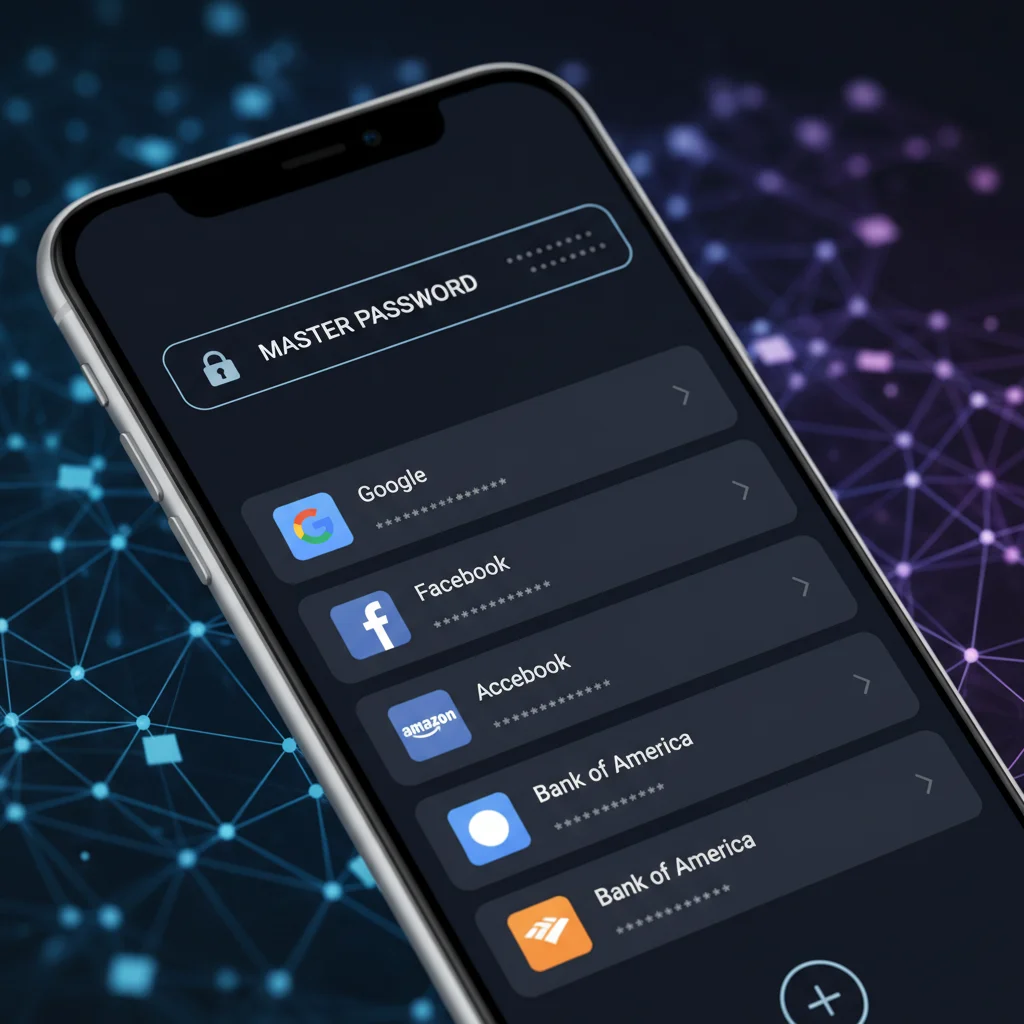
Creating strong unique passwords for every single online account can quickly become overwhelming. This is where password managers become absolutely essential. A password manager is a secure digital vault that stores all your login credentials, credit card information, and other sensitive data, encrypted behind a single, master password.
How Password Managers Enhance Your Security:
- Generate Strong Passwords: Most password managers include built-in generators that can create truly random, highly complex passwords of any desired length and character type.
- Secure Storage: All your passwords are encrypted and stored locally or in a secure cloud, accessible only with your master password. This eliminates the need to remember dozens or hundreds of complex strings.
- Auto-fill and Auto-login: They can automatically fill in your login credentials on websites and apps, saving you time and preventing phishing attempts (as they only auto-fill on legitimate sites).
- Cross-Device Synchronization: Your passwords can be securely synced across all your devices (desktop, laptop, smartphone, tablet), ensuring you always have access to your credentials.
- Security Audits: Many password managers offer features to audit your existing passwords, identifying weak, reused, or compromised passwords and prompting you to update them.
- Two-Factor Authentication (2FA) Integration: Some managers integrate with 2FA tools, further streamlining and securing your login process.
Choosing the Right Password Manager:
When selecting a password manager, consider:
- Reputation and Security Audits: Choose a well-established provider with a strong track record of security and transparency about their auditing processes.
- Features: Look for strong encryption (e.g., AES-256), cross-device sync, password generation, security auditing, and 2FA integration.
- Ease of Use: A good password manager should be intuitive and easy to integrate into your daily workflow.
- Cost: Many offer free tiers with basic functionality, while premium versions unlock advanced features. Popular choices include LastPass, 1Password, Bitwarden, and Dashlane.
By leveraging a password manager, you can effortlessly create and manage hundreds of strong unique passwords, dramatically improving your overall digital security posture without the burden of memorization.
Beyond Passwords: Complementary Security Measures for 2026
While strong unique passwords are foundational, they are part of a larger cybersecurity ecosystem. To achieve comprehensive protection, you must also adopt these complementary security measures:
1. Enable Two-Factor Authentication (2FA) Everywhere Possible
2FA adds an extra layer of security by requiring a second form of verification beyond just your password. This could be a code sent to your phone, a biometric scan (fingerprint, face ID), or a hardware security key. Even if a cybercriminal manages to obtain your password, they won’t be able to access your account without this second factor. Prioritize enabling 2FA on your most critical accounts: email, banking, social media, and any service that stores sensitive data.
2. Be Wary of Phishing and Social Engineering
Phishing attacks attempt to trick you into revealing your credentials by impersonating legitimate entities. Always be suspicious of unsolicited emails, texts, or calls asking for personal information. Double-check sender addresses, look for grammatical errors, and never click on suspicious links. If in doubt, navigate directly to the official website of the service in question.
3. Keep Your Software Updated
Operating systems, web browsers, and applications often receive security updates that patch vulnerabilities. Procrastinating on updates leaves you exposed to known exploits. Enable automatic updates whenever possible, or make it a habit to check for and install updates regularly.
4. Use a Virtual Private Network (VPN) on Public Wi-Fi
Public Wi-Fi networks are often unsecured and can be easily intercepted by malicious actors. A VPN encrypts your internet traffic, creating a secure tunnel that protects your data from prying eyes, even on untrusted networks.
5. Regularly Review Your Accounts and Permissions
Periodically check your online accounts for any unusual activity. Review the permissions you’ve granted to third-party apps and revoke access for any you no longer use or trust. This reduces the number of potential entry points for attackers.
Common Password Mistakes to Avoid in 2026
Even with the best intentions, people often fall into common traps that undermine their password security. Be aware of these pitfalls:
1. Reusing Passwords Across Multiple Sites
As discussed, this is perhaps the gravest error. A single breach can compromise your entire digital life. Always use strong unique passwords for every account.
2. Using Easily Guessable Information
Avoid using your name, birthdate, pet’s name, spouse’s name, or any other publicly available information. Cybercriminals often gather such data from social media to create targeted password guesses.
3. Sequential or Repetitive Patterns
Passwords like "123456," "qwerty," "password," or "aaaaaa" are incredibly weak and can be cracked in seconds. These are the first combinations attackers try.
4. Storing Passwords Insecurely
Writing passwords on sticky notes, in unencrypted text files, or in browser auto-fill without a master password protection are all insecure practices. Use a dedicated password manager.
5. Not Updating Passwords After a Breach
If you hear about a data breach affecting a service you use, immediately change your password for that service and any other service where you might have reused that password. Websites like Have I Been Pwned? allow you to check if your email address has been involved in known data breaches.
6. Over-reliance on Browser’s Built-in Password Manager
While convenient, browser-based password managers (like those in Chrome, Firefox, Edge) are generally less secure than dedicated password managers. They often lack a robust master password, advanced encryption features, and cross-platform compatibility. For maximum security, a standalone password manager is recommended.
Educating Yourself and Others: The Collective Responsibility
Digital security is not just an individual responsibility; it’s a collective one. By understanding and implementing strategies for strong unique passwords, you not only protect yourself but also contribute to a safer online environment for everyone. Share this knowledge with your family, friends, and colleagues. Encourage them to adopt best practices, use password managers, and enable 2FA. The more people who prioritize strong security habits, the harder it becomes for cybercriminals to succeed.
Regularly review your own security practices. The threat landscape is constantly evolving, and what was considered secure five years ago may not be sufficient today. Stay informed about the latest cybersecurity trends and adapt your strategies accordingly. Make it a habit to change your master password for your password manager periodically, and certainly if you suspect it might have been compromised.
The Future of Authentication: Beyond Passwords?
While strong unique passwords are our current best defense, the industry is constantly innovating. Passkey technology, for instance, offers a promising future where cryptographic keys replace traditional passwords, providing a more secure and user-friendly authentication experience. These keys are stored securely on your device and verified by the service, eliminating the need to type a password and making phishing much harder. As of 2026, passkeys are gaining traction and becoming available on more platforms. While not yet universally adopted, it’s crucial to embrace them wherever offered, as they represent a significant leap forward in authentication security. However, until passkeys become the global standard, mastering the art of strong unique passwords remains paramount.
Conclusion: Your Digital Fortification Starts Here
In conclusion, the digital world of 2026 demands a proactive approach to security, and at its core lies the strategic creation and management of strong unique passwords. By adopting methods like passphrases, leveraging robust password managers, and complementing these with 2FA and vigilance against phishing, you empower yourself to navigate the online realm with confidence and peace of mind. Your digital identity is a valuable asset; protect it with the strongest possible defenses. Start today by reviewing your current passwords and committing to a future of impenetrable online security.