Mastering Social Media Privacy Settings in 2026: Your Essential Guide
Mastering Social Media Privacy Settings in 2026: Your Essential Guide
The digital world evolves at a dizzying pace, and with it, the complexities of our online presence. As we step into 2026, social media platforms continue to be integral to our daily lives, connecting us, informing us, and entertaining us. However, this connectivity comes with an ever-growing need for robust privacy management. Understanding and effectively utilizing social media privacy settings in 2026 is no longer optional; it is a fundamental aspect of maintaining your digital well-being and security. This comprehensive guide will walk you through the latest changes, essential features, and best practices to safeguard your personal information across your favorite platforms.
The Evolving Landscape of Social Media Privacy in 2026
Over the past few years, we’ve witnessed significant shifts in how social media companies handle user data and how regulatory bodies attempt to govern this space. In 2026, these trends have solidified, bringing both new challenges and improved tools for users. The focus has largely shifted towards greater transparency, granular control, and compliance with increasingly stringent data protection laws worldwide. Users are now more empowered than ever to dictate who sees their content, who accesses their data, and how their information is used for advertising and other purposes. Navigating these new features is key to mastering social media privacy in 2026.
Key Regulatory Updates Impacting Your Privacy
Several key regulatory frameworks have matured by 2026, directly influencing how social media platforms operate. The GDPR (General Data Protection Regulation) in Europe, CCPA (California Consumer Privacy Act) and its successors in the US, and similar legislations globally have pushed platforms to implement more user-friendly privacy dashboards and clearer data usage policies. Expect to see:
- Mandatory Privacy Audits: Platforms are now subject to more frequent and rigorous privacy audits, with findings often made public, increasing accountability.
- Enhanced Data Portability Rights: Users have greater rights to transfer their data between services, making it easier to switch platforms without losing their digital footprint.
- Age Verification and Child Protection: Stricter age verification processes and robust child protection measures are standard, with specific privacy defaults for minors.
- AI Ethics and Data Usage: New regulations specifically address the ethical implications of AI in data processing, requiring platforms to disclose how AI algorithms use your data for content recommendations, ad targeting, and moderation.
These legal shifts underpin many of the new social media privacy settings you’ll encounter. Understanding the ‘why’ behind these changes can help you better appreciate and utilize the tools at your disposal.
Universal Best Practices for Social Media Privacy in 2026
Regardless of the platform, certain best practices remain timeless when it comes to safeguarding your digital privacy. Adopting these habits will significantly enhance your security and control over your personal information.
1. Regular Privacy Check-ups
Treat your social media privacy settings like a regular health check-up. Platforms frequently update their interfaces and introduce new features, sometimes resetting or altering default privacy options. Make it a habit to review your settings at least once every quarter, or whenever a major platform update is announced. Look for new options, changes to existing ones, and ensure everything aligns with your current comfort level.
2. Strong, Unique Passwords and Two-Factor Authentication (2FA)
This cannot be stressed enough. A strong, unique password for each social media account, combined with 2FA, is your first and most critical line of defense. By 2026, many platforms offer advanced 2FA options, including biometric authentication (fingerprint, facial recognition), hardware security keys, and authenticator apps, in addition to SMS codes. Utilize the strongest available option.
3. Be Mindful of What You Share
The golden rule of the internet: once it’s out there, it’s hard to retrieve. Before posting, consider the potential implications. Think about:
- Location Data: Avoid sharing your real-time location. Turn off geotagging for photos and posts.
- Personal Identifiable Information (PII): Be cautious about sharing birthdates, addresses, phone numbers, or details that could be used for identity theft.
- Sensitive Conversations: Remember that even in private chats, content can be screenshotted and shared without your consent.
4. Understand Third-Party App Permissions
Many social media platforms allow integration with third-party applications (games, quizzes, utility apps). While convenient, these apps often request extensive permissions to access your data. Regularly review and revoke permissions for apps you no longer use or those that request excessive access. In 2026, platforms provide more transparent dashboards for managing these integrations.
5. Educate Yourself on Platform-Specific Features
Each platform has its unique ecosystem of privacy controls. While general principles apply, specific features like ‘audience selector’ on Facebook, ‘circle sharing’ on LinkedIn, or ‘mute/block’ options on Twitter/X, and ‘close friends’ on Instagram require platform-specific understanding. Make time to explore the privacy section of each platform you use.
Deep Dive into Social Media Privacy Settings in 2026: Platform-Specific Guides
Let’s explore how to navigate the social media privacy settings on some of the most popular platforms in 2026.
Facebook/Meta Platforms (Facebook, Instagram, WhatsApp)
Meta continues to be a dominant force, and its privacy architecture is complex due to its interconnected ecosystem. In 2026, Meta has consolidated many privacy controls under a unified ‘Accounts Center’ and ‘Privacy Center’ accessible from any of its apps.
Facebook Specifics:
- Audience Selector on Posts: Before posting, always check the audience selector (Public, Friends, Friends Except…, Specific Friends, Only Me, Custom). This is your primary control over who sees your content.
- Who Can See Your Future Posts/Past Posts: Navigate to
Settings & Privacy > Settings > Privacy > Your Activity. You can set a default audience for future posts and limit the audience for past posts. - Profile and Tagging Settings: Under
Settings & Privacy > Settings > Profile and Tagging, control who can post on your profile, who can see posts you’re tagged in, and whether you want to review tags before they appear. - Active Status: Under
Settings & Privacy > Settings > Audience and Visibility > Active Status, you can turn off ‘Show when you’re active’ to prevent others from seeing when you’re online. - Off-Facebook Activity: This crucial setting (found under
Settings & Privacy > Settings > Your Facebook Information > Off-Facebook Activity) allows you to see and clear data that businesses and organizations share with Facebook about your interactions with them outside of Facebook. You can also disconnect future off-Facebook activity. - Ad Preferences: Under
Settings & Privacy > Settings > Ads > Ad Preferences, you can view and control the information Facebook uses to show you ads. This includes advertisers who have uploaded your contact list, categories Facebook believes you’re interested in, and information from partners.
Instagram Specifics:
- Private Account: The simplest way to control visibility. Go to
Settings and privacy > Account privacyand toggle ‘Private Account’ on. Only approved followers can see your posts and stories. - Activity Status: Similar to Facebook, under
Settings and privacy > Messages and story replies > Show activity status, you can hide when you’re active. - Story Controls: When sharing a story, tap the gear icon or ‘Close Friends’ option to specify who can see it. You can also hide your story from specific people.
- Commenting and Tagging: Under
Settings and privacy > How others can interact with you, manage who can comment on your posts, tag you, or mention you. You can also filter offensive comments. - Data Download: Instagram now offers a more streamlined process to download your data, including posts, stories, and messages, under
Settings and privacy > Your activity > Download your information.
WhatsApp Specifics:
- Privacy Settings: Go to
Settings > Privacy. Here you can control who sees your ‘Last Seen & Online’, ‘Profile Photo’, ‘About’, and ‘Status’. You can also control ‘Read Receipts’. - Group Privacy: Under
Settings > Privacy > Groups, choose who can add you to groups (Everyone, My Contacts, My Contacts Except…). This prevents unwanted group additions. - Disappearing Messages: For enhanced privacy in conversations, enable Disappearing Messages for individual or group chats. Messages will automatically delete after a set time.
- End-to-End Encryption: WhatsApp messages are end-to-end encrypted by default, meaning only you and the recipient can read them. Verify this status in individual chat info.
X (formerly Twitter)
X’s privacy controls focus heavily on tweet visibility, direct messages, and discoverability.
- Protect Your Posts (Private Account): Go to
Settings and Privacy > Privacy and safety > Audience and tagging > Protect your posts. This makes your tweets visible only to approved followers. - Direct Messages: Under
Settings and Privacy > Privacy and safety > Direct Messages, control who can send you direct messages (Everyone, Only people you follow, Verified users). - Discoverability: Under
Settings and Privacy > Privacy and safety > Discoverability and contacts, you can decide if others can find you by your email address or phone number. - Safety Features: Utilize ‘Mute’ and ‘Block’ features to manage interactions. ‘Mute’ removes tweets from your timeline without unfollowing, while ‘Block’ prevents specific accounts from seeing your tweets or contacting you.
- Content You See: Under
Settings and Privacy > Privacy and safety > Content you see, adjust settings for sensitive content and explore topics to refine your feed.
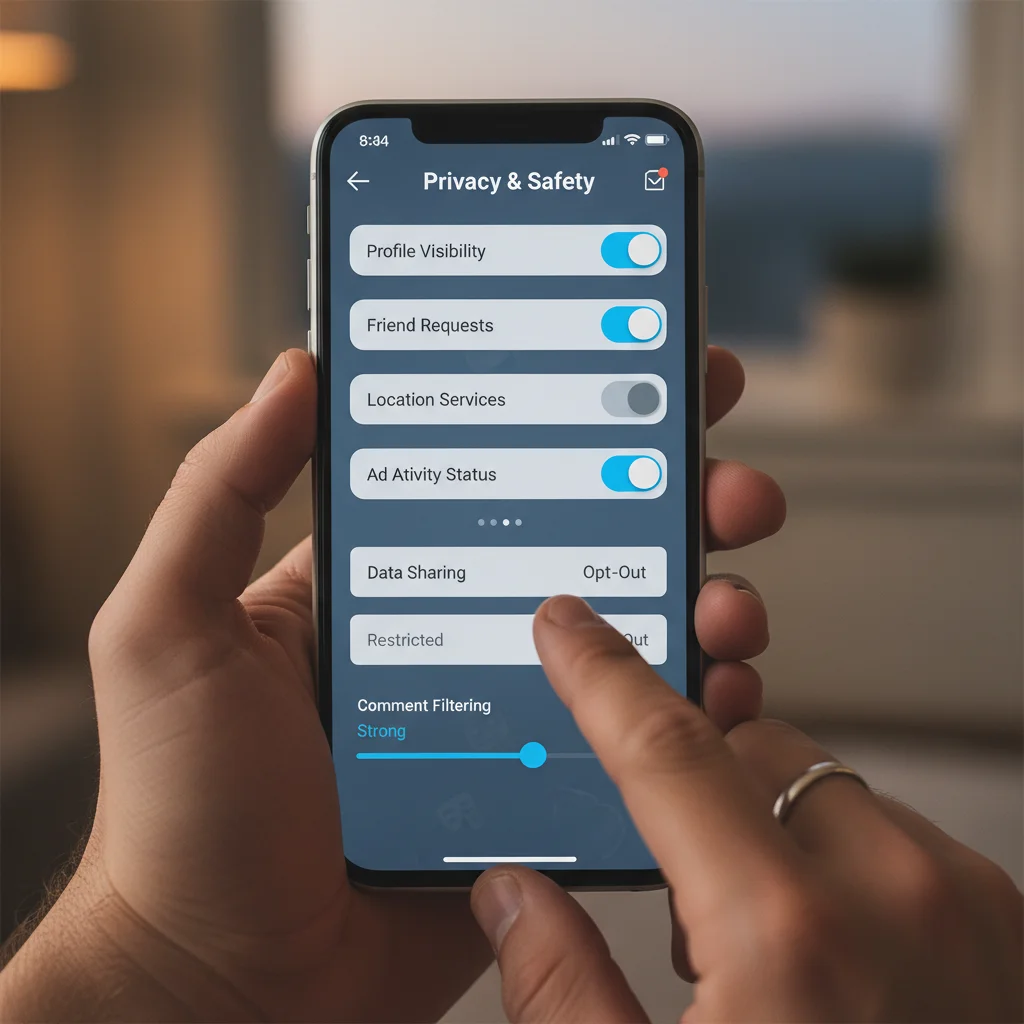
LinkedIn, as a professional networking platform, has privacy settings geared towards managing your professional visibility and connections.
- Profile Visibility: Go to
Settings & Privacy > Visibility > Visibility of your profile & network. Control who sees your profile picture, connections, and public profile visibility. - Activity Broadcasts: Under
Settings & Privacy > Visibility > Visibility of your LinkedIn activity, you can toggle off ‘Share job changes, education changes, and work anniversaries from your profile’ to keep certain updates private. - Data Privacy: Under
Settings & Privacy > Data privacy, you can review and manage how LinkedIn uses your data for ads, third-party data collection, and salary insights. This section also allows you to download your data archive. - Blocking and Reporting: Use the blocking feature to prevent unwanted contact from specific members. Report any inappropriate content or behavior.
- Messaging Preferences: Under
Settings & Privacy > Communications > How you get your notificationsandMessages, manage who can send you messages and the types of notifications you receive.
TikTok
TikTok’s rapid growth has led to increased scrutiny of its privacy practices. In 2026, its settings offer more robust controls, particularly for younger users.
- Private Account: Under
Settings and privacy > Privacy, toggle ‘Private account’ on. Only approved followers can view your videos and ‘For You’ page. - Direct Messages: Under
Settings and privacy > Privacy > Direct messages, control who can send you DMs (Everyone, Friends, No one). - Comments, Duet, Stitch, Download: These crucial settings (under
Settings and privacy > Privacy > Safety) allow you to control who can comment on your videos, duet with them, stitch them into their own content, or download them. Turn off ‘Allow your videos to be downloaded’ for maximum control. - Personalized Ads: Under
Settings and privacy > Ads, you can manage your ad personalization settings and turn off tracking based on your activity. - Screen Time Management: TikTok has enhanced its screen time and digital well-being tools, allowing users to set limits and parental controls, often tied to privacy settings for minors.
Emerging Privacy Challenges and Solutions in 2026
As technology advances, so do the challenges to our privacy. In 2026, new frontiers such as the metaverse, advanced AI, and deeper personal data integration present both risks and opportunities for enhanced privacy controls.
Privacy in the Metaverse and VR Environments
The burgeoning metaverse presents a unique set of privacy considerations. Your avatar, interactions, and even biometric data (from VR headsets) can be collected. Platforms are developing ‘metaverse privacy zones’ where users can control who interacts with their avatar, who can hear their voice, and what data is shared with the environment. Always review the privacy policies of any metaverse platform you join and customize your avatar’s privacy settings.
AI and Data Processing
Artificial intelligence is deeply integrated into social media, from content recommendations to moderation and ad targeting. In 2026, platforms are required to provide clearer explanations of how AI uses your data. Look for dashboards that allow you to:
- Opt-out of specific AI-driven data collection: For instance, facial recognition for tagging suggestions.
- Review and correct AI-generated profiles: Some platforms may infer interests or demographics about you; you now have more avenues to dispute or modify these.
- Understand AI’s impact on content visibility: Learn how algorithms prioritize certain content and how your privacy settings influence this.
Data Brokers and Your Social Footprint
Even with robust social media privacy settings, data brokers can aggregate public information. While platforms are improving their data-sharing transparency, it’s crucial to minimize your public footprint. Regularly search for your name online to see what information is publicly available and utilize tools that help request data removal from data brokers.
The Future of Social Media Privacy Controls
Looking ahead, the trend is towards even more user autonomy. Expect to see:
- Decentralized Identity: Blockchain-based identity solutions could give users more direct control over their verifiable credentials and how they’re shared across platforms.
- Personal Data Wallets: Secure digital wallets that store and manage your personal data, allowing you to grant temporary or specific access to platforms without full surrender of information.
- AI-Powered Privacy Assistants: Tools that actively monitor and suggest privacy setting adjustments based on your usage patterns and evolving regulations.
- Interoperability of Privacy Settings: A move towards standardized privacy controls that can be applied across multiple platforms from a central dashboard, reducing the need to configure each app individually.
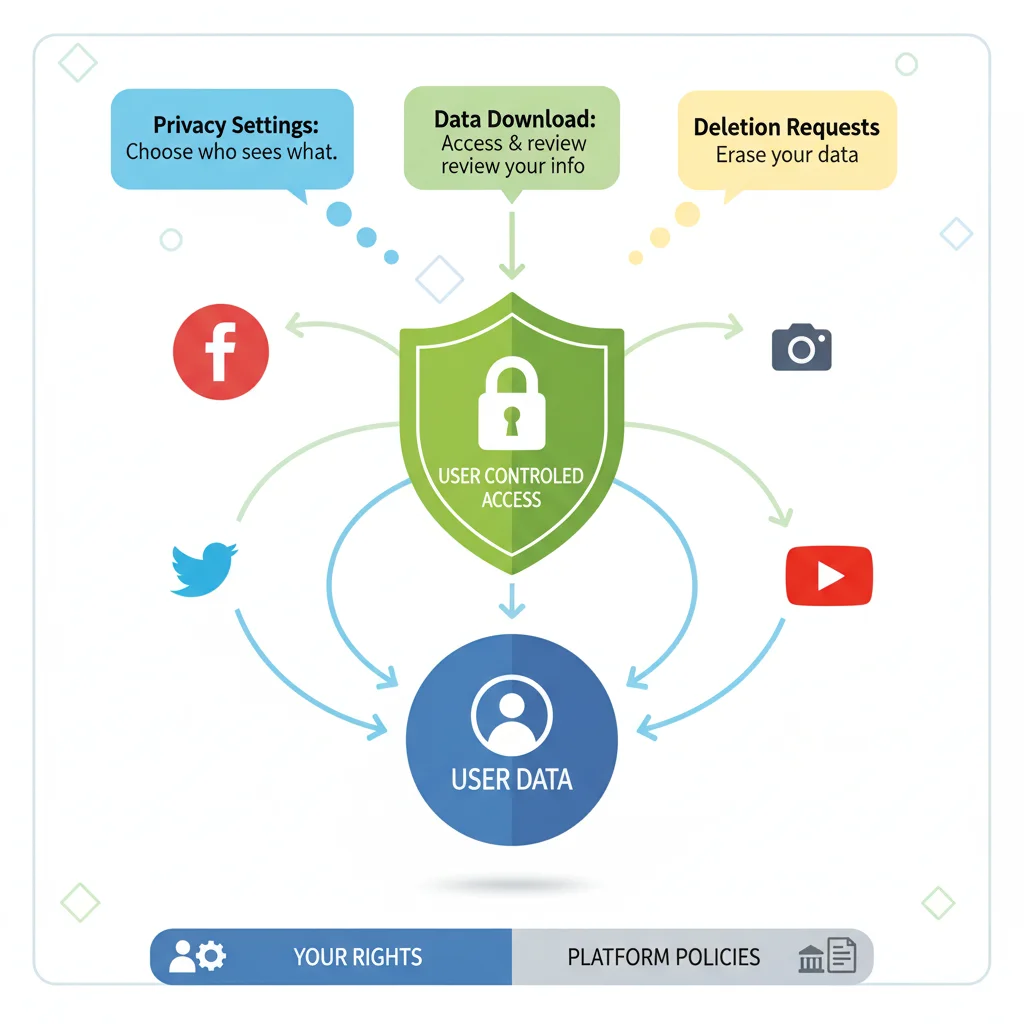
Conclusion: Taking Charge of Your Digital Identity
In 2026, social media remains an indispensable part of our lives, but the power balance has shifted. Users are increasingly in the driver’s seat when it comes to their data and privacy. By regularly reviewing and adjusting your social media privacy settings, understanding platform-specific tools, and adopting universal best practices, you can confidently navigate the digital landscape. Your digital identity is a valuable asset; protecting it means being proactive, informed, and diligent. Make it a priority to master your social media privacy in 2026 and beyond.