Optimize Your Home Office: Ergonomics & Connectivity Checklist 2026
Setting Up Your Home Office for Peak Performance: A 7-Point Checklist for Ergonomics and Connectivity in 2026
In an increasingly remote-first world, your home office isn’t just a place to work; it’s your personal command center for productivity, creativity, and professional growth. As we move further into 2026, the demands on our home workspaces are evolving, requiring a strategic approach to both physical comfort and technological prowess. A well-optimized home office setup can significantly impact your efficiency, well-being, and overall job satisfaction. Gone are the days when a laptop on the kitchen counter sufficed. Today, a truly effective remote workspace demands careful consideration of ergonomics to prevent strain and injury, alongside robust connectivity to ensure seamless communication and workflow.
This comprehensive guide provides a 7-point checklist designed to help you create or upgrade your home office setup for peak performance in 2026. We’ll delve into critical aspects, from ergonomic essentials that protect your body to advanced connectivity solutions that future-proof your digital life. Whether you’re a seasoned remote worker or just starting your journey, optimizing your workspace is an investment in your health, productivity, and professional success. Let’s transform your home office into an environment where you can thrive.
1. Prioritize Ergonomic Seating: The Foundation of a Healthy Home Office Setup
The cornerstone of any effective home office setup is a high-quality ergonomic chair. Considering the hours spent seated, investing in a chair that supports your body’s natural curves is not a luxury; it’s a necessity. A poorly designed chair can lead to a myriad of problems, including back pain, neck stiffness, poor posture, and even repetitive strain injuries. In 2026, ergonomic chairs have advanced significantly, offering customizable features that cater to individual body types and preferences.
When selecting an ergonomic chair for your home office setup, look for features such as adjustable lumbar support, armrests that can be moved up, down, forward, and backward, and a seat pan with adjustable depth and height. The backrest should recline and ideally have a tilt tension control. Your feet should be flat on the floor or on a footrest, with your knees forming a 90-degree angle. The goal is to maintain a neutral spine position, reducing pressure on your discs and muscles. Don’t overlook the material and breathability of the chair; a mesh back can help with airflow, especially during long working hours. Many modern ergonomic chairs also offer dynamic seating options, encouraging micro-movements throughout the day to keep your muscles engaged and improve circulation. Research reviews and consider trying out different models if possible, as personal comfort can vary greatly. Remember, the best ergonomic chair is one that fits you perfectly and encourages good posture without conscious effort.
Beyond the chair itself, consider how you interact with it. Take regular breaks to stand, stretch, and move around. Even the most advanced ergonomic chair cannot fully counteract the negative effects of prolonged static sitting. Integrate short stretching routines into your workday to alleviate muscle tension and improve blood flow. Think of your ergonomic chair as a partner in your health and productivity, not a standalone solution. Proper adjustment and regular movement are key to maximizing its benefits within your home office setup.
2. The Dynamic Workstation: Standing Desks and Monitor Placement
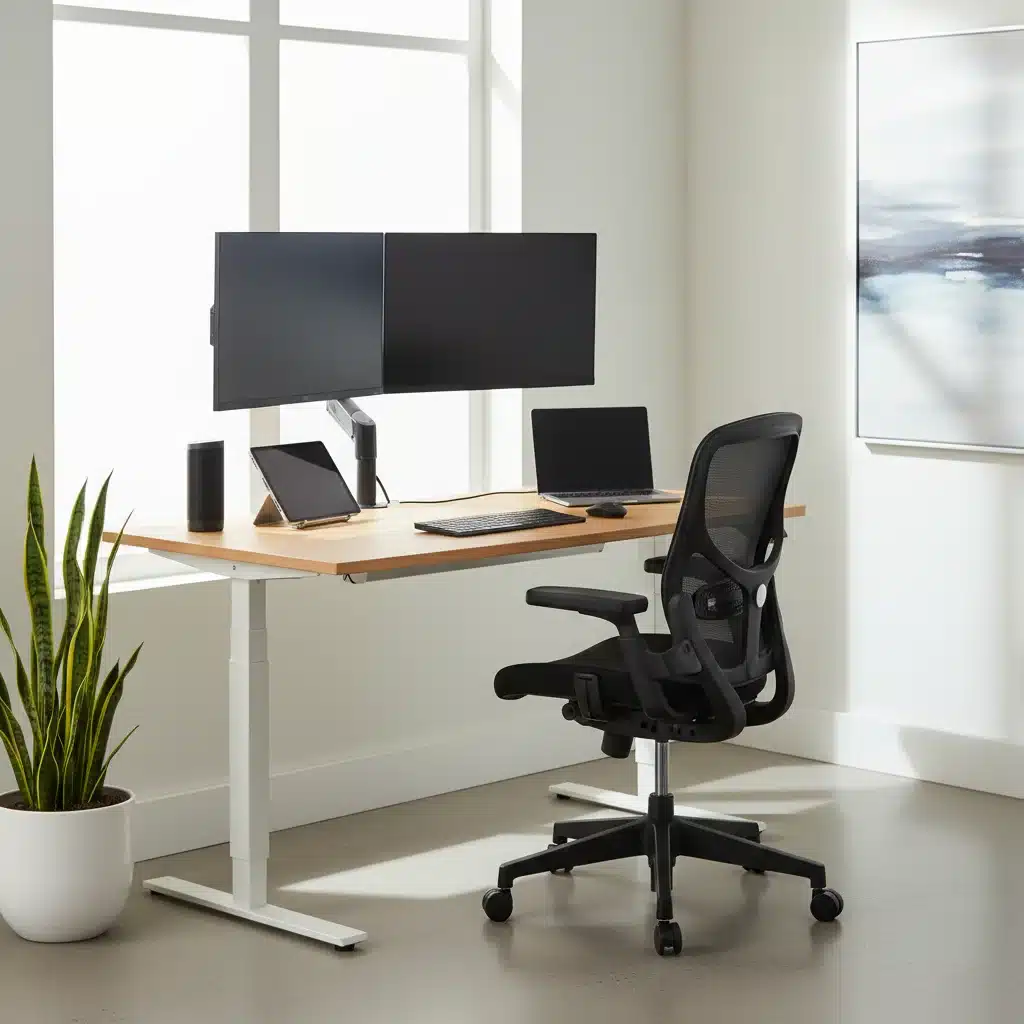
Complementing your ergonomic chair is a dynamic workstation, ideally featuring a standing desk. The shift towards incorporating standing desks into a modern home office setup is driven by compelling health benefits, including reduced risk of heart disease, improved posture, increased energy levels, and even enhanced focus. Prolonged sitting is often referred to as the ‘new smoking,’ highlighting the critical importance of varying your posture throughout the day.
When choosing a standing desk for your home office setup, consider electric models with memory presets, allowing you to easily switch between sitting and standing positions at your preferred heights. The ideal standing height will position your elbows at a 90-degree angle when your hands are on the keyboard, with your wrists straight. When sitting, apply the same principle. A good standing desk should be stable at all heights and have sufficient surface area for your equipment.
Monitor placement is equally crucial. For single monitors, the top of the screen should be at or slightly below eye level, about an arm’s length away. If you use dual monitors, position the primary monitor directly in front of you, or center both monitors if they are used equally. Ensure both are at the correct height and distance. Adjustable monitor arms are an excellent investment, offering flexibility in positioning and helping to free up desk space. They allow for easy adjustments to height, tilt, and swivel, ensuring optimal viewing angles and reducing neck and eye strain. Anti-glare screens can also be beneficial in reducing eye fatigue, especially if your office receives a lot of natural light or has overhead lighting.
The combination of an ergonomic chair and a standing desk, properly adjusted for monitor placement, creates a dynamic and healthy environment that encourages movement and reduces the physical toll of long working hours. This holistic approach to your workspace is fundamental for a high-performing home office setup in 2026.
3. Optimal Input Devices: Keyboard, Mouse, and Peripherals
Often overlooked, the keyboard and mouse are critical components of your home office setup that directly impact comfort and prevent repetitive strain injuries. Standard keyboards and mice can force unnatural wrist and hand positions, leading to discomfort over time. Investing in ergonomic alternatives is a small change that can yield significant long-term benefits.
For keyboards, consider options like split keyboards, which allow your hands to rest in a more natural, shoulder-width position, or keyboards with a slight tenting angle that reduces pronation of the wrists. Mechanical keyboards, while often associated with gaming, can also offer a more tactile and comfortable typing experience, reducing the force needed for each keystroke. Look for features like adjustable tilt and integrated wrist rests. The goal is to keep your wrists straight and your shoulders relaxed while typing. Experiment with different types to find what feels most natural and comfortable for your hands and typing style.
When it comes to mice, ergonomic designs come in various forms, including vertical mice, trackballs, and roller mice. A vertical mouse positions your hand in a handshake grip, reducing forearm pronation. Trackballs allow you to control the cursor with your thumb or fingers, minimizing wrist movement. Roller mice, positioned in front of your keyboard, allow you to use both hands to control the cursor, distributing the workload. The best choice depends on your personal preference and any existing discomfort you might experience. Whichever you choose, ensure it fits your hand size comfortably and allows for smooth, precise cursor control without excessive wrist movement. A large mousepad can also provide additional comfort and reduce friction.
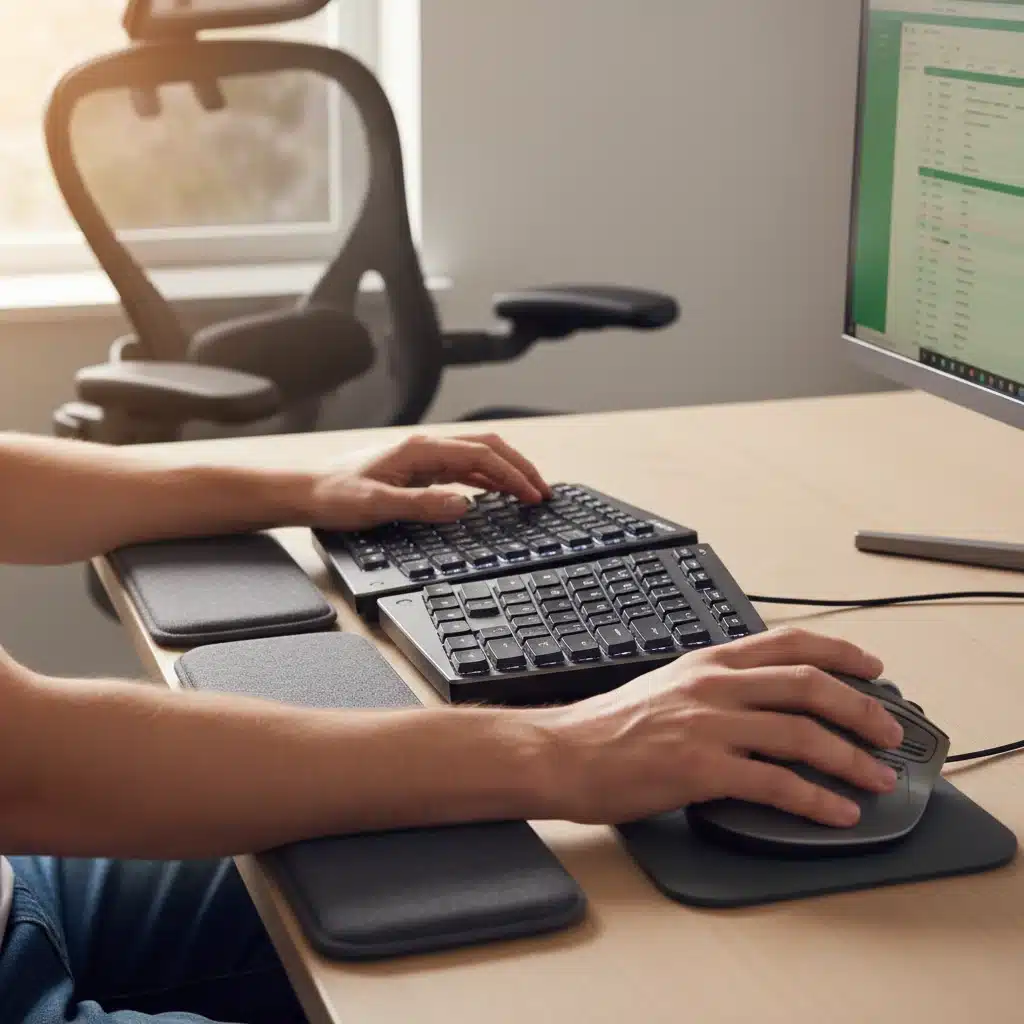
Beyond the basics, think about other peripherals. A high-quality webcam and microphone are essential for clear virtual communication. Noise-canceling headphones can create a focused environment, especially in shared living spaces. Proper cable management is also vital, not just for aesthetics but for safety and organization. Use cable ties, sleeves, or trays to keep cords tidy and out of the way, preventing tripping hazards and making your home office setup feel more professional and less cluttered.
4. Lighting and Environment: Setting the Mood for Productivity
The ambient environment of your home office setup plays a significant role in your mood, energy levels, and even eye health. Lighting, air quality, and noise levels are all factors that contribute to a productive workspace. Overlooking these aspects can lead to fatigue, headaches, and decreased focus.
Good lighting is paramount. Ideally, your workstation should benefit from natural light, which is known to boost mood and regulate circadian rhythms. Position your desk to avoid glare on your screen, either by placing it perpendicular to a window or using blinds/curtains. Supplement natural light with task lighting, such as an adjustable desk lamp, to illuminate your workspace without creating harsh shadows. The color temperature of your light bulbs can also make a difference; cooler, brighter lights (around 5000K-6500K) are often preferred for task-oriented work, while warmer lights (2700K-3000K) can create a more relaxing atmosphere. Avoid overhead lights that cause glare or reflections on your screen. Smart lighting solutions, which allow you to adjust brightness and color temperature throughout the day, can be a great addition to a modern home office setup.
Air quality and temperature are also important for comfort and concentration. Ensure good ventilation to prevent stuffiness and circulate fresh air. Consider adding indoor plants, which can improve air quality and add a touch of nature to your space, reducing stress. Maintain a comfortable room temperature; extremes of hot or cold can be distracting and reduce productivity. If noise is an issue, especially in a busy household, consider sound-absorbing panels, heavy curtains, or investing in quality noise-canceling headphones. Creating a serene and comfortable environment is crucial for sustained focus within your home office setup.
Finally, personalize your space. Add elements that inspire you, whether it’s artwork, photos, or motivational quotes. A visually appealing and organized space can positively impact your mindset and make your home office a place you genuinely enjoy spending time in. Remember, your environment is an extension of your work, and a well-curated space can significantly enhance your overall experience.
5. Robust Internet Connectivity: The Lifeline of Your Remote Work
In 2026, reliable and high-speed internet is not a luxury; it’s the absolute backbone of any functional home office setup. Without strong connectivity, even the most ergonomically perfect workspace will fall short. From video conferences to cloud-based collaboration tools and large file transfers, your internet connection needs to be robust enough to handle the demands of modern remote work without interruption.
Start by evaluating your internet service provider (ISP) and your current plan. Do you have sufficient download and upload speeds for your workload? For most remote workers, a minimum of 100 Mbps download and 20 Mbps upload is a good starting point, but power users might need significantly more. Consider upgrading your plan if you experience frequent buffering, lag, or dropped connections. Check your actual speeds regularly using online speed tests to ensure you’re getting what you pay for.
Beyond your ISP plan, the quality of your home network equipment is crucial. An outdated router can bottleneck even the fastest internet connection. Invest in a modern Wi-Fi 6 (or newer) router that can handle multiple devices and provide strong, consistent signals throughout your home. Position your router centrally and elevate it to minimize interference. If your home office setup is far from the router, consider using a mesh Wi-Fi system to extend coverage and eliminate dead zones. For critical devices like your work computer, a direct Ethernet connection is always superior to Wi-Fi, offering maximum speed and stability. Run an Ethernet cable if feasible.
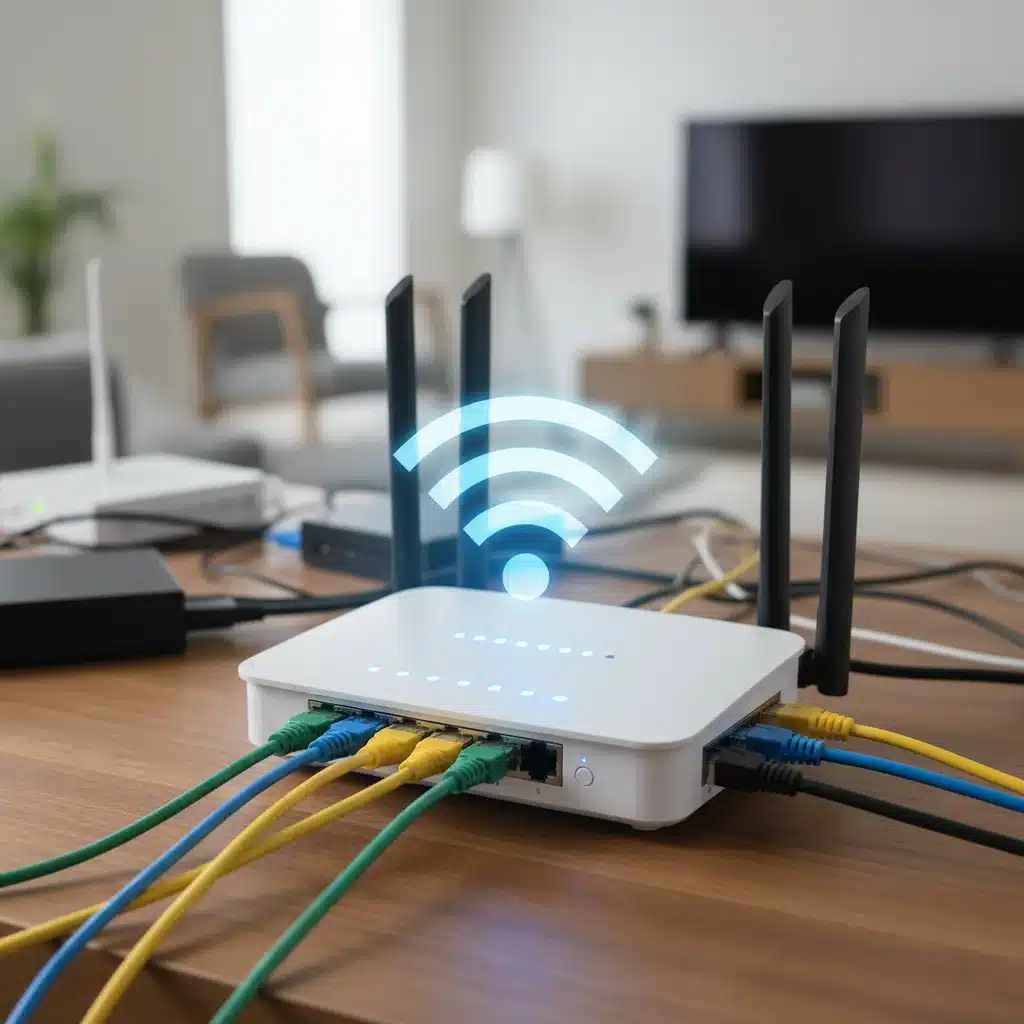
Furthermore, consider a backup internet solution. This could be a mobile hotspot, a separate low-cost internet plan, or even tethering to your smartphone. A few hours of internet downtime can severely impact productivity and deadlines, making a contingency plan invaluable. Regularly update your router’s firmware for security and performance improvements. Secure your Wi-Fi network with a strong password and WPA3 encryption to protect your data. A robust and reliable internet connection ensures that your home office setup is always ready for action, keeping you connected to your team and your tasks without a hitch.
6. Cybersecurity and Data Protection: Safeguarding Your Digital Workspace
As your home office setup becomes an extension of your corporate network, cybersecurity and data protection are no longer just IT department concerns; they are personal responsibilities. The rise in cyber threats targeting remote workers necessitates a proactive approach to safeguarding sensitive information and maintaining operational integrity. A breach can have severe consequences, from data loss to reputational damage and financial penalties.
Start with strong password practices. Use unique, complex passwords for all work-related accounts and enable multi-factor authentication (MFA) wherever possible. A password manager can help you manage these securely. Keep all your software, including your operating system, web browser, and applications, updated to the latest versions. Software updates often include critical security patches that protect against newly discovered vulnerabilities. Install reputable antivirus and anti-malware software on your work devices and ensure it’s always active and updated. Regular scans are essential for detecting and neutralizing threats.
Understand and adhere to your company’s data security policies. This includes guidelines on handling sensitive data, using approved communication channels, and avoiding public Wi-Fi networks for work tasks unless using a secure Virtual Private Network (VPN). A VPN encrypts your internet traffic, providing a secure tunnel for your data, especially crucial when accessing company resources from outside the main office network. Be vigilant against phishing attempts; always verify the sender of suspicious emails and never click on unknown links or download attachments from unverified sources. Educate yourself on common cyber scams to recognize and avoid them.
Data backup is another non-negotiable aspect of a secure home office setup. Implement a robust backup strategy, utilizing cloud storage solutions (with strong encryption) and/or external hard drives. Regularly back up your critical work files, ensuring that if a disaster strikes (hardware failure, cyberattack, accidental deletion), your data can be quickly recovered. Test your backup and recovery process periodically to confirm its effectiveness. By prioritizing cybersecurity and data protection, you fortify your home office setup against digital threats, ensuring peace of mind and continuity in your work.
7. Smart Technology Integration and Future-Proofing Your Home Office
The final point on our checklist for an optimal home office setup in 2026 involves embracing smart technology and future-proofing your workspace. Technology is constantly evolving, and integrating smart solutions can streamline workflows, enhance convenience, and prepare your office for the innovations yet to come. This isn’t about adding gadgets for the sake of it, but about purposeful integration that genuinely improves your productivity and well-being.
Consider smart home devices that can automate aspects of your office environment. Smart plugs can turn on your desk lamp or coffee maker on a schedule. Smart thermostats can optimize temperature based on your presence. Voice assistants can help manage your calendar, set reminders, or even control your smart lighting, freeing up your hands and mind for core tasks. Integrating these devices into a cohesive ecosystem can create a more responsive and intuitive workspace. For instance, a ‘work mode’ scene could automatically adjust lighting, turn on monitors, and activate ‘do not disturb’ on your phone.
Beyond automation, think about scalable technology. When purchasing new equipment, consider its compatibility with future standards and its ability to integrate with other devices. Opt for USB-C hubs and docks that can connect multiple peripherals and provide power delivery through a single cable, simplifying your desk setup and making it adaptable to new laptops or devices. High-resolution monitors (4K or higher) offer more screen real estate and future-proof your visual workspace. Cloud-based tools and services are inherently future-proof, allowing access from any device and facilitating seamless collaboration regardless of physical location.
Investing in modular furniture or desks that can be reconfigured or expanded is another way to future-proof your home office setup. As your needs change, your workspace should be able to adapt without requiring a complete overhaul. Stay informed about emerging technologies and trends relevant to remote work. Subscribing to tech blogs, attending virtual conferences, and networking with other remote professionals can keep you ahead of the curve. By thoughtfully integrating smart technology and adopting a future-oriented mindset, your home office setup will remain a cutting-edge environment, ready to support your professional endeavors for years to come.