Home Security Camera System 2026: DIY Setup & Monitoring Guide
How to Choose and Install a Home Security Camera System in 2026: A Comprehensive Guide to DIY Setup and Monitoring
In an increasingly connected world, safeguarding your home and loved ones has never been more critical. As technology advances, so do the capabilities of home security camera systems, offering unparalleled peace of mind. The year 2026 brings with it innovations that make DIY installation more accessible and effective than ever before. Whether you’re looking to deter intruders, keep an eye on pets, or monitor your property while you’re away, understanding how to choose and install the right home security camera system is paramount. This comprehensive guide will walk you through every step, from selecting the perfect system to mastering its monitoring features, ensuring your home is secure and smart.
The Evolving Landscape of Home Security Camera Systems in 2026
The security industry is in a constant state of flux, driven by advancements in artificial intelligence, cloud computing, and wireless technologies. In 2026, home security camera systems are smarter, more integrated, and user-friendly than ever before. Key trends include:
- AI-Powered Analytics: Cameras are no longer just recording video. They can differentiate between people, animals, and vehicles, reducing false alarms and providing more relevant notifications. Facial recognition and package detection are becoming standard features.
- Enhanced Wireless Connectivity: Wi-Fi 6E and emerging 5G technologies offer faster, more reliable connections, crucial for high-resolution video streaming and cloud storage.
- Eco-Friendly Power Solutions: Solar-powered cameras and long-lasting rechargeable batteries are gaining popularity, reducing the need for constant maintenance and wiring.
- Seamless Smart Home Integration: Modern home security camera systems integrate effortlessly with smart home ecosystems like Amazon Alexa, Google Home, and Apple HomeKit, allowing for voice control and automated security routines.
- Edge AI Processing: More processing is happening directly on the device (at the ‘edge’), leading to faster detection, reduced bandwidth usage, and enhanced privacy.
Understanding these trends is the first step in selecting a home security camera system that is not only effective today but also future-proof.
Step 1: Assessing Your Home Security Needs
Before diving into product specifications, take stock of what you need your home security camera system to do. Consider the following:
A. Property Layout and Vulnerabilities
- Entry Points: Identify all doors, windows, and ground-level access points. These are prime locations for cameras.
- Blind Spots: Walk around your property, both inside and out, to pinpoint areas that are not easily visible from common vantage points.
- Valuables: Where are your most valuable possessions kept? Consider indoor cameras for these areas.
- Outdoor Areas: Do you have a yard, driveway, garage, or shed that needs monitoring?
B. Specific Security Concerns
- Deterrence: Are you primarily looking to deter potential intruders? Visible outdoor cameras with floodlights can be highly effective.
- Monitoring: Do you need to check in on children, elderly relatives, or pets? Indoor cameras with two-way audio are ideal.
- Package Theft: Doorbell cameras with package detection can alert you to deliveries and potential theft.
- Evidence Collection: High-resolution cameras with reliable recording are crucial for providing evidence to authorities.
C. Budget Considerations
The cost of a home security camera system can vary widely. Factor in not just the initial purchase price of cameras and equipment, but also potential ongoing costs like cloud storage subscriptions or professional monitoring fees. DIY systems often have lower ongoing costs compared to professionally installed and monitored systems.
Step 2: Choosing the Right Type of Home Security Camera
The market offers a diverse range of home security camera types, each suited for different purposes.
A. Wired vs. Wireless Cameras
- Wired Cameras (PoE – Power over Ethernet): Offer the most reliable connection and power source. They are less susceptible to interference and hacking but require running cables, which can be more complex for DIY installation. Ideal for permanent, robust setups.
- Wireless Cameras (Wi-Fi): Much easier to install as they don’t require video cables, only power (either from an outlet or battery). They offer flexibility in placement but can be affected by Wi-Fi signal strength and battery life.
B. Indoor vs. Outdoor Cameras
- Indoor Cameras: Often more discreet, may include features like pan-and-tilt, two-way audio, and privacy shutters.
- Outdoor Cameras: Built to withstand weather conditions (IP ratings are important), typically have wider fields of view, night vision, and sometimes integrated floodlights or sirens.
C. Specific Camera Types
- Dome Cameras: Discreet, vandal-resistant, and offer a wide field of view. Good for both indoor and outdoor use.
- Bullet Cameras: Easily recognizable, act as a deterrent, and typically offer a longer range. Best for outdoor perimeter surveillance.
- Turret Cameras (Eyeball Cameras): A hybrid of dome and bullet, offering flexibility in aiming without the dome’s glare issues.
- Doorbell Cameras: Integrate a camera, doorbell, and intercom. Essential for front door security and package monitoring.
- Floodlight Cameras: Combine powerful LED lights with a camera, motion detection, and often a siren, ideal for illuminating and securing dark outdoor areas.
- PTZ (Pan-Tilt-Zoom) Cameras: Offer remote control over the camera’s direction and zoom, providing comprehensive coverage from a single point.
Step 3: Essential Features to Look For in 2026
Modern home security camera systems come packed with features. Prioritize those that best meet your needs:
- Resolution: Aim for at least 1080p (Full HD). 2K (1440p) or 4K (2160p) offer superior detail, especially for zooming in on faces or license plates.
- Night Vision: Infrared (IR) night vision is standard. Look for color night vision (often achieved with starlight sensors or integrated lights) for better detail in low light.
- Motion Detection & AI Analytics: Advanced systems use AI to detect specific objects (people, pets, cars), set activity zones, and differentiate between important and trivial movements.
- Two-Way Audio: Allows you to speak to someone on the other end (e.g., a delivery person, a pet) and hear their response.
- Field of View (FOV): Measured in degrees, a wider FOV means fewer cameras are needed to cover an area.
- Storage Options:
- Local Storage: MicroSD card slot or NVR/DVR for continuous recording without internet dependency. No subscription fees.
- Cloud Storage: Footage is uploaded to secure servers, accessible from anywhere. Often requires a subscription but protects against local device theft.
- Weather Resistance (IP Rating): For outdoor cameras, an IP rating (e.g., IP65, IP66) indicates resistance to dust and water.
- Smart Home Integration: Compatibility with your existing smart home ecosystem for unified control.
- Privacy Features: Look for features like privacy zones (to block out public areas) and local processing to keep sensitive data on-device.
Step 4: DIY Installation of Your Home Security Camera System
Once you’ve selected your home security camera system, it’s time for installation. While specific steps vary by brand, here’s a general DIY guide:
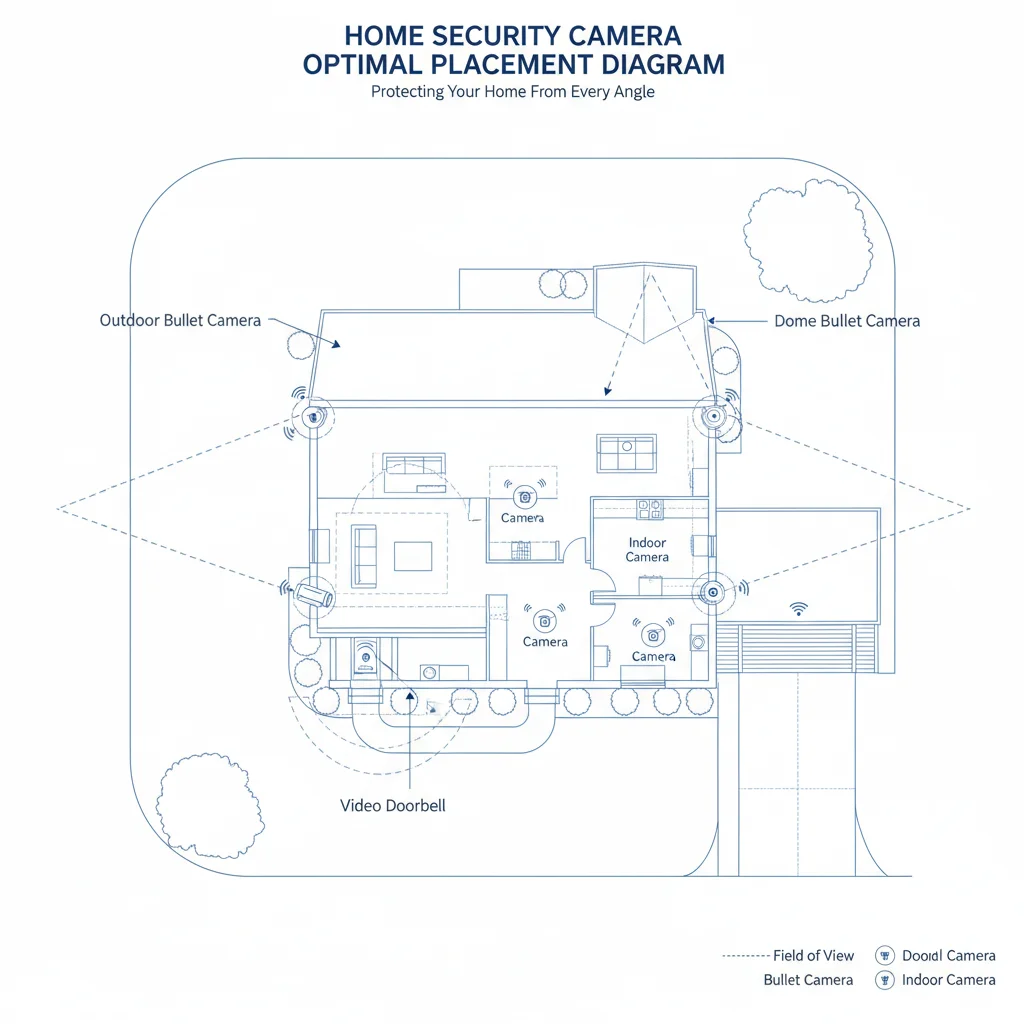
A. Planning and Placement
This is arguably the most crucial step. Refer back to your initial assessment of vulnerabilities and blind spots.
- Optimal Height: For outdoor cameras, 8-10 feet high is often recommended to capture faces while being difficult to tamper with.
- Angle: Aim for angles that cover entry points fully, avoiding direct sunlight or strong backlighting that can wash out images.
- Wi-Fi Signal: For wireless cameras, test Wi-Fi strength at your chosen locations. Use a Wi-Fi extender if necessary.
- Power Source: Ensure easy access to power outlets for non-battery cameras.
- Avoid Obstructions: Ensure trees, bushes, or other objects won’t block the camera’s view.
B. Physical Installation
- Unboxing and Inventory: Check that all components are present according to the manual.
- Mounting:
- Mark Drill Holes: Use the provided template or camera base to mark where you’ll drill.
- Drill Pilot Holes: Use the appropriate drill bit for your surface (wood, brick, stucco).
- Insert Anchors: If drilling into drywall or masonry, insert wall anchors.
- Secure Mount: Screw the camera’s mounting bracket securely to the surface.
- Attach Camera: Fasten the camera to its bracket, adjusting the angle as needed.
- Powering Up:
- Wired Cameras: Connect Ethernet cables (for PoE) to your NVR/router and the camera.
- Wireless Cameras: Plug into a power outlet or ensure batteries are charged and inserted.
C. System Setup and Configuration
This usually involves a smartphone app or web interface provided by the manufacturer.
- Download App: Install the manufacturer’s official app on your smartphone or tablet.
- Create Account: Sign up for an account and follow the on-screen prompts.
- Add Devices: The app will guide you through connecting each camera to your Wi-Fi network (for wireless) or discovering them (for wired NVR systems). This often involves scanning a QR code on the camera.
- Customize Settings:
- Motion Detection: Adjust sensitivity, set activity zones, and configure notification preferences.
- Recording Schedules: Decide when cameras should record (continuous, motion-activated, scheduled).
- Storage: Configure local storage (SD card, NVR hard drive) or subscribe to cloud storage.
- Privacy Settings: Set privacy zones to mask areas you don’t want recorded.
- Alerts: Choose how you receive alerts (push notifications, email).
- Test Everything: Walk in front of cameras, trigger motion, and check the live feed and recorded footage to ensure everything is working as expected. Test two-way audio if applicable.
Step 5: Mastering Monitoring and Maintenance
Installation is just the beginning. Effective monitoring and regular maintenance ensure your home security camera system remains reliable.
A. Everyday Monitoring
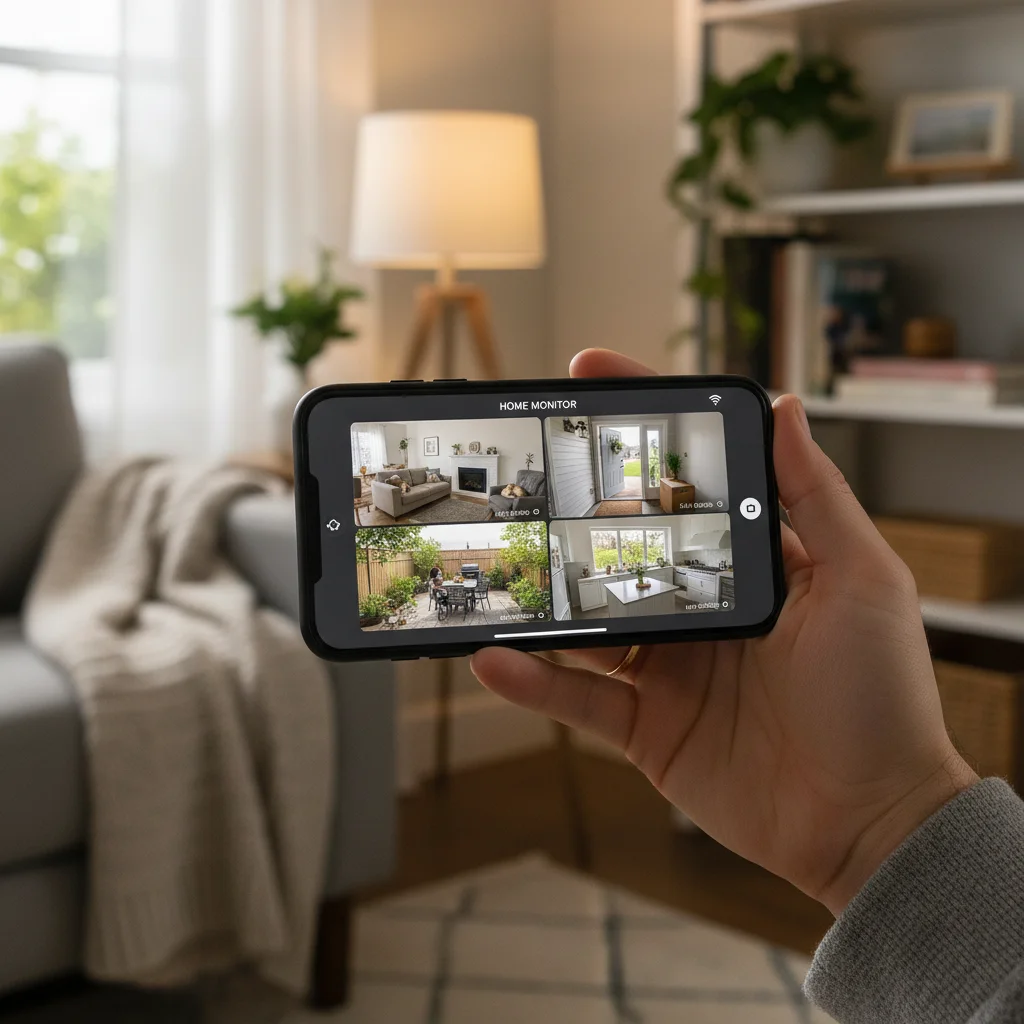
- Smartphone App: This will be your primary interface. Regularly check the live feed, review event history, and manage settings.
- Notifications: Respond promptly to alerts. If you’re unsure about an alert, check the live feed.
- Sharing Access: Most systems allow you to share access with trusted family members, granting them viewing and control permissions.
- Integration with Smart Displays: View camera feeds directly on smart displays like Google Nest Hub or Amazon Echo Show.
B. Professional Monitoring (Optional)
While DIY systems offer self-monitoring, some brands provide optional professional monitoring services. This means a central station will monitor your alerts and dispatch emergency services if needed, often for a monthly fee. This adds an extra layer of security, especially if you’re often away or prefer not to manage alerts yourself.
C. Maintenance Tips
- Clean Lenses: Periodically wipe camera lenses with a soft cloth to remove dust, dirt, or spiderwebs that can obscure the view.
- Check Connections: Ensure all cables are secure for wired systems.
- Battery Check: For battery-powered cameras, monitor battery levels and recharge/replace as needed.
- Firmware Updates: Regularly check for and install firmware updates. These often include security patches, new features, and performance improvements.
- Wi-Fi Signal Strength: Periodically check the Wi-Fi signal strength for wireless cameras to ensure optimal performance.
- Storage Management: If using local storage, ensure there’s enough space or that old footage is being overwritten as intended. For cloud storage, verify your subscription is active.
- Test Alarms: Periodically test any integrated sirens or alarms to ensure they are functioning correctly.
Advanced Tips for Your 2026 Home Security Camera System
- Cybersecurity Best Practices: Use strong, unique passwords for your camera system and Wi-Fi network. Enable two-factor authentication (2FA) if available. Keep your router’s firmware updated.
- Layered Security: Combine your home security camera system with other security measures like smart locks, alarm systems, and motion-sensing lights for a comprehensive defense.
- Legal and Privacy Considerations: Be aware of local laws regarding surveillance, especially if your cameras capture public spaces or neighbors’ properties. Always inform household members and guests about cameras.
- Backup Power: Consider a UPS (Uninterruptible Power Supply) for your NVR/DVR and router to keep your system running during power outages.
- Automated Routines: Leverage smart home integration to create routines, such as turning on lights when motion is detected at night, or disarming cameras when you arrive home.
Conclusion: Your Secure Home in 2026
Investing in a home security camera system is one of the most effective ways to protect your property and loved ones. In 2026, the power of advanced technology, coupled with the ease of DIY installation, puts robust security within reach for every homeowner. By carefully assessing your needs, choosing the right equipment, following proper installation procedures, and maintaining your system diligently, you can create a secure environment that offers true peace of mind. Stay vigilant, stay connected, and enjoy the enhanced safety that a well-chosen and properly installed home security camera system provides.