Mastering Cloud Storage: Maximize Your Free 15GB in 2026

In our increasingly digital world, cloud storage has become an indispensable tool for managing our files, photos, and documents. While many services offer generous free tiers, the most common starting point for many users is the ubiquitous 15GB provided by platforms like Google Drive. This seemingly ample space can quickly dwindle if not managed effectively. The good news is that with the right strategies, you can truly maximize free cloud storage and make that 15GB work harder for you, even as we move into 2026 and beyond. This comprehensive guide will walk you through everything you need to know to optimize your free cloud storage, ensuring your digital life remains organized, accessible, and secure without having to pay for upgrades.
Understanding the nuances of your free cloud storage is the first step towards mastering it. It’s not just about dumping files; it’s about strategic placement, smart organization, and proactive management. Whether you’re a student, a professional, or simply someone looking to keep their personal memories safe, these tips will empower you to get the most out of your complimentary digital space.
Understanding Your Free 15GB Cloud Storage Allocation
Before diving into optimization, it’s crucial to understand where your free 15GB comes from and how it’s typically shared across different services. For instance, Google’s 15GB is shared across Google Drive, Gmail, and Google Photos (for photos uploaded in ‘Storage saver’ quality after June 1, 2021). This integrated approach means that large email attachments, high-resolution photos, and documents all contribute to the same pool. Other providers might have different allocations, but the principle remains: every byte counts.
Where Does Your 15GB Go?
- Google Drive: All files you upload directly, including documents, spreadsheets, presentations, PDFs, and more.
- Gmail: Every email, including its attachments, contributes to your storage limit. Old newsletters, large media files, and extensive email threads can quickly consume space.
- Google Photos: While ‘Storage saver’ quality photos uploaded before June 1, 2021, were free, new uploads in this quality now count towards your 15GB. Original quality photos always count.
Knowing these allocations is fundamental to effectively maximize free cloud storage. It allows you to identify potential storage hogs and prioritize what truly needs to be stored in the cloud versus what can be archived locally or deleted.
Strategic Organization: The Key to Maximizing Space
One of the most effective ways to make your 15GB last is through meticulous organization. Think of your cloud storage as a digital filing cabinet. Without a system, it quickly becomes a chaotic mess, making it hard to find anything and leading to unnecessary duplication.
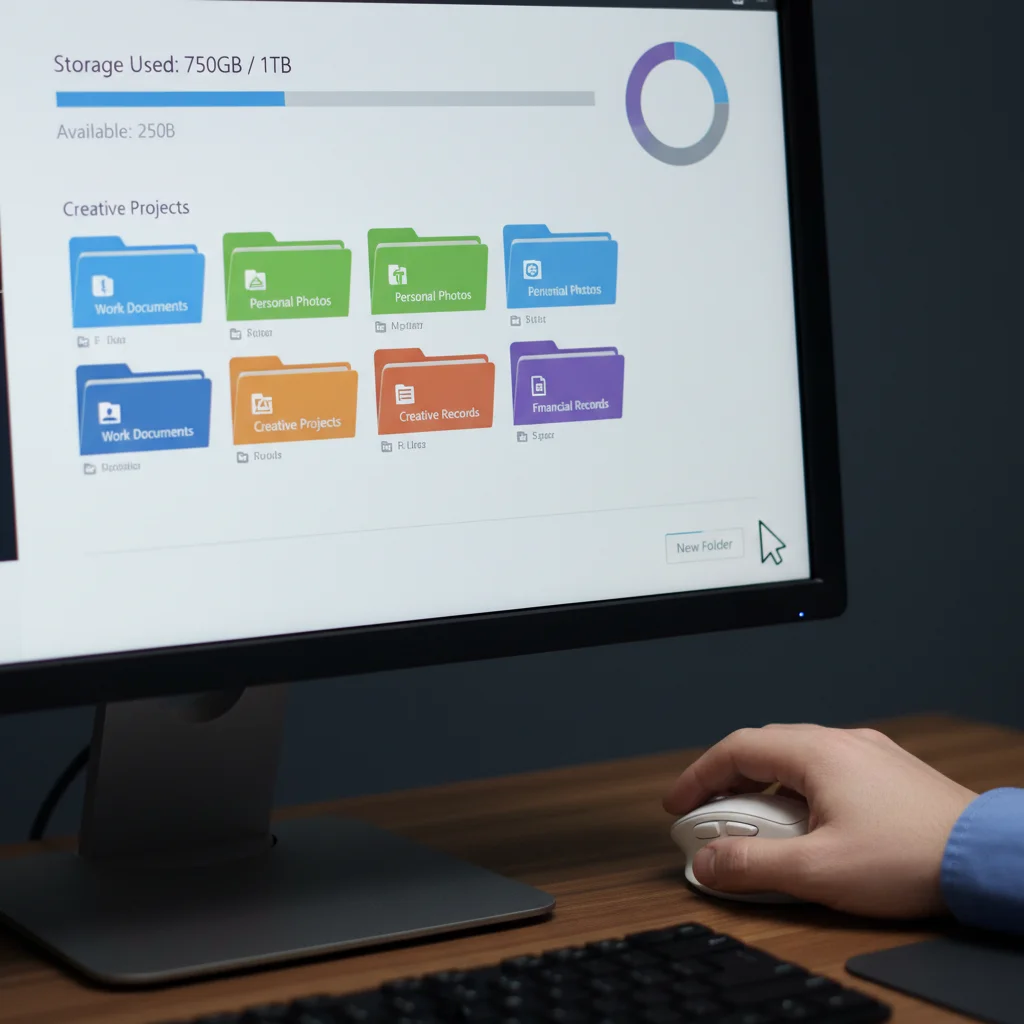
Create a Logical Folder Structure
Start by establishing a clear, intuitive folder hierarchy. Avoid dumping everything into the root directory. Consider categories that reflect your daily activities or project types:
- Personal: Documents, Photos, Videos, Receipts, Health
- Work/School: Projects, Reports, Presentations, Research
- Hobbies: Art, Music, Writing, Crafts
Within these main categories, create subfolders. For example, ‘Photos’ could have subfolders for ‘Year (e.g., 2023)’, ‘Events’, ‘Travel’. This structure not only helps you locate files faster but also makes it easier to identify redundant or outdated content.
Consistent Naming Conventions
Randomly named files are the bane of digital organization. Adopt a consistent naming convention for all your files. This could include dates, project names, or descriptive keywords. For instance, instead of IMG_001.jpg, use 2026-03-15_FamilyVacation_BeachDay_001.jpg. For documents, ProjectX_Report_Q1_Final.docx is far more useful than Report.docx.
Utilize Labels and Tags
Some cloud services offer tagging or labeling features. Leverage these to add an extra layer of organization, especially for files that might fit into multiple categories. Tags allow for quick filtering and searching, saving you valuable time and preventing duplicate uploads.
Decluttering Your Cloud: Essential Maintenance for 2026
Regular decluttering is paramount to successfully maximize free cloud storage. Just like your physical space, your digital space accumulates junk. Make it a habit to periodically review your cloud content.
Identify and Delete Duplicates
Duplicate files are notorious storage hogs. Whether it’s the same photo downloaded multiple times, different versions of a document, or accidental re-uploads, duplicates eat away at your precious 15GB. Manually searching for duplicates can be tedious, but there are third-party tools and built-in features (like Google Drive’s search by file size or type) that can help identify them. Dedicate time to going through your files and removing redundant copies.
Archive Old or Unused Files
Not everything needs to be readily accessible in your primary cloud storage. Consider creating an ‘Archive’ folder for files you rarely access but still need to keep. Better yet, if you have external hard drives or secondary, less-frequently accessed cloud accounts, move these files there. This frees up space in your primary 15GB for active projects.
Empty Your Trash/Bin Regularly
Many users overlook this simple step. When you delete files from your cloud storage, they often go into a ‘Trash’ or ‘Bin’ folder, where they remain for a set period (e.g., 30 days) before being permanently deleted. During this period, they still count towards your storage limit! Make it a habit to empty your trash folder immediately after deleting files you no longer need.
Compress Large Files
Before uploading large files, consider compressing them. Zipping folders or converting high-resolution images to slightly lower (but still good quality) formats can significantly reduce their size without compromising too much on usability. However, be mindful of the trade-off between file size and quality, especially for critical photos or videos.
Smart Upload and Sync Strategies
How you upload and sync files can have a major impact on your available storage. Being strategic here is vital to maximize free cloud resources.
Selective Syncing
If you use a desktop client for your cloud storage, enable selective syncing. This feature allows you to choose which folders are synchronized to your local device, preventing unnecessary downloads and local storage consumption. More importantly, it can also influence what gets uploaded. If you only sync specific project folders, you’re less likely to accidentally upload unrelated files.
Leverage Cloud-Native Document Formats
For services like Google Drive, creating documents directly in Google Docs, Sheets, or Slides can be a game-changer. Files created in these formats typically do not count towards your storage limit. This is a massive advantage that can help you preserve your 15GB for other essential files. If you’re working with Microsoft Office files, consider converting them to Google’s native formats if collaboration features are more important than strict formatting.
Optimize Photo and Video Uploads
Photos and videos are often the biggest consumers of cloud storage. Here’s how to manage them:
- Google Photos ‘Storage Saver’: As mentioned, new uploads in ‘Storage saver’ quality now count. If you have older photos uploaded before June 2021, they might still be free. Regularly review your Google Photos settings to ensure you understand what’s counting towards your limit.
- Delete Blurry/Bad Photos: Be ruthless! Delete duplicate shots, blurry images, and photos you’ll never look at again. One bad photo takes up the same space as a good one.
- Consider Alternatives for Videos: Videos consume a lot of space. For very large video files, consider platforms like YouTube (for public or unlisted sharing) or dedicated video storage solutions if your 15GB is primarily for documents.
Security and Privacy in the Cloud (2026 Perspective)
While maximizing space is important, never compromise on security. Even with free storage, your data deserves robust protection.
Strong Passwords and Two-Factor Authentication (2FA)
This is non-negotiable. Use unique, strong passwords for your cloud accounts and always enable 2FA. This adds an extra layer of security, making it significantly harder for unauthorized individuals to access your files, even if they somehow obtain your password.
Understand Sharing Settings
When sharing files or folders, always double-check the permissions. Ensure you’re only granting access to the necessary individuals and with the appropriate level of permission (view, comment, edit). Publicly shared links can expose your data if not handled carefully. Regularly review your shared files to revoke access for those who no longer need it.
Encrypt Sensitive Data
For highly sensitive documents, consider encrypting them before uploading them to the cloud. While cloud providers offer their own encryption, end-to-end encryption by you provides an additional layer of security, ensuring that only you (and those you share the decryption key with) can access the content.

Leveraging Multiple Free Cloud Services
One advanced strategy to maximize free cloud space isn’t just about optimizing one service, but intelligently using several. While Google Drive offers 15GB, other providers also offer free tiers.
Diversify Your Storage Portfolio
Consider signing up for free accounts with other reputable cloud providers. For example:
- Microsoft OneDrive: Often offers 5GB free. Useful for Office documents.
- Dropbox: Typically starts with 2GB, but offers ways to earn more free space.
- Mega: Known for offering a generous 20GB free, with strong encryption focus.
- Apple iCloud: Provides 5GB free, primarily for Apple device users for backups and syncing.
By spreading your data across multiple services, you effectively increase your total free storage. For instance, you could dedicate Google Drive primarily to documents and photos, OneDrive to work-related files, and Dropbox for shared project folders with collaborators who prefer that platform.
Strategic Allocation Across Services
The key here is not to duplicate everything across all services, but to specialize. For example:
- Use Google Drive for your most active documents and collaborative projects, leveraging its native app integration.
- Reserve OneDrive for your Microsoft Office files, taking advantage of its tight integration with Word, Excel, and PowerPoint.
- Utilize Dropbox for files shared with external partners who may already use Dropbox.
- Keep iCloud for your iPhone/iPad backups and syncing across Apple devices.
This approach helps you maximize free cloud storage by utilizing each service’s strengths and avoiding unnecessary overlap.
Advanced Tips and Tools for 2026
As technology evolves, so do the tools and techniques available to manage your cloud storage efficiently.
Regular Storage Audits
Schedule a quarterly or bi-annual ‘storage audit.’ This involves reviewing your cloud usage statistics (most services provide a breakdown of how your space is being used), identifying the largest files, and reassessing what needs to stay in the cloud. This proactive approach prevents your 15GB from filling up unexpectedly.
Utilize Cloud Storage Management Tools (if available)
Some third-party tools or integrated features within cloud services can help visualize your storage usage, find large files, or identify duplicates. While not always free, some offer limited free functionalities that can be helpful for occasional cleanups. Always research and choose reputable tools.
Consider Streaming vs. Storing
For media content, think about whether you truly need to store it in your primary cloud storage. Services like YouTube, Spotify, and Netflix allow you to stream content without consuming your personal storage. For personal videos or music, consider using dedicated streaming services or local storage if cloud space is at a premium.
Leverage Cloud Sync for Temporary Files
If you’re working on a project that requires files to be accessible across multiple devices but only for a limited time, use your cloud storage for temporary syncing. Once the project is complete, move the final files to a more permanent, organized location (or archive them) and delete the temporary ones from your cloud to free up space.
Common Pitfalls to Avoid
Even with the best intentions, it’s easy to fall into traps that quickly deplete your free storage.
Ignoring Sync Settings
Many users install cloud desktop apps and forget to configure sync settings. This can lead to entire local hard drives being mirrored to the cloud, quickly exceeding your 15GB. Always customize what gets synced.
Forgetting About Version History
Cloud services often keep multiple versions of files, allowing you to revert to previous states. While incredibly useful, these versions also consume space. Periodically review and purge old versions of files you no longer need historical records for, especially for very large documents or media files.
Treating Cloud as a Primary Backup (Exclusively)
While cloud storage is excellent for accessibility and some level of backup, relying solely on your free 15GB as your only backup solution is risky. For critical data, always follow the 3-2-1 backup rule: three copies of your data, on two different media types, with one copy off-site. Your 15GB can be one part of this strategy, but not the entirety.
Hoarding Unnecessary Files
The digital equivalent of holding onto old receipts or magazines. If you haven’t touched a file in years and it holds no sentimental or critical value, it’s time to let it go. Be honest with yourself about what you truly need to keep.
Conclusion: Your 15GB Can Do More Than You Think
By adopting a disciplined approach to organization, regularly decluttering, employing smart upload strategies, and understanding the security implications, you can significantly maximize free cloud storage. Your 15GB isn’t just a starting point; it’s a powerful resource when managed correctly. As we navigate 2026 and the ever-growing demand for digital space, these practices will ensure your cloud remains a lean, efficient, and accessible hub for your most important digital assets, all without reaching for your wallet.
Embrace these strategies today, and transform your free cloud storage from a potential bottleneck into a highly effective tool for your digital life. The power to optimize is in your hands!