Optimize Your Wi-Fi for 5G Home Internet: Maximize Speed & Coverage

The dawn of 5G home internet has brought with it promises of blazing-fast speeds and unprecedented reliability, fundamentally reshaping how we connect to the digital world. Gone are the days when traditional wired connections were the only viable option for high-speed home internet. With 5G, you can now enjoy fiber-like speeds wirelessly, opening up a world of possibilities for streaming, gaming, smart home integration, and remote work. However, simply subscribing to a 5G home internet plan isn’t enough to guarantee you’ll experience its full potential. The critical link between your 5G modem and your devices is your home Wi-Fi network. Without proper optimization, even the fastest 5G connection can be throttled by an inefficient or poorly configured Wi-Fi setup.
In 2026, as 5G infrastructure continues to mature and become more widespread, ensuring your Wi-Fi network is perfectly aligned with the capabilities of your 5G home internet service is paramount. This comprehensive guide will walk you through everything you need to know to optimize 5G Wi-Fi, ensuring you maximize your speed, extend your coverage, and enjoy a seamless online experience throughout your entire home. We’ll delve into practical strategies, cutting-edge technologies, and essential troubleshooting tips to transform your home network into a high-performance hub capable of fully harnessing the power of 5G.
Understanding 5G Home Internet and Its Demands on Wi-Fi
Before we dive into optimization techniques, it’s crucial to understand what 5G home internet is and why it places unique demands on your Wi-Fi network. Unlike traditional broadband, 5G home internet uses cellular 5G signals to deliver internet connectivity to your home. A dedicated 5G modem/router receives these signals and then broadcasts them as a Wi-Fi network within your house. The key advantage here is speed and low latency, often rivaling or exceeding wired connections, especially in urban and suburban areas with robust 5G coverage.
The challenge arises because your internal Wi-Fi network must be capable of distributing these high speeds effectively. If your Wi-Fi router is old, poorly placed, or improperly configured, it can become a bottleneck, preventing your devices from experiencing the true potential of your 5G connection. Think of it like a super-fast highway (5G) leading to your neighborhood, but then your local streets (Wi-Fi) are narrow and congested. To truly optimize 5G Wi-Fi, we need to ensure those local streets are as efficient as possible.
The Foundation: Your 5G Home Internet Router
Your 5G home internet provider typically supplies a gateway device that combines the 5G modem and a Wi-Fi router. While these devices are generally capable, they may not always be the best solution for every home, especially larger ones or those with complex layouts. Understanding its capabilities is the first step in optimization.
1. Location, Location, Location: The Golden Rule
The placement of your 5G home internet router is arguably the most critical factor in determining your Wi-Fi performance. Unlike traditional cable modems, 5G gateways also need to receive a strong 5G cellular signal. Therefore, finding a sweet spot that balances both excellent 5G reception and optimal Wi-Fi distribution is key.
- Central Location: Aim for a central location in your home, ideally on the main floor if you have multiple levels. This allows Wi-Fi signals to radiate outwards evenly, minimizing dead zones.
- Elevated Position: Place the router on a high shelf or table, away from the floor. Wi-Fi signals travel better downwards and horizontally than upwards.
- Away from Obstructions: Walls (especially concrete or brick), large metal objects (appliances, filing cabinets), and water (fish tanks) can significantly degrade Wi-Fi signals. Keep your router clear of these.
- Windows (for 5G signal): If your 5G signal strength is an issue, try placing the router near a window facing the direction of the nearest 5G tower. However, be mindful that direct sunlight can sometimes cause overheating.
- Interference Sources: Keep the router away from other electronics that emit electromagnetic interference, such as cordless phones, microwaves, and baby monitors.
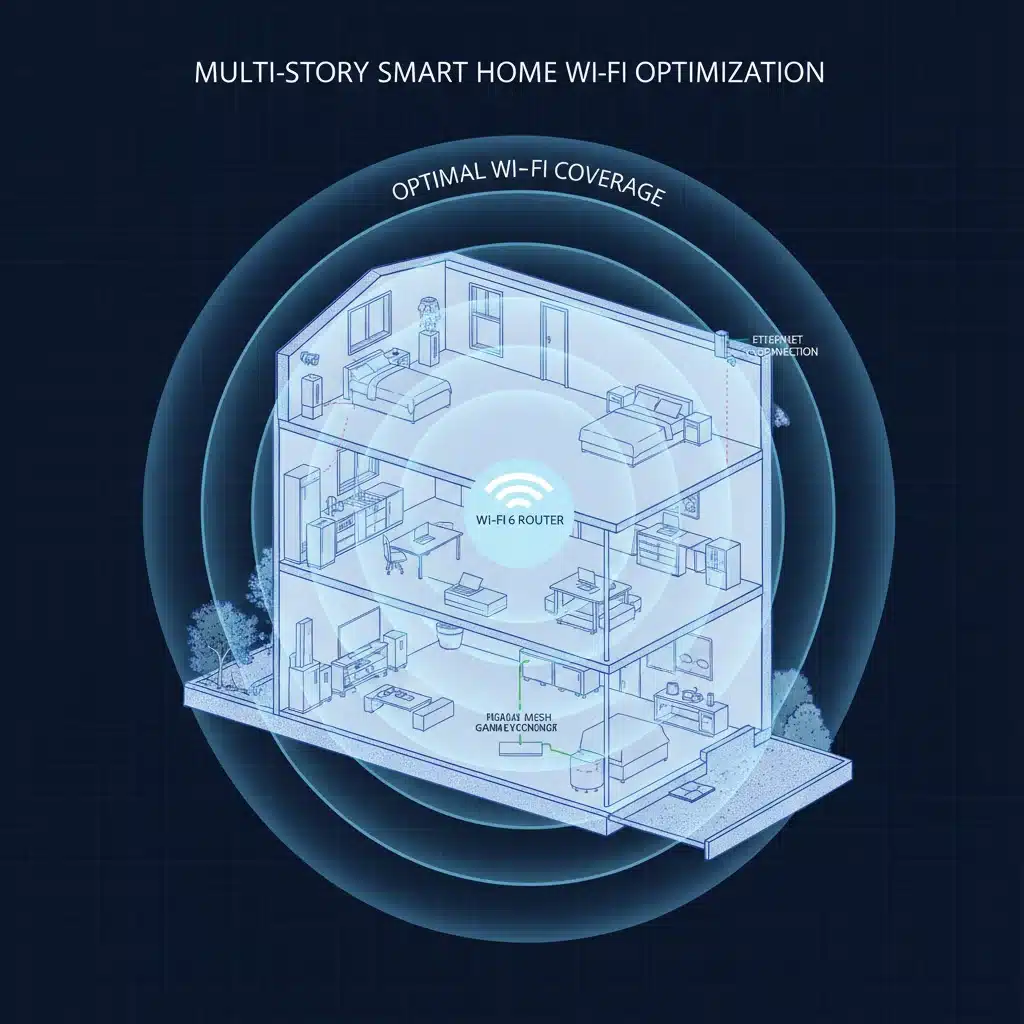
2. Leveraging Wi-Fi 6 (802.11ax) or Wi-Fi 6E (802.11ax on 6GHz)
Most modern 5G home internet routers come equipped with Wi-Fi 6 (802.11ax) technology. If yours does, ensure your devices also support Wi-Fi 6 to fully benefit from its enhancements. Wi-Fi 6 offers:
- Higher Throughput: Faster theoretical speeds, crucial for 5G’s high bandwidth.
- OFDMA (Orthogonal Frequency-Division Multiple Access): More efficient data transmission to multiple devices simultaneously, reducing latency and improving performance in busy networks.
- MU-MIMO (Multi-User, Multiple-Input, Multiple-Output): Allows the router to communicate with multiple devices at once, rather than sequentially.
- Improved Battery Life for Devices: Target Wake Time (TWT) allows devices to negotiate when and how often they will wake up to send or receive data, extending battery life.
Wi-Fi 6E extends Wi-Fi 6 into the 6GHz band, offering even more channels and less interference, leading to even faster and more reliable connections for compatible devices. If your 5G gateway supports Wi-Fi 6E, and you have Wi-Fi 6E compatible devices, you’re set for the absolute best performance.
Expanding and Enhancing Your Wi-Fi Coverage
Even with optimal router placement, a single router might not cover a large home or one with many walls and floors effectively. This is where Wi-Fi extenders, access points, and especially mesh Wi-Fi systems come into play to optimize 5G Wi-Fi throughout your entire property.
3. Mesh Wi-Fi Systems: The Gold Standard for Coverage
For most homes, especially those with 5G home internet, a mesh Wi-Fi system is the recommended solution for comprehensive coverage and consistent speeds. Mesh systems consist of multiple nodes that work together to create a single, unified Wi-Fi network. Key benefits include:
- Seamless Roaming: As you move around your home, your devices automatically connect to the strongest mesh node without dropping the connection.
- Elimination of Dead Zones: Strategically placed nodes ensure coverage in every corner of your home, including patios and garages.
- Scalability: Easily add more nodes as needed to expand coverage further.
- Dedicated Backhaul: Many mesh systems use a dedicated wireless band (often 5GHz or even 6GHz with Wi-Fi 6E) to communicate between nodes, preventing slowdowns.
- Centralized Management: Most mesh systems are managed via a user-friendly smartphone app, making setup and configuration straightforward.
When choosing a mesh system, look for one that supports Wi-Fi 6 or Wi-Fi 6E to match the capabilities of your 5G home internet and ensure future-proofing. Connect the primary mesh node directly to your 5G home internet gateway via an Ethernet cable.
4. Wi-Fi Extenders vs. Access Points
- Wi-Fi Extenders (Repeaters): These devices rebroadcast your existing Wi-Fi signal. While they can extend coverage, they often halve the bandwidth and can introduce latency. They are generally not recommended for high-speed 5G home internet due to potential performance degradation.
- Wireless Access Points (WAPs): A WAP connects to your main router via an Ethernet cable and then broadcasts its own Wi-Fi signal. This creates a new Wi-Fi network or extends your existing one without the speed penalty of a repeater. If you can run Ethernet cables to different parts of your home, WAPs are a superior solution to extenders and can be integrated into a unified network with proper configuration.
Optimizing Wi-Fi Performance and Reliability
Beyond hardware and placement, several software and configuration tweaks can significantly optimize 5G Wi-Fi performance.
5. Channel Optimization: Avoiding Interference
Wi-Fi networks operate on specific channels. In crowded areas, neighboring Wi-Fi networks can interfere with yours if they’re using the same channels, leading to slower speeds and dropped connections. This is particularly important for 5G Wi-Fi, where maintaining maximum throughput is key.
- 2.4 GHz Band: This band has a longer range but offers lower speeds and is more susceptible to interference from other devices (microwaves, Bluetooth). It has 11 channels in North America, but only channels 1, 6, and 11 are non-overlapping. Try to stick to these.
- 5 GHz Band: Offers faster speeds and more channels, but has a shorter range and is more easily blocked by obstacles. Many more non-overlapping channels are available.
- 6 GHz Band (Wi-Fi 6E): The newest band, offering the most channels and virtually no interference from older devices.
Most modern routers have an ‘Auto’ channel selection feature, which usually works well. However, if you’re experiencing issues, you can manually select a less congested channel. Use a Wi-Fi analyzer app (available for smartphones and computers) to scan your environment and identify the least used channels. This simple step can dramatically optimize 5G Wi-Fi speeds.

6. Firmware Updates: Stay Current
Router manufacturers frequently release firmware updates to improve performance, fix bugs, and enhance security. Always ensure your 5G home internet gateway and any additional Wi-Fi equipment (mesh nodes, access points) are running the latest firmware. Most modern devices can update automatically, but it’s good practice to check manually every few months.
7. Quality of Service (QoS) Settings
QoS allows you to prioritize certain types of network traffic over others. If you’re a heavy gamer, frequently make video calls, or stream 4K content, configuring QoS can ensure these activities get the bandwidth they need, even when other devices are active on your network. This is crucial for maintaining a smooth experience with your high-speed 5G internet.
- Prioritize Devices: You can often prioritize specific devices (e.g., your gaming PC, smart TV) or types of traffic (e.g., video streaming, VoIP).
- Bandwidth Allocation: Some advanced QoS settings allow you to allocate specific bandwidth percentages to different applications or devices.
8. Separating 2.4 GHz and 5 GHz Networks (or Using Band Steering)
Many modern routers broadcast both 2.4 GHz and 5 GHz networks under a single Wi-Fi name (SSID) and use a feature called ‘band steering’ to automatically connect your devices to the best available band. While convenient, this doesn’t always work perfectly for all devices.
If you experience connectivity issues or inconsistent speeds, consider separating the bands into two distinct SSIDs (e.g., ‘MyHomeWiFi-2.4GHz’ and ‘MyHomeWiFi-5GHz’). This allows you to manually connect specific devices to the band that best suits their needs:
- 2.4 GHz: Best for older devices, smart home gadgets (thermostats, smart plugs), or devices far from the router that need range more than raw speed.
- 5 GHz: Ideal for newer devices that require high bandwidth, such as laptops, smartphones, and streaming devices, especially those closer to the router.
For Wi-Fi 6E, you would also have a 6 GHz network, which should be prioritized for compatible devices needing the absolute fastest, lowest-latency connection.
9. Wired Connections Where Possible
While the goal is to optimize 5G Wi-Fi, remember that a wired Ethernet connection is always the most reliable and fastest option. For stationary devices like desktop computers, smart TVs, gaming consoles, and network-attached storage (NAS) devices, connecting them directly to your router or mesh node via an Ethernet cable will free up valuable Wi-Fi bandwidth for your wireless devices and ensure maximum performance for those critical connections.
Security and Maintenance for Your Optimized Network
A fast network is only truly effective if it’s also secure and well-maintained.
10. Strong Wi-Fi Security (WPA3)
Always use the strongest available Wi-Fi encryption, which is WPA3. WPA3 offers enhanced security features compared to its predecessor, WPA2, making your network more resilient against hacking attempts. Your 5G home internet gateway should support WPA3; ensure it’s enabled.
- Strong Passwords: Use a complex, unique password for your Wi-Fi network and your router’s administration panel.
- Guest Network: Enable a guest Wi-Fi network for visitors. This keeps your main network secure and prevents guests from accessing your internal devices.
11. Regular Reboots
Just like any electronic device, your router can benefit from a periodic reboot. This clears its memory, refreshes its connections, and can resolve minor performance glitches. A weekly or bi-weekly reboot is a good practice to maintain optimal performance.
12. Monitoring Your Network
Utilize your router’s administration interface or companion app to monitor connected devices, bandwidth usage, and signal strength. Many apps also offer diagnostic tools that can help identify potential issues. Regularly checking these can help you proactively address problems before they significantly impact your experience.
Advanced Considerations for Power Users
For those looking to squeeze every last drop of performance from their 5G home internet and Wi-Fi setup, consider these advanced tips:
- External Antennas: Some 5G home internet gateways allow for external antennas. If your 5G signal strength is consistently low, a directional external antenna can significantly improve reception and thus your internet speed. Consult your provider or router manufacturer for compatible options.
- Powerline Adapters: If running Ethernet cables is not feasible, and Wi-Fi struggles in certain areas, powerline adapters can use your home’s electrical wiring to extend a wired network connection. This can be a good alternative for connecting a mesh node or an access point in a distant room.
- Custom DNS Servers: Changing your DNS (Domain Name System) servers to faster, more reliable alternatives (like Google DNS or Cloudflare DNS) can sometimes result in slightly faster page loading times and improved overall browsing responsiveness.
- Disable Old Protocols: If your router supports it, disabling older, less secure Wi-Fi protocols like 802.11a/b/g can sometimes improve network efficiency and security, assuming all your devices support newer standards.
Troubleshooting Common 5G Wi-Fi Issues
Even with the best setup, you might encounter occasional issues. Here’s a quick troubleshooting guide:
- Slow Speeds:
- Run a speed test from multiple devices and locations.
- Check your 5G signal strength on your gateway.
- Perform a Wi-Fi channel scan and switch to a less congested channel.
- Reboot your router and modem.
- Ensure your devices are connected to the 5GHz or 6GHz band if possible.
- Dead Zones/Poor Coverage:
- Re-evaluate router placement.
- Consider adding or repositioning mesh nodes or access points.
- Check for physical obstructions.
- Frequent Disconnections:
- Update router firmware.
- Check for interference from other devices.
- Ensure your devices have the latest Wi-Fi drivers.
- Reset network settings on problematic devices.
- Device Not Connecting:
- Verify Wi-Fi password.
- Check if MAC filtering is enabled on your router (and if the device is whitelisted).
- Ensure the device supports the Wi-Fi standard (2.4GHz, 5GHz, 6GHz) your network is broadcasting.
Conclusion: Future-Proofing Your Connectivity
As we move further into 2026 and beyond, 5G home internet will only become more prevalent and powerful. By taking the time to optimize 5G Wi-Fi, you’re not just enhancing your current internet experience; you’re future-proofing your home network to handle the increasing demands of smart homes, advanced streaming, virtual reality, and whatever new technologies emerge. A well-optimized Wi-Fi network ensures that the incredible speeds delivered by 5G home internet are fully realized by every device, in every corner of your home, providing a truly seamless and high-performance digital lifestyle. Invest in your network today, and enjoy the benefits of superior connectivity for years to come.